A vector database is useful when your application needs to search by meaning, similarity, or context across a growing body of data, especially when that retrieval must be fast, reliable, filtered, updated, and served in production. You usually need one for semantic search at scale, retrieval-augmented generation across substantial knowledge bases, multimodal search, or recommendation systems that compare many embeddings. You may not need one if your dataset is small, your search is mostly keyword-based, your data changes rarely, or a local library, SQL extension, or existing search system can meet your latency and relevance needs.
This guide explains the practical signals that tell you when a vector database is worth adding, when it is probably unnecessary, and what lighter alternatives can handle smaller workloads. By the end, you should be able to decide whether your AI application needs a dedicated vector database now, can start with something simpler, or should use vector search inside an existing database before moving to specialized infrastructure.
What a Vector Database Actually Does
A vector database stores embeddings and makes them searchable. An embedding is a list of numbers that represents the meaning, features, or similarity pattern of a piece of data. Text passages, images, audio clips, products, support tickets, code snippets, user behavior, and other objects can all be embedded, then compared by distance or similarity. Instead of asking only whether two strings match, a vector search asks which items are closest in meaning or representation.
This matters because many AI applications are not trying to find an exact phrase. They are trying to find the most relevant document for a question, the closest product to a user’s intent, the most similar past incident, or the chunks of internal knowledge that should be passed into a language model. A vector database makes this kind of nearest-neighbor search a managed data system rather than a one-off computation.
At small scale, vector search can be simple. You can store vectors in memory, scan them directly, or use a library that builds a local index. At larger scale, the problem becomes more like database infrastructure. You need indexing, filtering, updates, persistence, monitoring, access control, replication, backups, and predictable query behavior. That is where a vector database becomes more compelling.
Once you understand that distinction, the decision becomes less about whether vectors are useful and more about whether vector search has become important enough to deserve production-grade infrastructure.
Signals That You Probably Need a Vector Database
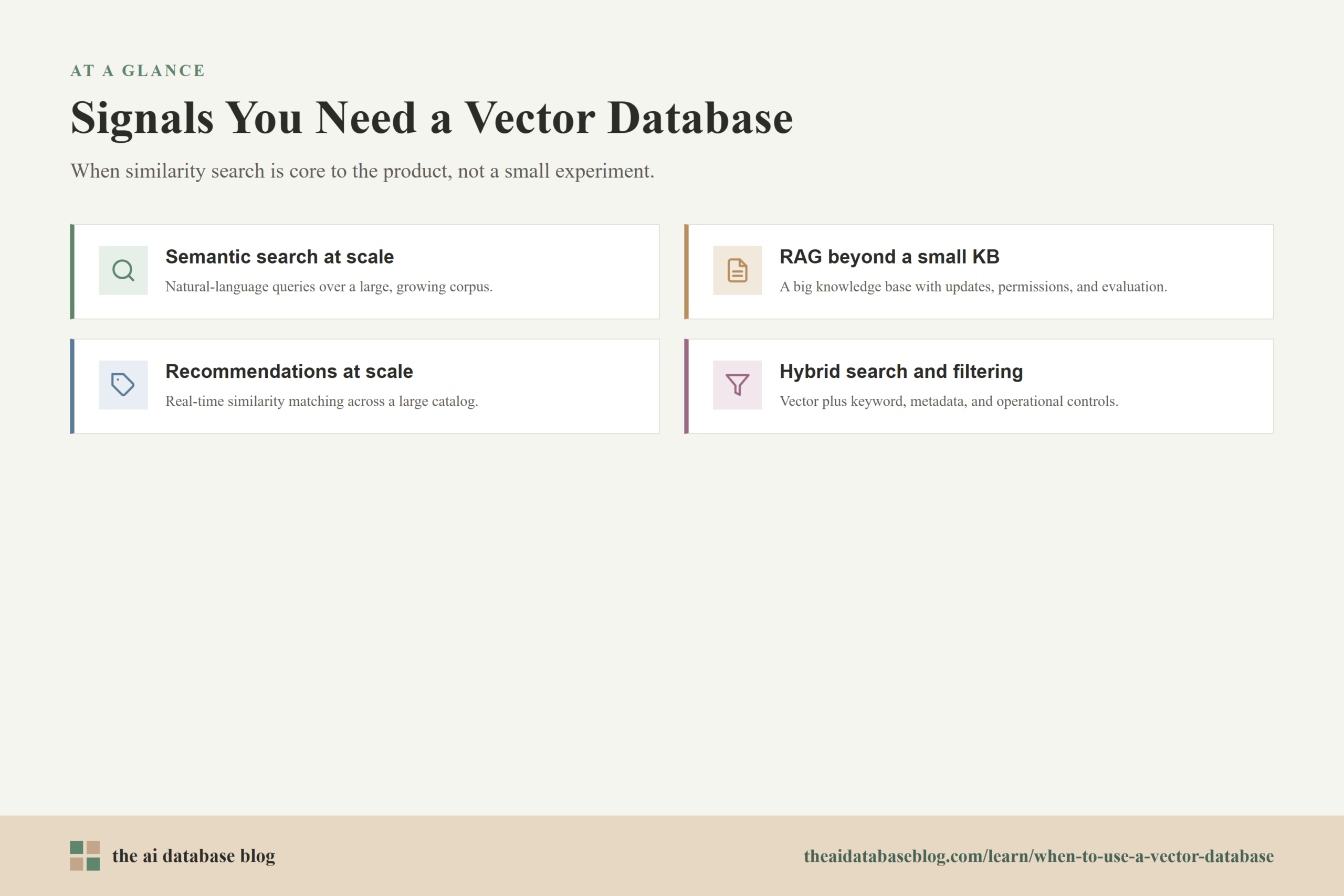
You probably need a vector database when similarity search is central to the product rather than a small experiment. The strongest signal is not simply that you have embeddings. The stronger signal is that your application depends on retrieving the right embedded objects quickly, repeatedly, and under changing real-world conditions. If search quality, latency, freshness, or uptime directly affects users, a dedicated vector database starts to make practical sense.
You Need Semantic Search Across a Large or Growing Corpus
Semantic search is one of the clearest reasons to use a vector database. If users type natural-language questions and expect results that match intent rather than exact wording, embeddings can help retrieve content with similar meaning. This is useful for documentation search, internal knowledge bases, ecommerce catalogs, legal or support archives, research collections, and content discovery systems.
The need becomes stronger when the corpus is large, the queries are frequent, and results must be returned quickly. A simple scan over a few thousand vectors may work during prototyping. It becomes much less attractive when the dataset grows to hundreds of thousands, millions, or more items, especially if users expect interactive response times.
A vector database also helps when search must combine semantic similarity with structured constraints. For example, a user might search for “billing issue after plan upgrade” while the system filters by account type, region, language, date, product area, or permission level. The ability to combine vector ranking with metadata filtering is often one of the first production requirements that pushes teams beyond a simple local index.
You Are Building RAG on More Than a Small Knowledge Base
Retrieval-augmented generation, or RAG, is another common reason to use a vector database. In a RAG system, the application retrieves relevant source material before asking a language model to generate an answer. The quality of the final answer depends heavily on whether the retrieval layer finds the right passages, not just on the language model itself.
For a small prototype with a handful of documents, a lightweight approach can be enough. But once the knowledge base grows, the retrieval layer needs more structure. You may need chunk storage, document metadata, reindexing workflows, hybrid keyword and vector search, permissions, freshness controls, deduplication, and evaluation of which retrieval settings produce the best answers. These are database-like concerns.
A vector database becomes especially useful when the RAG application serves multiple users or departments, ingests new documents regularly, or must support source-level controls. If the system needs to answer from current internal documents, support tickets, policies, code, or product information, the vector store is no longer just a convenience. It becomes a core part of the AI application’s reliability.
You Need Recommendations or Similarity Matching at Scale
Recommendation systems often need to compare users, items, behaviors, or content by similarity. Embeddings can represent products, articles, songs, videos, listings, user profiles, or sessions in a shared space. A vector search can then find nearby items, similar users, related content, or candidates for ranking models.
If recommendations are generated occasionally over a small catalog, you may not need a dedicated vector database. But when the catalog is large, the matching must happen in real time, or the application needs frequent updates, a vector database can help manage the candidate retrieval stage. It can quickly narrow a large space to a smaller set of likely matches before another model or business rule re-ranks the results.
This is also relevant for anomaly detection, deduplication, personalization, and similar-item search. The more the application depends on fast similarity lookup across many objects, the more valuable specialized vector indexing and operational controls become.
You Need Hybrid Search, Filtering, and Operational Controls
Many production applications do not rely on vector search alone. They combine vector similarity with keyword search, metadata filters, sorting rules, permissions, and business constraints. This is often called hybrid search when semantic and lexical signals are blended. Hybrid retrieval can be important because embeddings are good at meaning, while keyword search is often better for exact names, IDs, technical terms, rare phrases, and fresh vocabulary.
A dedicated vector database can be valuable when these retrieval requirements become too complex for a simple script. You may need to filter before or after vector search, tune approximate nearest-neighbor indexes, monitor recall and latency, apply access rules, and keep indexes current as data changes. These operational details matter because a retrieval system that is technically impressive but returns the wrong authorized context is not production-ready.
This is the point where the question changes from “Can we search vectors?” to “Can we run vector search as a dependable part of our application?” If the second question matters, a vector database is often justified.
Signals That You Probably Do Not Need a Vector Database Yet
Many teams reach for a vector database too early because embeddings feel inseparable from dedicated vector infrastructure. In reality, using embeddings does not automatically mean you need a separate database. The right starting point depends on the size of the workload, the complexity of the queries, the operational requirements, and whether the application is still experimental.
Your Dataset Is Small Enough for Simple Search
If you have a small dataset, direct comparison may be good enough. For example, a few hundred or a few thousand embedded chunks can often be searched with a simple in-memory index, a local library, or even a direct scan, depending on latency requirements and hardware. This can be the better choice while you are still proving that semantic retrieval improves the user experience.
Small workloads do not benefit much from infrastructure complexity. A dedicated vector database adds deployment, monitoring, cost, integration, and tuning work. If the application does not yet need high availability, many concurrent queries, advanced filtering, or large-scale indexing, that extra machinery can slow learning rather than speed it up.
Your Search Problem Is Mostly Keyword or Structured Lookup
Vector search is not a replacement for every search problem. If users usually search for exact product codes, names, error messages, account numbers, dates, tags, or well-structured attributes, keyword search or relational querying may be more reliable. Embeddings can blur distinctions that exact search should preserve.
This is especially important in domains where exact wording matters. A legal clause, medical code, database error, regulation number, or software version may need precise matching. In those cases, vector search might still help as a secondary signal, but it should not automatically become the main retrieval method.
Your Data Changes Rarely and Queries Are Infrequent
If your vectors are updated rarely and query volume is low, a static or batch-built index may be enough. You might generate embeddings, store them in a file or existing database, and rebuild the index when content changes. This approach can be simple, cheap, and easier to reason about.
A dedicated vector database becomes more useful when data changes frequently, new items must be searchable quickly, or index maintenance becomes a reliability concern. If your workload is more like an occasional lookup over a stable archive, a lighter approach can be a better fit.
You Have Not Measured Whether Vector Search Improves Results
A vector database will not fix a weak retrieval strategy by itself. If the chunks are poorly designed, the embedding model is mismatched, the metadata is incomplete, or the evaluation process is unclear, changing databases may not improve answer quality. It may simply make the system more complex.
Before adopting dedicated infrastructure, it is worth testing whether semantic retrieval actually improves the target task. Compare keyword search, vector search, and hybrid search against real queries. Look at relevance, latency, failure cases, and the cost of maintaining the system. If vector search is not clearly useful, a vector database is premature.
These “not yet” signals do not mean vector databases are unnecessary in general. They mean the workload may not be ready for one, and that distinction matters because smaller alternatives can carry a project a long way.
Lighter Alternatives for Small Workloads
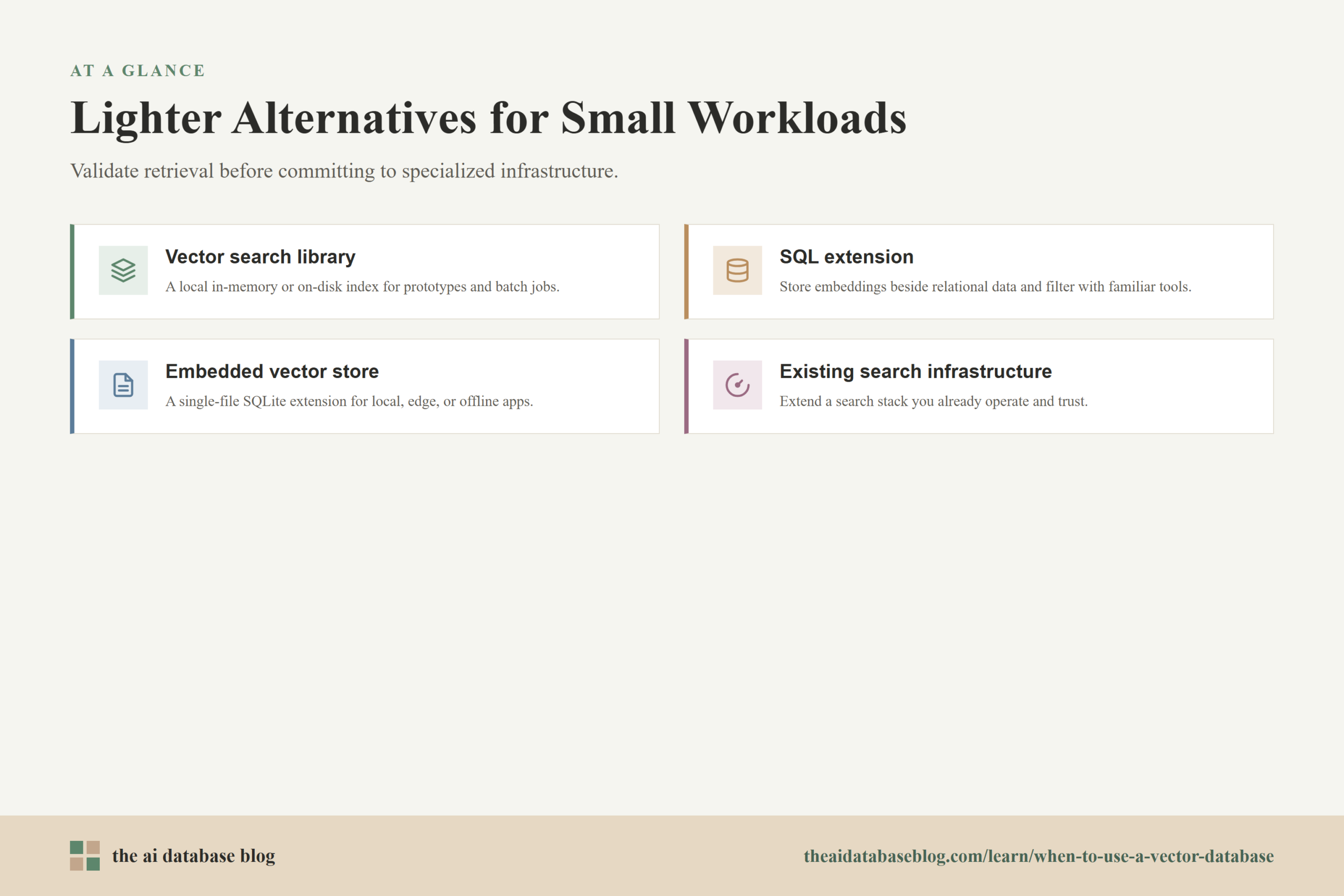
If you are early in development or working with a modest dataset, there are several ways to use embeddings without adopting a dedicated vector database. These options let you validate the retrieval experience, measure relevance, and understand your data before committing to more specialized infrastructure. They can also remain the right long-term choice for small, embedded, or low-traffic systems.
Use a Vector Search Library
Libraries such as local nearest-neighbor indexes can be a practical starting point. They let you store vectors in memory or on disk, build an index, and run similarity searches without operating a separate database service. This works well for prototypes, offline analysis, batch jobs, notebooks, internal tools, and applications where the index can be rebuilt periodically.
The tradeoff is that a library usually gives you search mechanics rather than a full data system. You may need to handle persistence, metadata, access control, updates, backups, and deployment yourself. That is acceptable for small or controlled workloads, but it becomes more burdensome as the application matures.
Use a SQL Extension
If your application already uses a relational database, a vector extension can be a strong middle ground. SQL extensions allow you to store embeddings near the relational data they describe, query them with familiar database tools, and combine similarity search with normal filters and joins. This can be especially attractive when your data model is already relational and your team wants to avoid adding a separate system.
The tradeoff is that a general-purpose database with vector support may not always match the scaling, indexing, or operational characteristics of a dedicated vector database for very large or demanding workloads. Still, for many small and medium applications, keeping vectors inside the existing SQL database is simpler and entirely sufficient.
Use SQLite or an Embedded Vector Extension
For local apps, edge deployments, desktop software, small internal tools, and offline workflows, SQLite-based vector extensions can be useful. They let a single-file database support vector search without requiring a separate service. This is valuable when the application needs portability, simple deployment, or local-first behavior.
The tradeoff is that embedded databases are usually not the right choice for high-concurrency, multi-tenant, large-scale retrieval systems. They are best when the workload is close to the application, the dataset is modest, and operational simplicity matters more than distributed scale.
Use Existing Search Infrastructure
Some teams already operate search systems that support lexical search, filters, ranking, and in some cases vector search. If your organization has a reliable search stack, it may be better to extend it than to introduce a new database. This is especially true when the application needs hybrid search and the current system already handles text relevance, permissions, and operational monitoring well.
The tradeoff is that existing search infrastructure may require careful tuning for embeddings and nearest-neighbor behavior. But if it already fits your data governance and query patterns, it can be a practical alternative to a separate vector database.
The common thread across these alternatives is that they reduce operational weight. They let you learn what your retrieval system really needs before deciding whether specialized infrastructure is worth the cost.
How to Decide: A Practical Checklist
The best decision is based on workload evidence rather than category labels. A project that uses embeddings might be small enough for a library. A project that begins with SQL vector search might later need a dedicated vector database. A project that starts with a dedicated database might discover that hybrid search or better chunking matters more than the database choice. The goal is to match infrastructure to the maturity and importance of the retrieval workload.
- Choose a vector database when similarity search is core to the product, the dataset is large or growing, queries must be fast, data changes often, and filtering or access control is important.
- Choose a SQL extension when your data is already relational, your workload is small to medium, and you want vector search without adding a separate database service.
- Choose a local library when you are prototyping, running offline experiments, or serving a small dataset with simple update needs.
- Choose keyword or hybrid search when exact terms, identifiers, rare phrases, or structured attributes are as important as semantic meaning.
- Delay the infrastructure decision when you have not yet tested whether vector retrieval improves real user queries.
A useful rule of thumb is to start with the lightest option that can answer real queries accurately and quickly enough. Move to a dedicated vector database when the retrieval workload becomes important enough that scale, reliability, freshness, and operations are real constraints rather than imagined future problems.
Common Mistakes When Deciding
The most common mistake is treating a vector database as the first step in every AI application. It is better to treat it as one possible part of a retrieval system. The quality of that system also depends on chunking, embedding choice, metadata design, filtering strategy, ranking, evaluation, and how results are used by the application. A strong vector database cannot compensate for a retrieval pipeline that is poorly modeled.
Confusing Embeddings With Retrieval Quality
Embeddings make semantic comparison possible, but they do not guarantee useful answers. A vector search can retrieve passages that are semantically close but incomplete, outdated, unauthorized, or too generic. This is why production systems often combine embeddings with metadata filters, keyword matching, recency signals, and reranking.
Ignoring Metadata Until Too Late
Metadata is often what turns a vector search into a usable application. Document type, source, timestamp, owner, language, permissions, product area, and version can all affect whether a result should be returned. If metadata is added casually or inconsistently, later filtering and governance become harder.
Assuming Approximate Search Has No Tradeoffs
Large vector indexes often use approximate nearest-neighbor search to improve speed. Approximate search can be very effective, but it involves tradeoffs between latency, recall, memory, index build time, and update behavior. These tradeoffs should be tested against real queries, not chosen only from default settings.
A vector database is most useful when the surrounding retrieval design is also treated seriously. The database helps serve the search, but the application still needs thoughtful modeling and evaluation.
FAQs
1. Do I need a vector database for every RAG application?
No. A small RAG prototype can often use a local index, a SQL extension, or an existing search system. A vector database becomes more useful when the RAG system has a large knowledge base, frequent updates, many users, strict latency needs, metadata filtering, or production reliability requirements.
2. How small is small enough to avoid a vector database?
There is no universal cutoff, because hardware, embedding size, latency goals, and query volume all matter. As a practical starting point, if you can search your dataset accurately and quickly with a direct scan, local index, or existing database extension, you probably do not need a dedicated vector database yet.
3. Can a relational database handle vector search?
Yes, many relational databases can support vector search through extensions or built-in features. This can be a good choice when vectors are closely tied to relational records and the workload is not too large or specialized. It also keeps application architecture simpler because the embeddings live near the data they describe.
4. Is keyword search still useful if I use vectors?
Yes. Keyword search remains useful for exact terms, names, codes, product identifiers, error messages, and rare phrases. Many strong retrieval systems use hybrid search because vector search captures meaning while keyword search preserves precision.
5. What is the biggest reason teams adopt vector databases too early?
The biggest reason is assuming that embeddings automatically require dedicated infrastructure. In many early projects, the harder problems are chunking, evaluation, metadata, and query design. A vector database helps most when the retrieval workload is already important and operationally demanding.
6. When should I move from a SQL extension to a dedicated vector database?
Consider moving when vector search becomes a major production workload and the SQL-based approach struggles with scale, latency, recall, update frequency, filtering complexity, or operational isolation. The move should be based on measured limits rather than a general belief that specialized systems are always better.
Takeaway
You need a vector database when similarity search becomes a core, production-grade part of an AI application, especially for semantic search, RAG, recommendations, multimodal retrieval, or large-scale matching with filtering and frequent updates. You probably do not need one yet if your dataset is small, your search is mostly exact or structured, your queries are infrequent, or you have not measured whether vector retrieval improves results. This guidance is most useful for builders, data teams, and product engineers deciding how to support AI search workloads, such as an internal documentation assistant that can begin with a SQL extension and later move to a dedicated vector database once usage, corpus size, and reliability needs grow.
Watch this video to learn more