A vector database is built to search by meaning, similarity, and context, while a traditional database is built to store, update, and query structured records with strong rules and transactional reliability. The two are not direct replacements for each other. In most AI systems, a vector database works best as a complementary retrieval layer that helps applications find relevant unstructured or semi-structured content, while a traditional database remains the system of record for business data, relationships, constraints, and transactions.
This guide explains how vector databases and traditional databases differ across query type, data model, unstructured data handling, transactions, scaling, and ideal workloads. By the end, you should understand where each database type fits, why AI applications often need both, and how to think about the architecture without treating vector search as a replacement for the databases that already manage core application data.
What Each Database Is Designed To Do
A traditional database is designed to store data in a structured and predictable form. In a relational database, that usually means tables, columns, rows, keys, constraints, indexes, and SQL queries. In document or key-value systems, the model may be less rigid, but the central idea is still similar: the database stores identifiable records and lets applications retrieve, update, aggregate, and protect those records according to defined rules.
A vector database is designed around a different kind of question. Instead of asking, “Which record has this exact value?” it asks, “Which stored items are most similar to this query?” It does that by storing embeddings, which are numerical representations of text, images, audio, code, or other content. These vectors allow the system to compare meaning or similarity in high-dimensional space, so a search can return relevant content even when the query and the source text do not use the same words.
This difference matters because it changes the role each database plays. Traditional databases are excellent at correctness, relationships, filtering, joins, aggregation, and durable updates. Vector databases are excellent at retrieval by semantic similarity, especially when the underlying content is too large, varied, or language-dependent for exact matching alone.
Once that purpose is clear, the comparison becomes less about which database is “better” and more about which problem the system is trying to solve. The next section puts the major differences side by side so the tradeoffs are easier to see.
Vector Database vs Traditional Database: Side-by-Side Comparison
The most useful way to compare these systems is to look at the kind of work they are optimized to perform. A traditional database usually starts from exact values and structured relationships. A vector database starts from similarity, meaning, and approximate nearest-neighbor retrieval. Those starting points affect the query model, data model, operational guarantees, and best-fit workloads.
| Comparison Area | Vector Database | Traditional Database |
|---|---|---|
| Query type | Similarity search, semantic search, nearest-neighbor search, hybrid search, and metadata-filtered retrieval. | Exact match, range queries, joins, aggregations, sorting, transactions, and structured filtering. |
| Data model | Stores embeddings, object identifiers, metadata, and sometimes the source content or content chunks. | Stores structured records such as rows, documents, key-value pairs, relationships, and application state. |
| Unstructured data | Well suited for searching text, images, audio, code, documents, support tickets, product descriptions, and other content represented as embeddings. | Can store unstructured data, but usually searches it through exact fields, full-text search, or external indexing rather than semantic similarity by default. |
| Transactions | Often supports inserts, updates, deletes, and persistence, but is usually not the primary choice for complex multi-record ACID workflows. | Strong fit for ACID transactions, constraints, consistency rules, referential integrity, and operational business workflows. |
| Scaling | Optimized for large embedding collections, low-latency nearest-neighbor search, distributed indexing, sharding, replication, and high-throughput retrieval. | Scales structured workloads through indexing, partitioning, replication, caching, read replicas, vertical scaling, horizontal scaling, and workload-specific tuning. |
| Ideal workloads | Semantic search, retrieval-augmented generation, recommendations, similarity matching, deduplication, clustering, knowledge retrieval, and multimodal discovery. | Orders, users, payments, inventory, permissions, financial records, audit logs, reporting, analytics, and any workflow that needs reliable structured state. |
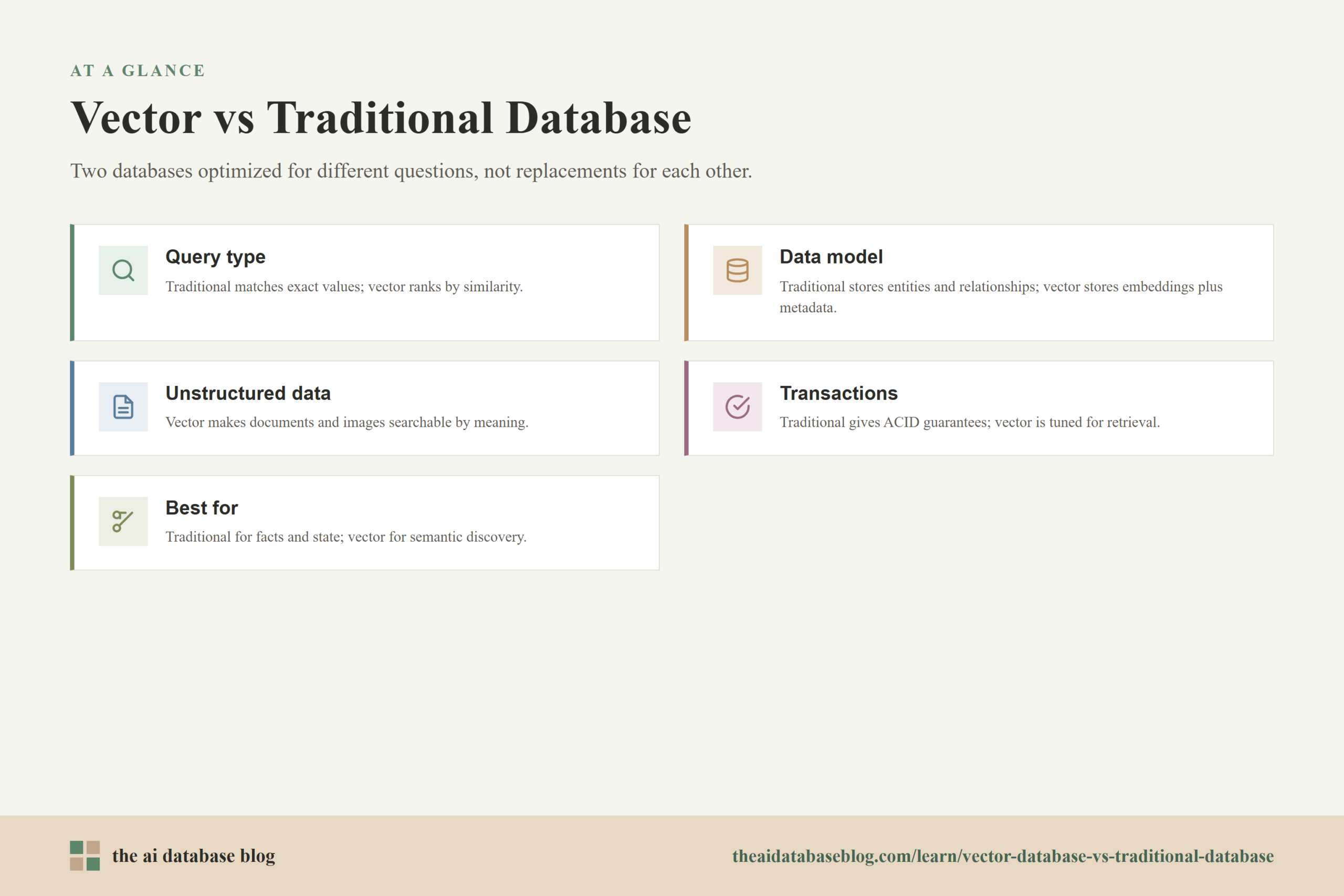
The table shows that the two database types are optimized for different questions. A traditional database is usually the right place to ask, “What is true about this record?” A vector database is usually the right place to ask, “What content is most relevant to this query?” The distinction becomes especially important when the application depends on natural language or other unstructured inputs.
How Query Type Changes The Database Choice
Traditional databases are strongest when the query can be expressed through known fields and exact conditions. For example, an application might ask for all invoices from a certain customer, all products under a certain price, or all accounts created within a date range. These queries depend on structured values. The database can use indexes, joins, constraints, and query planning to return precise results.
Vector databases are strongest when the query is about similarity rather than exact equality. A user might ask, “Find support articles about login problems after a password reset,” even if no document contains that exact sentence. The application converts the query into an embedding, compares it with stored embeddings, and retrieves content that is close in meaning. This makes vector search useful when language varies, when the user does not know the exact terms to search for, or when the content is too broad for rigid keyword matching.
Exact Queries And Similarity Queries
An exact query asks the database to match a known value. A similarity query asks the database to rank candidates by closeness. That ranking is usually based on a distance or similarity measure, such as cosine similarity, dot product, or Euclidean distance. In practical terms, the database is not saying “this record equals the query.” It is saying “these are the closest matches according to the embedding model and index.”
This is why vector search results often need evaluation and tuning. The quality of the answer depends on the embedding model, chunking strategy, metadata, index configuration, and retrieval settings. Traditional database queries can also be wrong if the schema or logic is wrong, but their behavior is usually more deterministic. A SQL query with exact conditions should return the same matching records unless the data changes. A similarity search is more about ranking relevance.
Many real AI applications need both types of query at the same time. A search may need semantic similarity to find the right document, but it may also need structured filters to respect permissions, date ranges, product categories, regions, or account status. That leads naturally to the next difference: the data model.
How The Data Model Differs
The data model determines what the database stores and how the application reasons about it. Traditional databases usually model entities and relationships. A customer has orders. An order has line items. A product has inventory. These records have fields, constraints, identifiers, and business meaning. The structure is part of the value because it keeps the application consistent and makes complex queries possible.
Vector databases model content as embeddings plus metadata. The vector itself is a dense list of numbers that represents the meaning or features of the original item. The metadata gives the application useful context, such as document title, source, author, timestamp, category, tenant, language, access level, or content type. The original content may be stored in the vector database, stored elsewhere, or linked through an identifier.
Embeddings Are Not A Full Business Record
An embedding is useful, but it is not the same thing as a complete business record. It does not replace a customer table, an order ledger, or a permissions model. It is a representation used for retrieval. For example, a product description can be embedded so users can search for products by meaning, but the authoritative product price, inventory count, discount rule, and fulfillment status should still live in a system designed to manage those facts reliably.
This is one of the most common architecture mistakes in AI systems. Because vector databases can store metadata, teams may be tempted to treat them as the main database for everything related to the AI application. That can work for small prototypes, but production systems usually need a clearer separation. The vector layer should help retrieve relevant candidates. The traditional database should remain the source of truth for structured state, transactional updates, and business rules.
That separation becomes even more important when the application handles large amounts of unstructured data. The vector database can make that content searchable by meaning, but the broader system still needs to know where the content came from, who can access it, and which version is current.
Handling Unstructured Data
Unstructured data is one of the main reasons vector databases became important in AI application architecture. Documents, chat transcripts, code files, meeting notes, images, product descriptions, support tickets, and research reports do not always fit neatly into rows and columns. Even when they can be stored as text fields, traditional structured queries are often not enough to find what a user means.
A vector database helps by turning unstructured content into searchable embeddings. A long document might be split into smaller chunks, each chunk embedded, and each embedding stored with metadata that points back to the document, section, source, and access rules. When a user asks a question, the system retrieves chunks that are semantically close to the question. This pattern is common in retrieval-augmented generation, where a language model uses retrieved context to produce a more grounded answer.
Why Metadata Still Matters
Vector similarity alone is rarely enough. If a user searches across company knowledge, the most semantically similar result may be outdated, outside the user’s permission level, or from the wrong product line. Metadata filtering helps narrow the search before, during, or after vector retrieval. Useful metadata can include document status, date, language, department, tenant, customer segment, geography, or access policy.
Hybrid search also matters. Some queries depend on meaning, while others depend on exact terms, product codes, names, or legal phrases. A strong retrieval system may combine vector similarity with keyword search and structured filters. This hybrid approach often produces better results than relying only on embeddings or only on keyword matching.
Once unstructured retrieval becomes part of a real application, another question appears quickly: how much reliability does the system need when data changes? That is where transaction support and consistency become central.
Transactions And Consistency
Traditional databases are usually the stronger choice for transaction-heavy work. A transaction groups operations so they succeed or fail together. In a banking, ecommerce, healthcare, billing, or inventory system, this is not optional. The database needs to protect correctness even when many users or services update data at the same time.
Relational databases are especially known for ACID guarantees: atomicity, consistency, isolation, and durability. In plain language, these guarantees help ensure that updates are complete, valid, protected from conflicting operations, and saved reliably. This is why traditional databases remain the backbone for operational systems that manage money, ownership, identity, permissions, or regulated records.
Vector databases can support operational features such as upserts, deletes, persistence, replication, and metadata updates. However, they are usually selected for retrieval performance rather than complex transactional workflows. If an AI application needs to update a user’s subscription, record a payment, enforce a foreign key, and write an audit trail, that work belongs in a traditional database. The vector database may then receive an updated embedding or metadata record after the source data changes.
This does not make vector databases less important. It simply means their reliability role is different. They help the application find relevant information quickly, while the traditional database protects the authoritative facts that the application depends on.
Scaling Differences
Both vector databases and traditional databases can scale, but they scale for different access patterns. Traditional databases scale around structured reads, writes, transactions, joins, reporting, and predictable indexes. Vector databases scale around high-dimensional similarity search, large embedding collections, and low-latency retrieval over many possible candidates.
At small scale, a general-purpose database with vector search support may be enough for an AI feature. This can be attractive when the team wants fewer systems to operate and the vector workload is modest. At larger scale, a dedicated vector database or dedicated retrieval layer may be useful when the application needs high recall, low latency, specialized indexing, distributed search, frequent embedding updates, or advanced filtering across millions or billions of vectors.
Approximate Search And Performance Tradeoffs
Vector search often uses approximate nearest-neighbor indexing. Approximate search is designed to find very good matches quickly without comparing the query vector against every stored vector one by one. This improves speed and scalability, but it introduces tuning tradeoffs between latency, recall, memory use, and index build cost.
Traditional database indexes also involve tradeoffs, but they are usually built around exact lookup, sorting, joining, and range filtering. A traditional database may be tuned for read-heavy analytics, write-heavy operations, or mixed workloads. A vector database may be tuned for nearest-neighbor recall, hybrid filtering, embedding update frequency, and retrieval latency. The right scaling strategy depends less on the database label and more on the query pattern the application must serve.
Because scaling choices affect cost and complexity, it is helpful to step back from database features and look at workloads. The next section explains where each type tends to fit best.
Ideal Workloads For Each Database Type
A traditional database is the best fit when the application needs structured state, transactional integrity, precise filtering, or complex relationships. A vector database is the best fit when the application needs to retrieve relevant content by meaning, especially from unstructured or semi-structured sources. Many modern AI systems need both because they combine business logic with semantic retrieval.
Best Workloads For Traditional Databases
Traditional databases are well suited for systems where correctness and structure matter most. Common examples include user accounts, billing records, product catalogs, inventory, orders, permissions, audit logs, configuration, event history, and analytics tables. These workloads benefit from defined schemas, constraints, joins, aggregates, and transaction control.
Even when an AI feature is added, the traditional database often remains the operational foundation. For example, a customer support assistant might use a vector database to retrieve relevant help articles, but the user’s account status, subscription tier, support history, and permission rules should still come from structured systems of record.
Best Workloads For Vector Databases
Vector databases are well suited for semantic search, retrieval-augmented generation, recommendation systems, duplicate detection, similarity matching, content discovery, image search, code search, and knowledge retrieval. These workloads depend on finding items that are conceptually related, not just records that match exact field values.
For example, a documentation assistant can use a vector database to retrieve relevant passages from many documents, even if the user describes the issue in different language from the documentation. A recommendation system can use embeddings to find items that are similar in behavior, description, or user preference. A research tool can retrieve related passages across a large document collection without requiring the user to know the exact keywords.
These examples show why the most durable answer is not “vector database or traditional database.” It is usually a layered design where each database handles the part of the workload it is good at.
Why Vector Databases Are A Complementary Layer
Vector databases should usually be seen as a complementary layer in the AI data stack. They add a retrieval capability that traditional databases were not originally designed to provide: fast similarity search over embeddings. That capability is valuable, but it does not erase the need for systems that manage structured records, enforce rules, process transactions, and preserve source-of-truth data.
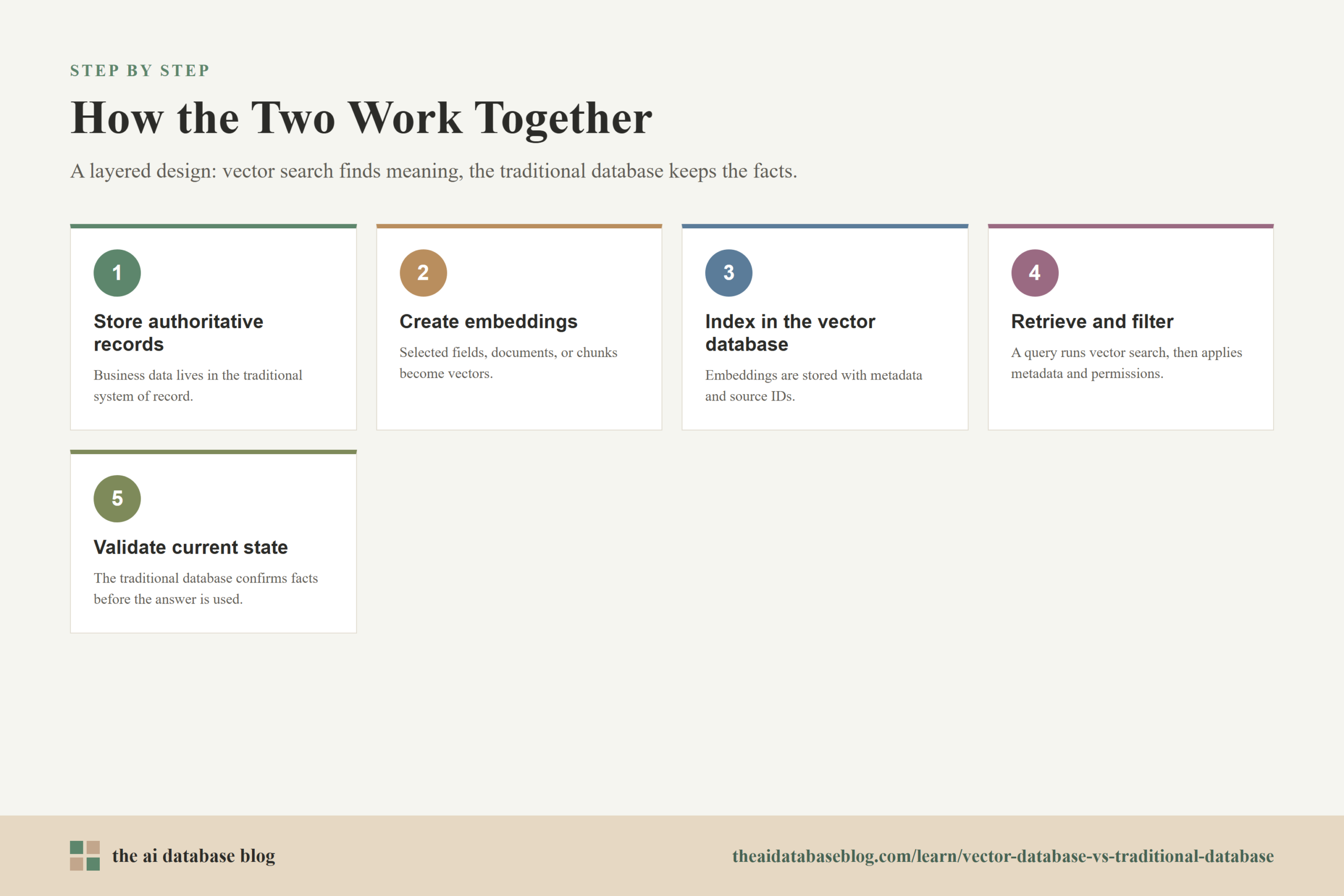
A common architecture stores authoritative records in a traditional database or content repository, then creates embeddings from selected fields, documents, or chunks. Those embeddings are stored in a vector database with metadata and source identifiers. When the application receives a query, it searches the vector database for relevant candidates, applies metadata or permission filters, retrieves the source records or content, and then uses the traditional database to validate current state when needed.
This approach keeps each layer honest. The vector database supports discovery and relevance. The traditional database supports correctness and operational control. The application layer connects them by deciding what to embed, how to filter, when to refresh embeddings, and how to combine retrieved context with current business data.
A Practical Example
Consider an internal support assistant. The traditional database stores users, roles, subscriptions, ticket history, and account settings. The vector database stores embeddings for help center articles, resolved tickets, troubleshooting notes, and product documentation. When an employee asks a question, the system uses vector search to find relevant guidance, but it checks structured data to confirm which product version, account type, and permission level apply.
In this design, the vector database improves retrieval, but it does not become the system of record. It helps the application find useful context. The traditional database ensures that the answer is grounded in current, authorized, and operationally correct data.
That same pattern applies across many AI systems: use vector search to find meaning, use traditional databases to manage facts, and use application logic to combine them safely.
How To Choose The Right Approach
The right choice depends on what the application is trying to retrieve or manage. If the workload is mostly structured and transactional, start with a traditional database. If the workload depends on semantic retrieval over large amounts of unstructured content, add vector search. If the application needs both, design the system so the vector layer and the traditional database exchange identifiers and metadata rather than competing to own the same data.
A useful decision rule is to ask what would happen if the database returned a wrong or stale result. If a wrong result means a bad recommendation or a less relevant document, the retrieval system needs tuning and evaluation. If a wrong result means an incorrect payment, broken permission rule, or invalid inventory count, the data belongs in a transactional system of record. Many AI applications contain both kinds of risk, so the architecture should separate retrieval relevance from operational correctness.
Teams should also consider scale and operating complexity. A smaller application may use vector search built into an existing database if the workload is modest. A larger application may need a dedicated vector database when retrieval performance, filtering, recall, and embedding volume become central to the user experience. The best design is the one that matches the workload without adding unnecessary systems too early.
FAQs
1. Is a vector database a replacement for a traditional database?
No. A vector database is usually a complement to a traditional database, not a replacement. It is useful for similarity search and semantic retrieval, while a traditional database remains the better fit for structured records, transactions, constraints, joins, and source-of-truth data.
2. Can a traditional database store vectors?
Yes, some traditional databases can store vectors and support vector search features. This can be useful for smaller or simpler workloads where the team wants to keep data in one system. Dedicated vector databases may be a better fit when the application needs large-scale embedding search, specialized indexing, high retrieval throughput, or advanced hybrid search behavior.
3. Why are vector databases useful for unstructured data?
Vector databases are useful for unstructured data because embeddings can represent the meaning or features of text, images, audio, code, and other content. This lets applications retrieve relevant results even when the query does not match the source content word for word.
4. Do vector databases support transactions?
Many vector databases support data updates, inserts, deletes, and persistence, but they are usually not chosen for complex transaction-heavy workflows. Traditional databases are still the stronger choice when an application needs ACID transactions, strict consistency, referential integrity, and business-critical updates.
5. What is hybrid search?
Hybrid search combines vector similarity with other retrieval methods such as keyword search, full-text search, or metadata filtering. It is useful because some queries depend on meaning, while others depend on exact terms, structured constraints, permissions, dates, or categories.
6. When should an AI application use both database types?
An AI application should use both when it needs semantic retrieval and reliable structured state. For example, a retrieval-augmented generation system may use a vector database to find relevant document chunks and a traditional database to manage users, permissions, source records, transactions, and current business facts.
Takeaway
Vector databases and traditional databases solve different but increasingly connected problems. A traditional database is best for structured data, transactions, relationships, and operational correctness, while a vector database is best for semantic retrieval, similarity search, and AI workloads that depend on unstructured content. This guidance is most useful for teams building search, recommendation, retrieval-augmented generation, or knowledge assistant systems, where the strongest architecture often uses a vector database to find relevant context and a traditional database to preserve the authoritative facts the application depends on.
Watch this video to learn more