A relational database and a vector database solve different retrieval problems. SQL databases excel when the application needs structured data, joins, transactions, constraints, and precise filters. Vector databases excel when the application needs to retrieve information by meaning, similarity, or intent, especially across text, images, and other unstructured data. SQL vector extensions sit between the two: they are useful when vector search is a secondary feature, the data volume is modest, and the team wants to avoid adding a separate retrieval system too early.
This guide explains the practical difference between relational databases and vector databases, where each one performs best, and how to decide whether a SQL vector extension is enough for your AI application. By the end, you should understand why SQL remains essential for many AI systems, why vector search matters for semantic recall, and how the two approaches often work together rather than replacing each other.
What A Relational Database Is Built To Do
A relational database is designed to store structured data in tables and query it with SQL. This structure is powerful because it gives applications a clear way to represent entities, relationships, rules, and state. If an application needs to know which customer placed which order, whether a payment succeeded, which account owns a record, or which products match a set of exact attributes, a relational database is usually the natural foundation.
The strength of SQL is not just that it stores data neatly. It gives developers a mature query language, indexes for predictable access patterns, and a transaction model that helps protect correctness. In business applications, correctness often matters more than approximate relevance. A search result that is conceptually close can still be wrong if it ignores permissions, double-counts a transaction, or returns a record from the wrong customer account.
Joins Make Relationships Queryable
SQL is especially strong when data is connected through relationships. A join lets the database combine rows from multiple tables based on shared keys. This is useful for questions such as which invoices belong to overdue accounts, which support tickets are attached to enterprise customers, or which documents a specific user is allowed to access.
Joins are not just a convenience. They let applications keep data normalized, reduce duplication, and answer structured questions with precision. In an AI application, this matters because retrieved context often needs to be grounded in real business entities. A retrieval system may find a relevant support article, but SQL can determine whether that article belongs to the right product, region, customer tier, or permission group.
ACID Transactions Protect Correctness
Relational databases are also built around ACID transactions. ACID stands for atomicity, consistency, isolation, and durability. In plain terms, this means the database can treat a group of changes as one reliable operation, keep data valid according to defined rules, prevent conflicting operations from interfering with each other, and preserve committed data even if something fails.
This matters whenever the application is changing important state. Updating a customer record, inserting a payment, logging a permission change, or saving an audit trail should not be approximate. Even if an AI feature is involved, the system of record usually needs transactional guarantees. SQL databases are designed for that kind of reliability.
Structured Filters Are Precise And Predictable
SQL is also excellent at structured filtering. A query can filter by date range, status, region, account ID, document type, price, category, or any other defined field. With the right indexes, these filters can be efficient and predictable even when the dataset is large.
This is why SQL remains important in retrieval-augmented generation and other AI systems. Many retrieval tasks are not only about finding semantically similar text. They also need hard constraints, such as only retrieving documents from the current tenant, only searching published content, or only including records updated within a certain period. SQL handles these rules naturally.
Once the structured side is clear, the next question is where SQL starts to feel limited. The answer usually appears when users ask for information by meaning rather than by exact fields, keywords, or relationships.
What A Vector Database Is Built To Do
A vector database is designed to search by similarity. Instead of matching only exact values or keywords, it stores vector embeddings, which are numerical representations of data. An embedding model turns text, images, audio, or other content into a vector. Items with related meaning tend to be closer together in that vector space, so the database can retrieve results that are semantically similar to a query.
This changes the retrieval problem. A user does not need to know the exact words used in the source material. A query such as “how do I reset access for a locked-out employee?” might retrieve content about password recovery, identity management, account unlocks, or access restoration, even if those exact words are not all present in the stored document. That is the main reason vector search has become central to AI applications.
Semantic Recall Finds Conceptual Matches
The biggest advantage of vector search is semantic recall. Recall means finding relevant items that should be considered by the application. Semantic recall means finding those items based on meaning rather than exact phrasing. This is especially useful for natural-language questions, long documents, support tickets, research notes, product descriptions, and knowledge bases.
Traditional keyword search can miss useful results when the query and the source use different vocabulary. Vector search can close that gap because it compares the meaning captured by embeddings. This makes it useful for retrieval-augmented generation, recommendation systems, semantic search, duplicate detection, clustering, and AI assistants that need to gather context before producing an answer.
Approximate Nearest Neighbor Search Improves Speed
Vector search often depends on approximate nearest neighbor indexing. Instead of comparing the query vector to every stored vector one by one, the database uses an index that narrows the search space. Common index families include graph-based methods such as HNSW and partition-based methods such as IVF-style indexes.
The word “approximate” is important. These indexes usually trade a small amount of recall for much faster search. That tradeoff is often acceptable in AI retrieval because the goal is to produce a useful candidate set for ranking, generation, or further filtering. However, it also means vector search needs evaluation. Teams should measure whether the retrieved results are good enough for the application rather than assuming the nearest vectors are always the best answers.
Hybrid Search Combines Meaning With Exact Signals
Pure vector search is not always enough. Some queries need exact words, identifiers, product names, error codes, or structured constraints. Hybrid search combines vector similarity with keyword search, metadata filters, or both. This gives the system a better chance of retrieving content that is semantically relevant and also precise enough for the user’s intent.
For example, a developer searching for “timeout error in batch import” may need exact matches for an error code and semantic matches for troubleshooting language. A customer support assistant may need documents that are conceptually relevant but also limited to the customer’s product version and permission level. In practice, many production retrieval systems combine vector similarity, keyword matching, structured filters, and reranking.
Vector databases are strongest when similarity search is a first-class requirement. But that does not mean every application needs a separate vector database on day one. Many teams already run SQL databases, and SQL vector extensions can be a practical middle ground.
Where SQL Databases Excel Compared With Vector Databases
SQL databases excel when the application needs precise answers over structured data. They are usually the better choice when the main problem is transactional integrity, relational modeling, reporting, exact filtering, or operational data management. A vector database can store metadata and apply filters, but that does not make it a full replacement for a relational system of record.
In many AI systems, SQL remains the authority for users, accounts, permissions, billing records, content ownership, workflow state, and audit history. The vector layer may help retrieve relevant context, but the relational layer decides what exists, who owns it, what state it is in, and whether it can be used.
SQL Is Better For Complex Relational Questions
When a query depends on several connected entities, SQL is usually the right tool. Questions involving customers, subscriptions, invoices, events, permissions, teams, and products often require multiple joins and precise conditions. Relational databases are built to represent and query this kind of structure.
A vector database can attach metadata to vectors, but metadata filtering is not the same as relational querying. If the application regularly needs multi-table joins, referential integrity, foreign keys, and complex aggregations, SQL should remain central.
SQL Is Better For Transactional Workflows
Applications that create, update, and reconcile important records need transactions. For example, an AI assistant might help draft a refund response, but the actual refund state should be stored in a transactional database. The same is true for access control changes, inventory updates, financial records, and workflow approvals.
Vector databases can support updates and deletes, but their core purpose is retrieval by similarity. They are not usually the right place to manage the authoritative state of a business process. SQL is more suitable when the cost of an inconsistent write is high.
SQL Is Better For Structured Filters And Reporting
If users frequently filter by exact attributes, sort by known fields, group results, or produce reports, SQL is a strong fit. Structured filters are easy to express in SQL and can be optimized with conventional indexes. This is especially important for operational dashboards and compliance-sensitive systems where the result set must be exact.
Vector search can support filters, but filtered vector search is more nuanced. Depending on the engine, the filter may be applied before the vector search, after the vector search, or through a hybrid execution strategy. That choice affects recall and latency. SQL filtering is usually more straightforward when the task is purely structured.
These strengths explain why SQL is hard to replace. Still, there are retrieval problems where SQL alone struggles, especially when language is ambiguous, unstructured, or too varied for exact matching.
Where Vector Databases Excel Compared With SQL
Vector databases excel when the application needs to retrieve by meaning across large collections of unstructured or semi-structured data. SQL can store text, and many SQL databases support full-text search, but semantic similarity is a different retrieval mode. It asks which items are conceptually close to the query, not which rows match a specific condition or contain a specific token.
This is why vector databases are common in RAG systems, AI search, recommendations, semantic caching, and knowledge discovery. They are designed to store embeddings, index them efficiently, and return nearest neighbors quickly enough for interactive applications.
Vector Search Is Better For Natural-Language Questions
Users often ask questions in language that does not match the wording of the source content. A policy document may say “credential rotation,” while the user asks about “changing API keys.” A troubleshooting guide may say “authentication failure,” while the user asks why login keeps breaking. Vector search can connect these related meanings more easily than exact keyword matching.
This makes vector search especially useful for AI assistants. Before a language model can answer well, it needs the right context. Vector retrieval helps gather candidate passages that may be relevant even when the query is vague or phrased differently from the stored content.
Vector Databases Are Better For Large-Scale Similarity Search
When vector search becomes central to the product, a purpose-built vector database can offer advantages in indexing, filtering, hybrid search, scaling, and operational controls. The more the application depends on fast semantic retrieval across large collections, the more important those capabilities become.
This does not mean a dedicated vector database is always required. It means the retrieval workload should drive the decision. If the system needs high query volume, frequent updates, multi-tenant retrieval, strong hybrid search, or careful recall and latency tuning, a specialized vector database may be easier to operate and evaluate than a general-purpose database with vector support.
Vector Systems Are Better For Retrieval Pipelines
Modern AI retrieval often includes more than a nearest-neighbor lookup. A practical pipeline may chunk documents, generate embeddings, attach metadata, run vector and keyword search, apply filters, rerank candidates, and send selected context to a language model. Vector databases are often designed with these retrieval patterns in mind.
That design focus matters. Retrieval quality depends on the whole pipeline, not just the storage engine. A vector database can make it easier to tune search behavior, combine signals, and inspect whether the system is finding the context users actually need.
At this point, the choice may sound binary: SQL for structured data or vector databases for semantic retrieval. In real systems, the more common question is whether to add vector search inside SQL first or introduce a separate vector database.
How SQL Vector Extensions Fit
SQL vector extensions add vector storage and similarity search to a relational database. For example, a database can store an embedding column beside ordinary structured fields, then query for rows whose embeddings are closest to a query vector. Some extensions support exact nearest-neighbor search, approximate indexes, and distance metrics such as cosine or Euclidean distance.
This approach is attractive because it keeps data in one place. The application can use existing SQL tables, permissions, backups, migrations, monitoring, and operational habits. For teams experimenting with RAG or adding a small semantic search feature, that simplicity can be more valuable than adopting a separate database immediately.
When SQL Vector Extensions Make Sense
SQL vector extensions are a good fit when vector search is useful but not the dominant workload. They are especially practical for prototypes, internal tools, low-volume RAG systems, small knowledge bases, and applications where the vector search must stay close to relational data.
They also fit when the team mainly needs to search within a constrained dataset. For example, an internal assistant might search a few thousand or a few hundred thousand document chunks, filtered by tenant, department, or document type. If the query volume is modest and latency requirements are reasonable, keeping the embeddings in SQL can reduce complexity.
Where SQL Vector Extensions Can Become Limiting
The limitations tend to appear as retrieval becomes more central. Approximate vector indexes inside SQL can be powerful, but filtered vector search may be harder to tune than ordinary SQL filters. Depending on the query planner, index type, and filter selectivity, the database may scan too much, return fewer candidates than expected, or require careful index and parameter tuning.
SQL vector extensions can also become harder to manage when the application needs very high query throughput, many embeddings, frequent reindexing, complex hybrid ranking, or detailed retrieval evaluation. At that point, the team may benefit from a purpose-built vector database while still keeping SQL as the system of record.
A Practical Low-Volume Pattern
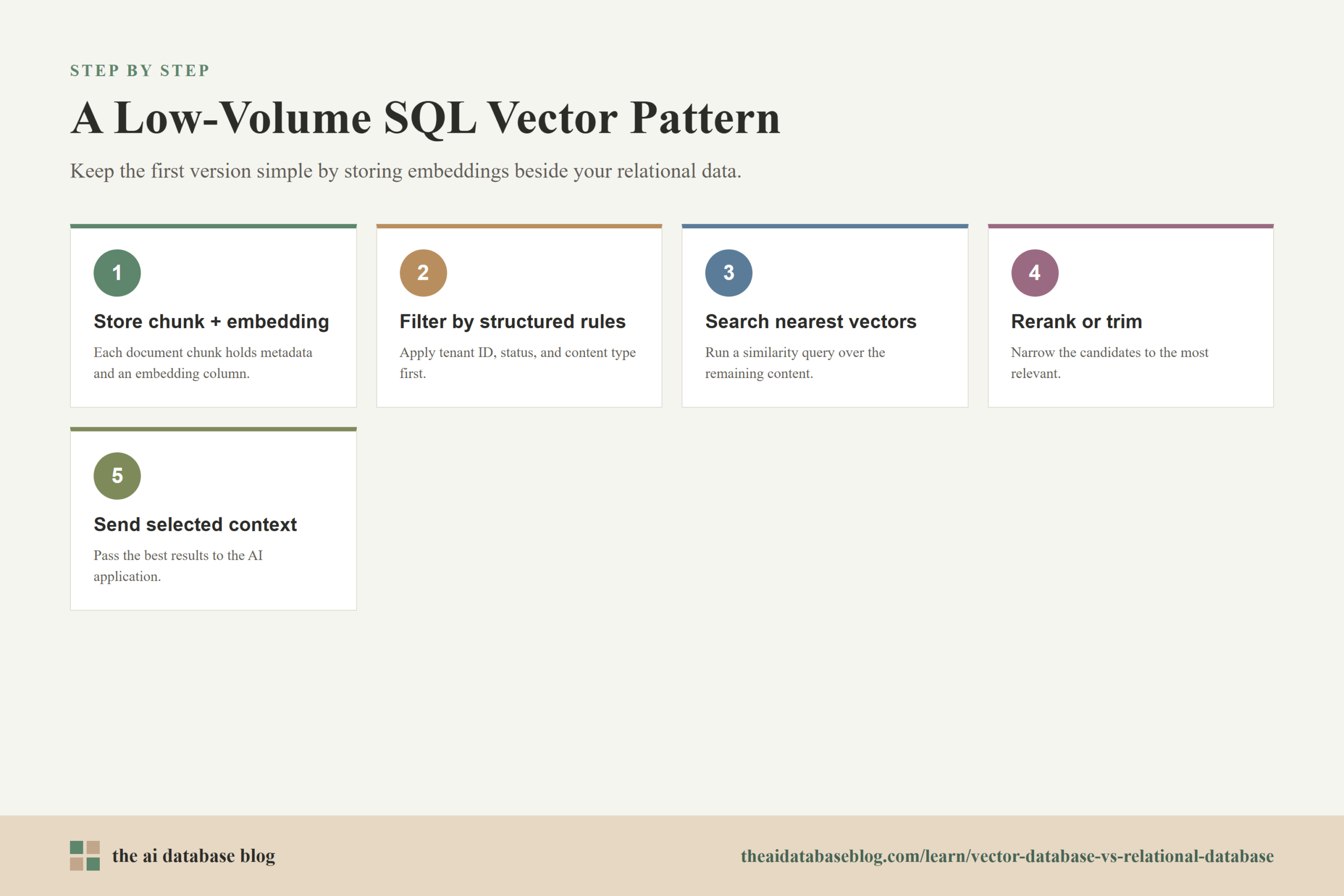
A common low-volume pattern is to store documents, chunks, metadata, and embeddings in the same relational database. The application first applies hard filters, such as tenant ID, published status, or access rules. It then runs a vector similarity query over the remaining relevant content and returns the top candidates for reranking or generation.
The pattern can look like this conceptually:
1. Store each document chunk with metadata and an embedding.
2. Filter by structured rules such as tenant_id, status, and content_type.
3. Search for nearest vectors using the user's query embedding.
4. Rerank or trim the candidates.
5. Send selected context to the AI application.
This approach keeps the first version simple. The team can validate whether semantic retrieval improves the product before adding another database. If the workload grows, the same data model can often evolve into a two-system architecture, with SQL holding authoritative records and a vector database holding retrieval indexes.
Choosing between these options is easier when the decision is based on workload rather than labels. The right question is not which database is better in general, but which retrieval and data-management problem the application actually has.
How To Choose Between SQL, A Vector Database, And Both
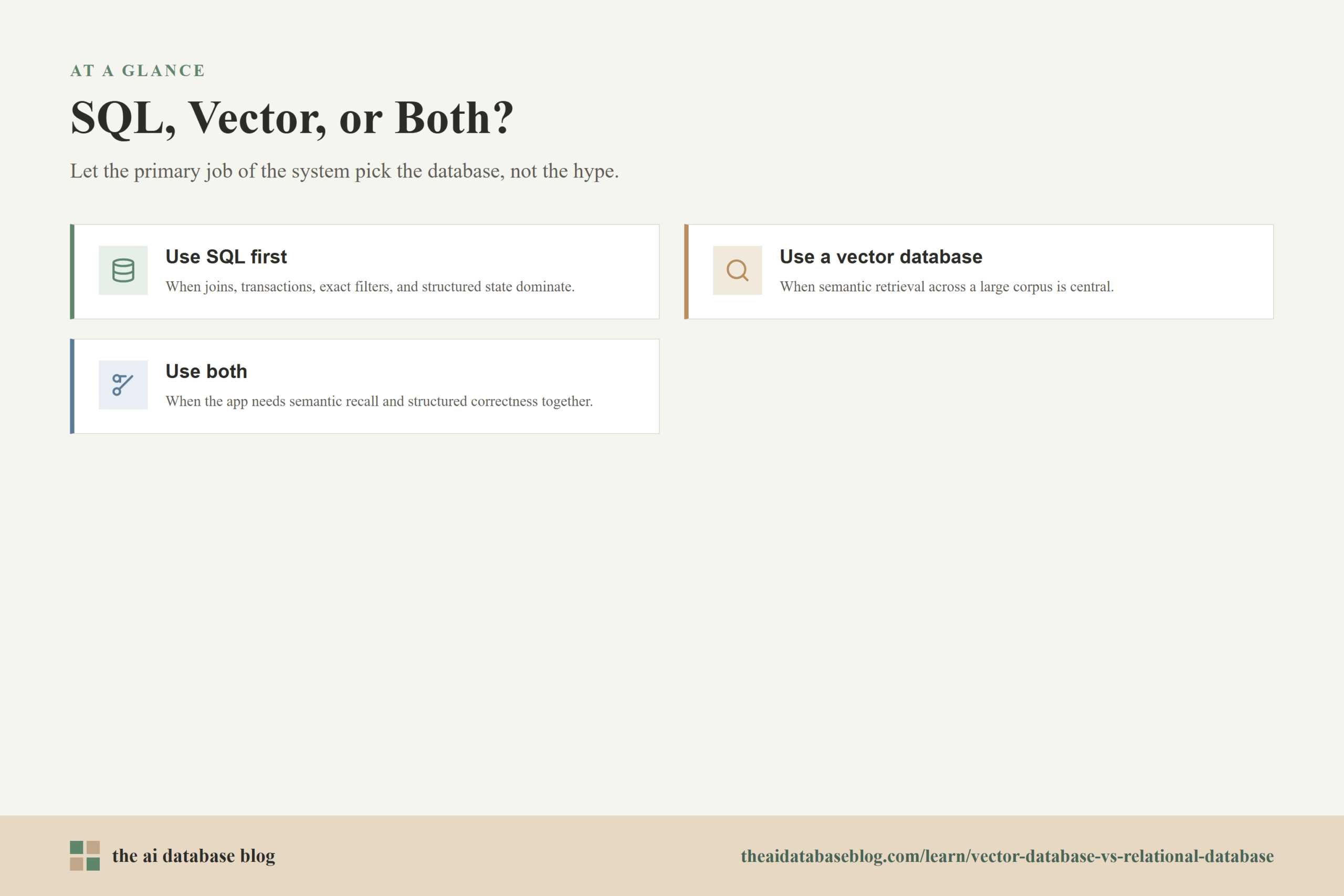
The most practical choice starts with the primary job of the system. If the application mostly needs to manage structured records, enforce business rules, and answer exact questions, SQL should be the foundation. If the application mostly needs to retrieve semantically related content from a large or changing corpus, vector search should be treated as a core part of the architecture.
Many AI applications need both. SQL stores the authoritative data and enforces rules. Vector search retrieves likely relevant context. The application layer then combines the two with filters, ranking, and generation. This combined architecture is often more realistic than trying to force one database to do every job equally well.
Use SQL First When Structured Correctness Dominates
Choose SQL as the main database when the application depends on joins, transactions, exact filters, reporting, and structured state. This includes most systems of record, workflow tools, admin systems, billing systems, and permission-sensitive applications.
If semantic search is only a small feature, a SQL vector extension may be enough. This lets the team add vector retrieval without changing the core architecture too early.
Use A Vector Database When Semantic Retrieval Dominates
Choose a vector database when similarity search is central to the product experience. This is more likely when users search large knowledge bases, ask natural-language questions, need hybrid search, or expect low-latency retrieval across many embeddings.
A dedicated vector database can also make sense when the team needs stronger retrieval tooling, scalable indexing, more flexible hybrid search, or better control over recall and latency tradeoffs.
Use Both When The Application Needs Retrieval And Rules
Use both systems when the application must combine semantic recall with structured correctness. This is common in enterprise RAG, customer support automation, product search, research assistants, and internal knowledge tools. SQL can decide what the user is allowed to see, while vector search can decide which allowed content is most semantically relevant.
The cleanest architecture usually keeps responsibilities clear. SQL should manage authoritative records and structured constraints. The vector layer should manage similarity retrieval. The application should combine them carefully, measure retrieval quality, and preserve hard rules such as permissions and tenant boundaries.
After the architecture decision, the final concern is evaluation. Whether the team uses SQL vectors, a dedicated vector database, or both, retrieval quality should be tested against real questions and expected answers.
Practical Evaluation Questions
Database selection should be tied to measurable retrieval needs. A system that works well for a small internal prototype may not work well for a customer-facing assistant with strict latency, permissions, and relevance requirements. The best way to avoid overbuilding or underbuilding is to test the workload directly.
These questions can help guide the decision:
- How much data will be searched? A small collection may work well inside SQL, while millions or billions of vectors may require a more specialized retrieval system.
- How important is semantic recall? If missing a relevant passage causes poor answers, retrieval quality should be measured carefully.
- How strict are the filters? Tenant boundaries, permissions, and compliance filters may require careful design regardless of the vector engine.
- How often does the data change? Frequent updates can affect indexing, freshness, and operational complexity.
- How much query traffic is expected? Low-volume internal tools can tolerate simpler architectures. High-volume applications may need dedicated scaling and tuning.
- Does the application need hybrid search? If exact terms, keywords, and semantic meaning all matter, evaluate systems based on how well they combine those signals.
The best answer is rarely permanent. Many teams start with a SQL vector extension, learn from real usage, and later move to a dedicated vector database when retrieval becomes central enough to justify the added system.
FAQs
1. Is a vector database a replacement for a relational database?
No. A vector database is not a general replacement for a relational database. It is designed for similarity search, while a relational database is designed for structured records, joins, transactions, and exact queries. Many AI applications use both because they solve different parts of the problem.
2. Can SQL databases perform vector search?
Yes. SQL databases can perform vector search when they support vector extensions or native vector features. These tools let developers store embeddings and query by vector distance. They are often useful for low-volume use cases, prototypes, and applications where embeddings need to stay close to relational data.
3. When is a SQL vector extension enough?
A SQL vector extension is often enough when the dataset is modest, query volume is low, vector search is not the main product feature, and the team benefits from keeping data in one database. It is also a good starting point when the application still needs strong SQL filtering and transactional data management.
4. When should an application use a dedicated vector database?
An application should consider a dedicated vector database when semantic retrieval is central, the number of embeddings is large, query traffic is high, hybrid search is important, or the team needs more control over retrieval performance and recall. Dedicated vector systems are built specifically around similarity search workloads.
5. Why are joins important in SQL but less central in vector databases?
Joins are important because they let SQL combine related structured records across tables. This is essential for many business questions and application workflows. Vector databases may support metadata and references, but their main purpose is finding similar items, not executing complex relational queries across normalized data.
6. What is the simplest architecture for a small RAG application?
The simplest architecture is often a relational database with a vector extension. The database can store document chunks, metadata, and embeddings together. The application can apply SQL filters, run vector similarity search, and send the best results to the language model. If the workload grows, the retrieval index can later move to a dedicated vector database.
Takeaway
Relational databases and vector databases are complementary tools. SQL is best for structured correctness: joins, ACID transactions, exact filters, reporting, and systems of record. Vector databases are best for semantic recall: finding information by meaning across unstructured or semi-structured content. SQL vector extensions are a practical bridge for low-volume use cases, especially prototypes and small RAG systems where embeddings should remain close to relational data. This guidance is most useful for developers, data teams, and AI product builders deciding how to support search, retrieval, and grounding in applications such as internal knowledge assistants, customer support tools, and semantic document search.