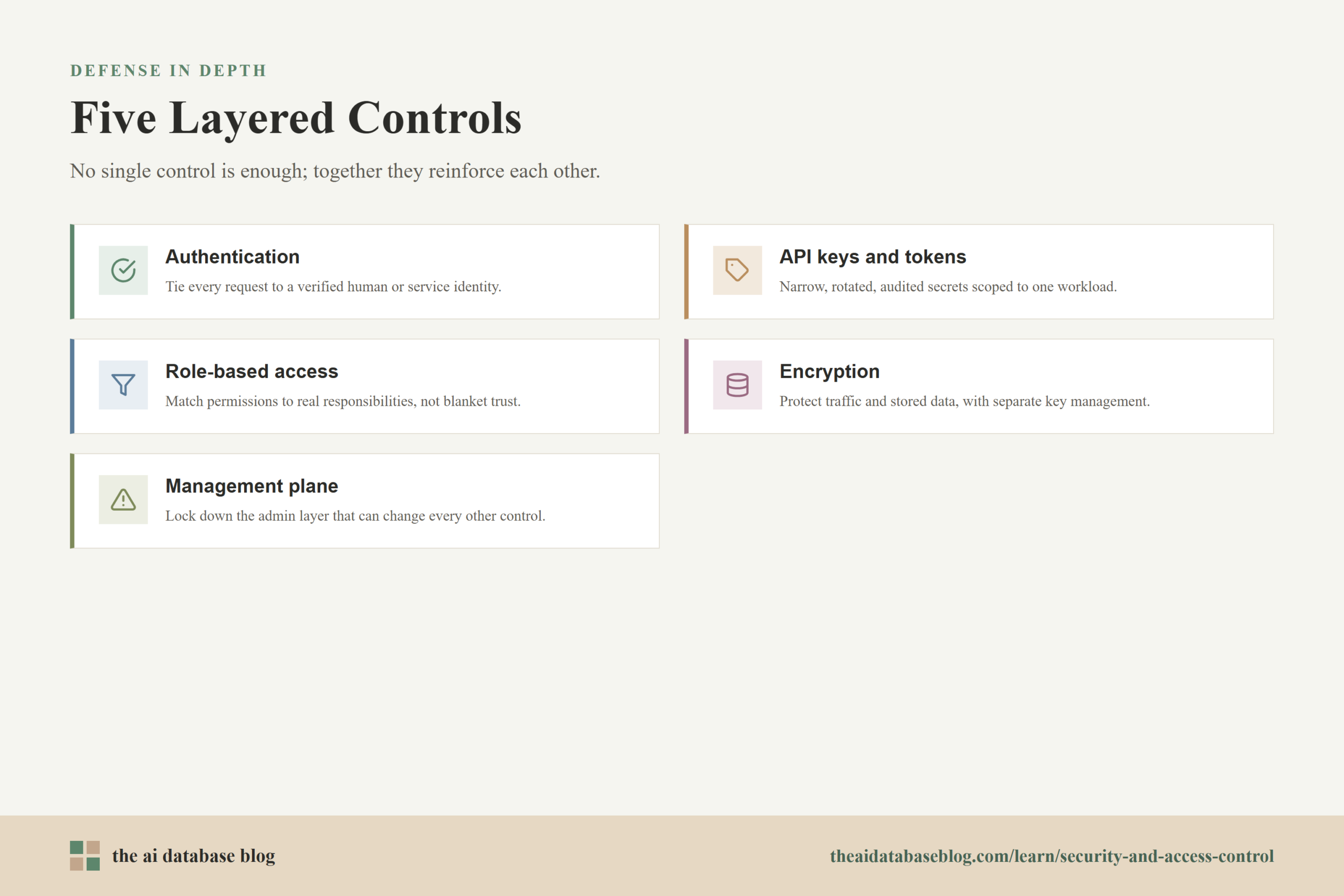
Security and access control in an AI database should protect both the data being stored and the retrieval workflows built on top of it. That means authenticating users and services, limiting API keys and tokens, assigning permissions through role-based access, encrypting data in transit and at rest, and securing the management plane where administrative changes are made. These controls matter because AI databases often hold embeddings, metadata, source documents, prompts, user context, and retrieval results that can expose sensitive business or customer information if access is too broad.
This guide explains the main security controls that apply to AI databases and vector search systems. It covers how authentication works, how API credentials should be handled, how role-based access helps separate duties, why encryption must cover both network traffic and stored data, and how to protect the administrative layer that manages clusters, indexes, backups, users, and integrations.
Why Security Looks Different in AI Databases
An AI database is not only a place to store records. In many applications, it also stores the searchable memory used by retrieval-augmented generation, semantic search, recommendation systems, and agentic workflows. A single collection might contain vectors, document chunks, metadata fields, tenant identifiers, timestamps, source references, and permission tags. That mix creates a broader security problem than simply protecting a table of rows.
The most important difference is that access to an AI database can affect what an AI system knows, retrieves, and returns to a user. If a user can query records outside their scope, the system may expose private documents through search results or generated answers. If a service account can write unrestricted data, it may poison the retrieval layer with misleading or unsafe content. If an administrator account is compromised, an attacker may be able to change indexes, create credentials, export data, or weaken policy settings.
Modern security guidance increasingly treats access as a continuous decision rather than a one-time perimeter check. In practical terms, that means every request to an AI database should be tied to a verified identity, evaluated against policy, logged, and limited to the smallest set of actions needed for the task. The goal is not to make the system difficult to use. The goal is to make legitimate access predictable and unauthorized access hard to achieve, hard to expand, and easy to detect.
Once the AI database is understood as part storage system, part retrieval engine, and part application infrastructure, authentication becomes the first control to get right. Every later control depends on knowing who or what is making each request.
Authentication: Proving Who Is Making the Request
Authentication is the process of verifying identity before allowing access. In an AI database, the identity may be a human user, an application backend, a retrieval service, a data ingestion pipeline, a scheduled indexing job, or an administrative operator. Each identity should be recognizable on its own, because shared credentials make it difficult to understand which person or service actually performed an action.
For human access, authentication usually works best when it connects to a central identity provider. This allows organizations to use single sign-on, multi-factor authentication, conditional access, and account lifecycle controls. When an employee changes roles or leaves the organization, their access can be updated or removed from one identity system instead of being cleaned up manually across many tools.
For service access, authentication should use service-specific identities rather than human accounts. A production retrieval API, for example, should not connect to the database with a developer’s personal credential. It should use a credential created for that service, scoped to that service, and rotated on a defined schedule. This makes the access pattern easier to audit and limits the damage if the credential is exposed.
Human Authentication
Human authentication should be stronger for users who can change security-sensitive settings. Administrators, database operators, and users with access to sensitive collections should use multi-factor authentication and, where possible, phishing-resistant methods. Password-only access is especially risky for management interfaces because a stolen password may give an attacker direct control over users, keys, collections, backups, and network settings.
Service Authentication
Service authentication should identify the workload clearly. A batch ingestion job, a search API, and a model-serving component may all need database access, but they should not share one credential. Separate service identities allow each component to receive only the permissions it needs. They also make incident response more precise because logs can show which service made a request and which credential was used.
Good authentication answers the question, “Who is making this request?” The next question is, “What credential are they using, and how much power does that credential carry?” That is where API keys and tokens need careful design.
API Keys and Tokens: Limiting Credential Risk
API keys and tokens are common in AI database applications because many requests come from services rather than people. A retrieval API may call the database hundreds or thousands of times per minute, and a data pipeline may write new vectors whenever documents are updated. Credentials make this automation possible, but they also become high-value secrets. If a key is copied into a public repository, exposed in a browser, logged by mistake, or reused across environments, an attacker may gain direct database access.
The safest approach is to treat every API credential as a narrow, temporary, auditable secret. It should be scoped to a specific environment, service, action set, and data boundary. A key used by a read-only search service should not be able to delete collections. A development key should not work against production data. A key for one tenant or application should not provide access to unrelated collections.
Tokens can also carry authorization information, but that does not remove the need for server-side checks. A database or application layer should still validate the token, confirm that it has not expired, check the issuer, verify the intended audience, and enforce permissions against the requested operation. Relying on the existence of a token alone is not enough.
Practical Credential Controls
- Use separate credentials for separate workloads. A search service, ingestion worker, evaluation job, and administrative script should not share the same key.
- Scope credentials to the minimum needed permissions. Read-only services should not receive write or administrative access.
- Rotate keys and tokens regularly. Rotation reduces the useful life of a leaked credential and supports cleaner incident response.
- Store secrets outside source code. Credentials should be managed through a secrets manager, environment-specific secret store, or other controlled mechanism.
- Monitor credential use. Unexpected locations, unusual request volume, failed authentication attempts, or access outside normal hours can indicate abuse.
API credentials are powerful because they translate identity into action. The next step is to make sure the actions available to each identity are intentionally limited. That is the role of authorization and role-based access control.
Role-Based Access Control: Matching Permissions to Real Responsibilities
Role-based access control, often shortened to RBAC, assigns permissions based on a user’s or service’s responsibility. Instead of giving everyone broad access and relying on trust, RBAC defines what each role can do. In an AI database, this might include permissions to read collections, write vectors, update metadata, manage indexes, configure backups, view audit logs, or administer users.
RBAC is especially important because AI database operations are not all equally sensitive. A user who can run semantic searches does not necessarily need to create new collections. A data pipeline that writes embeddings does not need to manage other users. A developer testing retrieval quality may need access to evaluation data but not production customer records. Separating these responsibilities reduces the chance that a mistake or compromised account becomes a full-system incident.
Access control should also consider data boundaries. Many AI systems serve multiple departments, customers, regions, or applications from the same database infrastructure. In those cases, role checks may need to combine broad permissions with metadata filters, tenant identifiers, collection-level permissions, or application-level policy checks. A user may have permission to search documents, but only documents connected to their account, workspace, project, or clearance level.
Common Roles in AI Database Environments
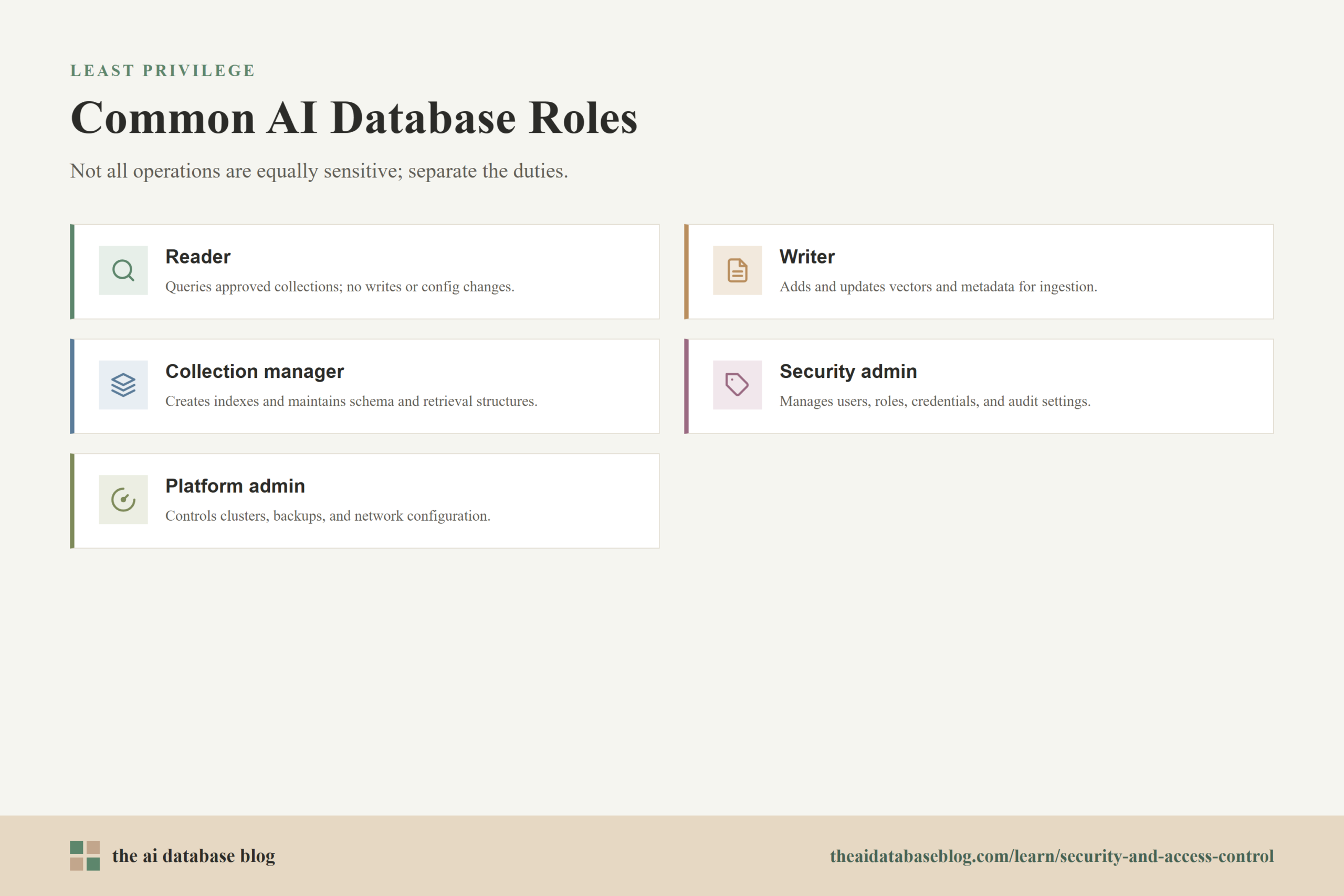
- Reader. Can query approved collections and retrieve results, but cannot write, delete, or change configuration.
- Writer. Can add or update records, vectors, and metadata for approved collections, often used by ingestion pipelines.
- Collection manager. Can create indexes, adjust schema settings, manage collection-level configuration, and maintain retrieval structures.
- Security administrator. Can manage users, roles, credentials, audit settings, and access policies.
- Platform administrator. Can manage infrastructure-level settings such as clusters, backups, networking, and operational configuration.
These roles are examples, not a universal template. The right model depends on how the AI database is used. A small internal semantic search system may only need a few roles, while a multi-tenant retrieval platform may need finer-grained policies that combine role, tenant, collection, metadata, and request context.
Access control limits who can reach data and which operations they can perform. Encryption addresses a different but related risk: what happens if data or traffic is intercepted, copied, or accessed outside the normal application path.
Encryption in Transit and at Rest
Encryption protects data by making it unreadable without the right cryptographic keys. For AI databases, encryption should cover data in transit and data at rest. Data in transit is moving across a network, such as a query from an application server to a database endpoint. Data at rest is stored, such as vectors, metadata, document chunks, backups, snapshots, and logs.
Encryption in transit usually relies on secure transport protocols so that requests and responses cannot be read or modified by someone observing network traffic. This matters for AI databases because queries may contain user questions, document text, filters, tenant identifiers, or other sensitive context. Search responses may also include source text or metadata that should not be exposed outside the intended application path.
Encryption at rest protects stored data if disks, snapshots, backup files, or storage systems are accessed outside normal controls. It is not a replacement for authentication or authorization, because authorized users can still access decrypted data through normal application flows. Instead, it is a layer of defense that helps protect stored information from infrastructure-level exposure.
Key Management Matters as Much as Encryption
Encryption is only as strong as the way keys are managed. Key management includes generating keys securely, storing them safely, limiting who can use them, rotating them when needed, and retiring them when they should no longer be trusted. If encryption keys are stored next to the data they protect or are available to too many administrators, encryption becomes much weaker in practice.
For sensitive AI database deployments, teams should define who controls encryption keys, how keys are rotated, how access to keys is logged, and what happens if a key is suspected to be exposed. Backup encryption should be included in the same plan. A production database may be encrypted, but if its backups are stored unencrypted or accessible through a weaker path, the overall system is still exposed.
Encryption protects the data layer, but the management plane controls the shape of the system itself. Because administrative interfaces can change users, credentials, networks, indexes, and backups, they need a stricter security posture than ordinary query paths.
Securing the Management Plane
The management plane is the administrative layer used to configure and operate the AI database. It may include dashboards, command-line tools, APIs, deployment settings, identity configuration, billing controls, cluster management, backup controls, logging settings, and network rules. Securing this plane is critical because it can often change the protections applied everywhere else.
A compromised management plane can be more damaging than a compromised read-only application key. An attacker with administrative access may create new credentials, disable protections, modify network exposure, delete collections, export data, change backup settings, or grant themselves persistent access. For this reason, management access should be treated as privileged access and controlled separately from normal application traffic.
Good management-plane security starts with strong administrator authentication and least-privilege roles, but it should not stop there. Administrative access should be limited by network location or private connectivity where possible, protected with multi-factor authentication, logged in detail, and reviewed regularly. Break-glass accounts should be rare, strongly protected, and monitored because they are meant for emergencies rather than daily use.
Management-Plane Controls to Prioritize
- Separate administrative accounts from everyday accounts. Users should not browse email, write code, or perform routine work with the same identity they use for privileged database administration.
- Limit who can create or rotate credentials. Credential management is a security-sensitive action because it can create new paths into the database.
- Restrict administrative endpoints. Management APIs and consoles should not be broadly exposed if they can be limited to trusted networks, private connectivity, or approved access gateways.
- Log administrative actions. User changes, role changes, key creation, collection deletion, backup exports, and network changes should be visible in audit logs.
- Review privileged access regularly. Administrative roles can accumulate over time, especially during migrations, urgent fixes, and staff changes.
Securing the management plane gives the organization control over the system’s most sensitive levers. The remaining challenge is to combine authentication, credentials, roles, encryption, and administrative controls into a practical operating model rather than treating them as separate checkboxes.
How These Controls Work Together
AI database security is strongest when controls reinforce each other. Authentication identifies the user or service. API keys and tokens carry limited credentials for automated access. RBAC decides which actions are allowed. Encryption protects traffic and stored data. Management-plane security protects the administrative layer that can change all of those settings. None of these controls is enough on its own, but together they reduce both the likelihood and impact of unauthorized access.
Consider a retrieval-augmented generation application for internal support documents. The application backend authenticates users through the organization’s identity provider. The backend uses its own service credential to query the AI database. The database role for that service allows reads but not collection deletion or user administration. Metadata filters limit results to documents the user is allowed to see. Traffic uses encrypted transport, stored data and backups are encrypted, and administrators use separate privileged accounts to manage indexes and access policies.
This layered model also helps with troubleshooting and audits. If a user reports that they can see the wrong documents, the team can examine identity claims, application filters, database roles, and query logs. If a credential is exposed, the team can rotate that credential without changing every workload. If an administrator changes a security setting, audit logs can show what changed and when.
Security Checklist for AI Database Access Control
A useful checklist should translate security principles into operational habits. The goal is to make secure access the default path for every user, service, and administrative action. This is especially important for AI databases because sensitive exposure can happen through several layers: direct database access, retrieval responses, metadata filters, backups, logs, and administrative tools.
- Require strong authentication for human users, especially administrators and anyone with access to sensitive collections.
- Use separate service identities for applications, ingestion jobs, evaluation jobs, and administrative automation.
- Scope API keys and tokens by environment, workload, action, and data boundary.
- Rotate credentials and remove unused keys on a regular schedule.
- Define roles that match real responsibilities instead of granting broad default access.
- Use collection-level, tenant-level, or metadata-based controls when different users should see different records.
- Encrypt traffic between clients, applications, and database endpoints.
- Encrypt stored vectors, metadata, source text, logs, snapshots, and backups where sensitive data may appear.
- Manage encryption keys separately from the data they protect and restrict access to key operations.
- Separate management-plane access from ordinary application access.
- Log authentication events, credential changes, role changes, administrative actions, and unusual query patterns.
- Review privileged access after incidents, staff changes, migrations, and major application releases.
This checklist is not a substitute for a full security program, but it gives teams a practical starting point. After the basics are in place, the most common questions are about how strict these controls need to be, how they apply to retrieval systems, and what mistakes to avoid.
FAQs
1. Why does an AI database need access control if the application already has login?
Application login is important, but it does not protect every path to the database. Services, scripts, administrators, data pipelines, and integrations may connect directly or indirectly. Database-level access control helps ensure that every request is limited, even if one application component is misconfigured or compromised.
2. Are API keys secure enough for an AI database?
API keys can be secure when they are scoped, stored safely, rotated, monitored, and kept out of client-side code. They are risky when they are long-lived, shared across services, granted broad permissions, or copied into source code. For sensitive systems, API keys should be part of a broader identity and authorization design rather than the only control.
3. What is the difference between authentication and role-based access control?
Authentication verifies who or what is making a request. Role-based access control decides what that identity is allowed to do. For example, a service may authenticate successfully but still be limited to read-only queries because its role does not allow writes, deletes, or administrative changes.
4. Does encryption prevent authorized users from seeing sensitive data?
No. Encryption protects data from being read outside approved access paths, such as during network transfer or from stored media. Authorized users and services can still access decrypted data through normal database operations. That is why encryption must be paired with authentication, authorization, logging, and data-level access rules.
5. What makes the management plane so sensitive?
The management plane controls the settings that govern the database environment. It may allow users to create credentials, change roles, expose endpoints, modify collections, export backups, or delete data. Because these actions can affect the entire system, management-plane access should use stronger controls than ordinary query access.
6. How should access control work in a retrieval-augmented generation system?
In a retrieval-augmented generation system, access control should apply before retrieval, during retrieval, and before content is returned to the user. The application should authenticate the user, pass only authorized requests to the database, apply role or metadata filters, and avoid returning source content the user is not allowed to see. The database and application should both log enough detail to investigate unexpected retrieval behavior.
Takeaway
Security and access control for AI databases depend on layered protection: strong authentication, carefully managed API keys and tokens, role-based permissions, encryption in transit and at rest, and a tightly secured management plane. This guidance is most useful for teams building semantic search, retrieval-augmented generation, AI assistants, internal knowledge systems, or multi-tenant AI applications where sensitive data may be stored, embedded, searched, or returned in generated answers. A well-designed security model keeps retrieval useful while making access specific, auditable, and limited to the people and services that truly need it.
Watch this video to learn more