Running a vector database in production is different from running one in a prototype because the system has to stay reliable under real traffic, changing data, strict access rules, and predictable cost limits. A prototype proves that embeddings and similarity search can return useful results; a production deployment has to preserve that usefulness while handling scale, monitoring, backup and restore, security, tuning, and ongoing evaluation.
This guide explains what changes when a vector database moves from experiment to operational system. It covers the practical differences across stability, scale, monitoring, cost, and security, then connects those concerns into an Operations hub that can support deeper articles on running AI database infrastructure over time.
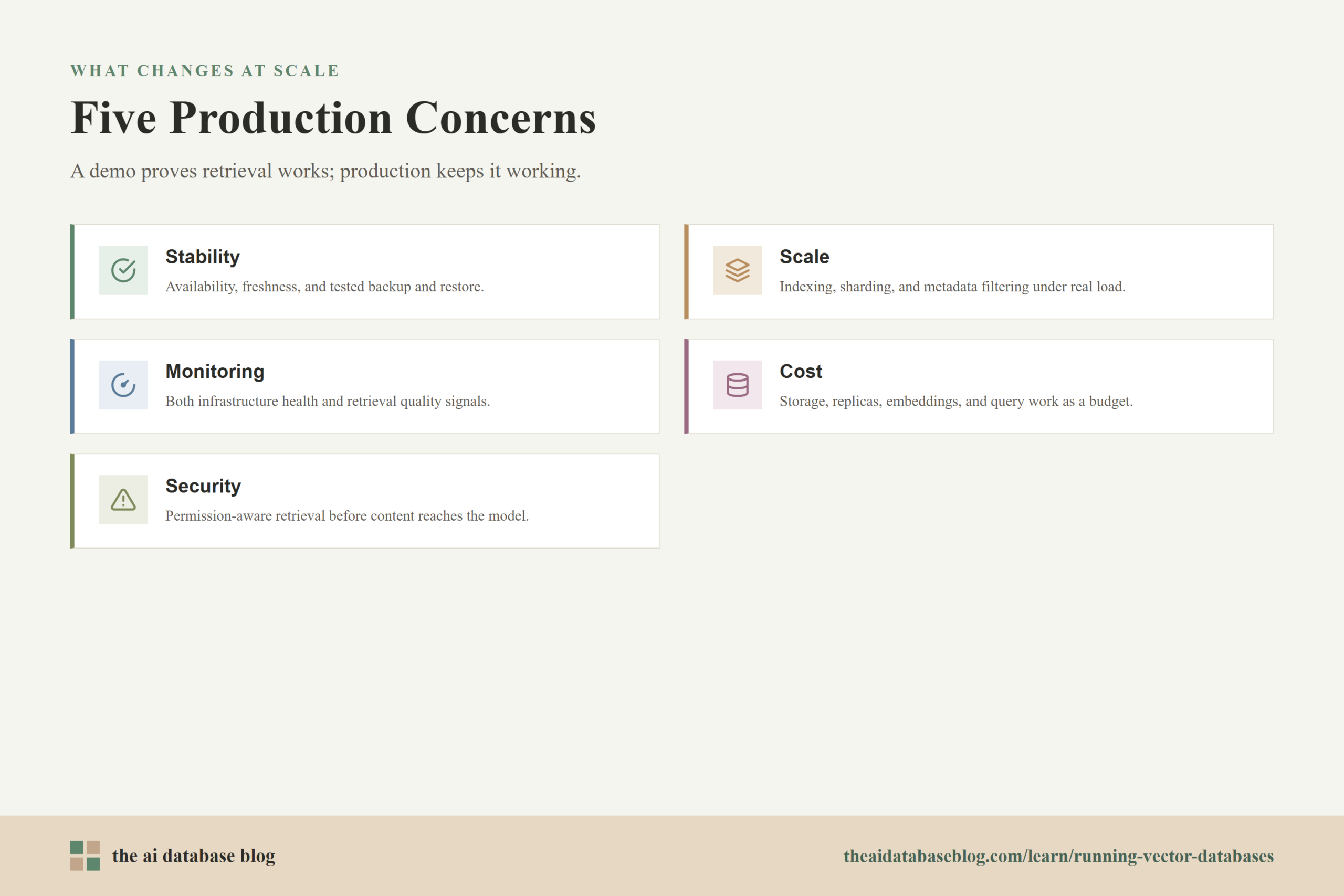
Why Production Changes the Vector Database Problem
A prototype usually answers one question: can the system retrieve something relevant from embedded data? That is an important first step, but it hides many of the problems that appear once users depend on the result. In production, retrieval quality has to remain steady as the corpus grows, new documents arrive, filters become more complex, and traffic shifts from a few test queries to many simultaneous requests.
The core technical job also expands. The vector database is no longer only a place to store vectors and run nearest-neighbor search. It becomes part of a larger retrieval layer that includes ingestion, chunking, embedding generation, metadata design, indexing, filtering, access control, query routing, reranking, caching, observability, backup, and incident response. A small weakness in any of those areas can make the database look unreliable even when the underlying search engine is working as designed.
This is why production planning should begin before the dataset becomes large. Decisions about metadata, index type, replication, tenant boundaries, and monitoring are easier to make early than to retrofit after the application is already handling sensitive data or customer-facing traffic.
Once the scope changes from a working demo to a dependable retrieval system, the first question becomes simple: what does stable operation actually mean for a vector database?
Stability Means Reliability, Freshness, and Recovery
Stability in a production vector database is broader than uptime. The system needs to answer queries consistently, reflect the right version of the knowledge base, recover from failures, and avoid silent quality degradation. A service can remain online while returning stale, incomplete, or poorly ranked results, so stability has to be measured at both the infrastructure level and the retrieval quality level.
Availability and Failure Tolerance
Production systems need a clear plan for what happens when a node, disk, network path, or dependent service fails. Replication, health checks, load balancing, and failover policies reduce the chance that one failure interrupts search. The right configuration depends on the application. An internal analytics assistant may tolerate short interruptions, while a customer-facing support assistant or product search system may require much tighter availability targets.
Failure tolerance also includes the ingestion side. If new documents are embedded but not indexed, indexed but not searchable, or searchable before access metadata is attached, the production system can drift into an inconsistent state. A stable ingestion pipeline should track each stage of processing and make it clear whether a document is pending, indexed, failed, or intentionally excluded.
Freshness and Version Control
Vector databases often serve knowledge that changes over time: policies, product catalogs, tickets, documentation, contracts, or user-generated records. Production systems need a freshness strategy that defines when content should be re-embedded, when old embeddings should be removed, and how to handle documents that change frequently. Without that strategy, the database can keep returning semantically similar but outdated chunks.
Versioning matters because embeddings are not self-explanatory operational records. Teams need to know which embedding model, chunking rules, metadata schema, and index settings produced a given collection. When retrieval quality drops, version information helps distinguish between a data change, an embedding change, an index tuning change, and an application-layer prompt or reranker change.
Backup, Restore, and Disaster Recovery
Production vector databases should have tested backup and restore procedures, not just backup settings that appear correct. A useful backup plan defines what is backed up, how often it is backed up, where it is stored, how long it is retained, and how restore will be tested in a production-like environment. The restore test is especially important because a vector collection may include both stored objects and index state, and because some multi-tenant or inactive-data configurations can affect what is included.
Recovery planning should also cover re-indexing. Some teams can restore the database directly; others may choose to rebuild vectors from a source-of-truth document store. Rebuilding can be safer when the original content and metadata are well managed, but it can be slow and expensive if embedding generation is high-volume. The production design should make that tradeoff explicit.
Stability gives the system a dependable base, but reliability alone does not guarantee that the database will keep performing as data and traffic grow. The next production challenge is scale.
Scale Changes Indexing, Filtering, and Capacity Planning
Vector search that feels instant on a small dataset can become slow or expensive as the collection grows. Scale affects memory, storage, network traffic, index build time, query latency, recall, and filter selectivity. Production planning has to account for how vectors are distributed, how queries are routed, and how much work each search performs before results are returned.
Approximate Search Tradeoffs
Many production vector systems use approximate nearest-neighbor indexing because exact comparison against every vector becomes too expensive at scale. Approximate indexes trade some exactness for speed by searching a structured subset of the vector space. The practical question is not whether approximate search is good or bad; it is how much recall the application needs, how much latency it can tolerate, and how much memory or compute the index can consume.
Teams should tune index settings against representative queries rather than only synthetic benchmarks. A setting that looks fast in a test may miss important results for rare queries, filtered searches, or domain-specific vocabulary. In production, retrieval quality should be evaluated alongside latency and cost so the system does not optimize speed by quietly losing the evidence users need.
Sharding and Replication
Sharding spreads data across nodes so the system can hold larger collections and support more throughput. Replication stores additional copies of data so the system can continue serving queries if a node fails or if more read capacity is needed. These patterns are familiar from other databases, but vector workloads add extra considerations because a search may need to compare candidates across partitions before returning a ranked result.
Blind sharding can distribute data evenly, but it may require querying many shards and merging results. Attribute-aware partitioning can reduce search work when queries naturally filter by tenant, region, product line, time range, or document type. The best design depends on how users actually search. Metadata that looked like a minor detail in a prototype can become a major scaling tool in production.
Metadata Filtering at Scale
Metadata filters are essential for production AI applications because users rarely need the nearest vectors across the entire database. They need the nearest allowed, current, relevant, and context-specific records. Filters can improve relevance and security, but they can also make search harder if the index cannot apply them efficiently.
The production design should test common filtered queries directly. For example, a support assistant may filter by customer account, product version, and document status. If those filters leave too few candidates, retrieval may miss useful context. If they are applied too late, the system may retrieve strong semantic matches and then discard them after authorization or metadata checks. Good production retrieval usually treats metadata design as part of the search architecture, not as an afterthought.
As scale increases, teams need visibility into what the system is doing. That leads to monitoring, where vector databases require both normal infrastructure metrics and retrieval-specific signals.
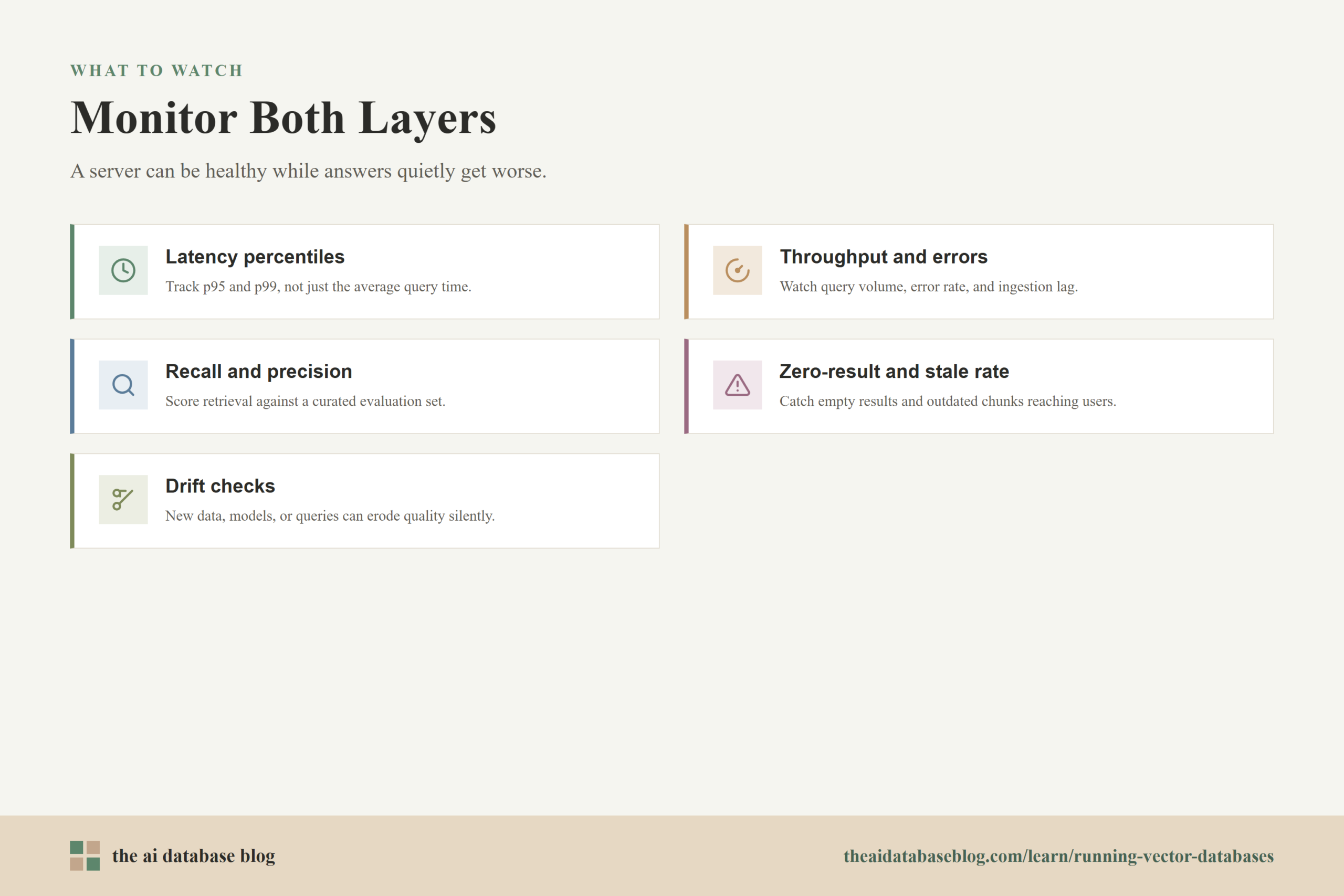
Monitoring Must Cover Infrastructure and Retrieval Quality
Production monitoring for vector databases should answer two kinds of questions. First, is the system healthy as infrastructure: are nodes available, resources sufficient, queries fast, indexes built, queues moving, and backups completing? Second, is the system healthy as a retrieval layer: are results relevant, fresh, authorized, and useful to the application?
Operational Metrics
Basic operational metrics include query latency, throughput, error rate, CPU usage, memory usage, disk usage, network traffic, queue depth, index build time, replication lag, backup status, and restore duration. These metrics help teams detect overload, capacity pressure, slow ingestion, and cluster imbalance before users experience obvious failures.
Latency should be measured with percentiles rather than averages alone. A system with a reasonable average can still have poor tail latency, where some users regularly wait much longer than expected. For AI applications, retrieval latency also needs to be separated from embedding generation, reranking, context assembly, and language model generation so teams can find the real bottleneck.
Retrieval Quality Metrics
Retrieval quality is harder to monitor than server health, but it is just as important. Useful metrics include recall at a chosen result count, precision at a chosen result count, mean reciprocal rank, zero-result rate, filter drop-off rate, stale-result rate, and user feedback signals. These metrics are most valuable when measured against a curated evaluation set that reflects real user questions.
Production teams should also watch for drift. Drift can come from new documents, changed document formats, a new embedding model, different chunking rules, access-control metadata errors, or user queries that no longer match the assumptions used during testing. A vector database can appear healthy while retrieval quality declines, so quality checks should run continuously or on a regular release cadence.
Tracing the Retrieval Pipeline
Tracing helps connect a user request to each stage of the retrieval path. A trace can show the time spent embedding the query, searching the vector database, applying filters, reranking results, assembling context, and generating an answer. This is useful because a production RAG system often has several moving parts, and slow or incorrect results may come from the pipeline rather than the database alone.
Monitoring is not only about finding outages. It also reveals which parts of the system are expensive, over-provisioned, or doing unnecessary work. That makes cost the next production concern.
Cost Becomes a Design Constraint
In prototypes, vector database cost is often small enough to ignore. In production, cost can grow through stored vector volume, index memory, replicas, embedding generation, re-indexing, query traffic, reranking, observability, backups, and data transfer. Cost control works best when it is designed into the retrieval architecture rather than applied only after a bill becomes surprising.
Storage and Memory Costs
Vector storage depends on the number of vectors, vector dimensionality, numeric precision, stored metadata, and index overhead. Larger embeddings and high-recall index settings can improve retrieval, but they may require more memory and storage. Replication improves availability and read capacity, but it also multiplies resource needs. Backups and retained historical versions add another layer of storage cost.
Teams should estimate growth using realistic document and chunk counts. A document corpus may look small at the file level but become much larger after chunking, embedding, storing metadata, and indexing. Production planning should also account for deleted or updated content, because systems may need compaction, cleanup, or re-indexing to avoid carrying stale data indefinitely.
Query and Pipeline Costs
Each query can involve more than one vector search. Some applications rewrite queries, run hybrid search, retrieve from multiple collections, rerank candidates, or perform follow-up retrieval when the first result set is weak. These steps can improve quality, but they increase latency and cost. A production design should define when extra retrieval work is worthwhile and when the system should stop.
Caching can help when users ask repeated or similar questions, but it needs careful boundaries. Cached retrieval results may become stale when documents change or when a user has different permissions. Cost control should never bypass freshness or access rules.
Right-Sizing the System
Right-sizing means matching resources to actual workload patterns. Some systems need high read throughput and rare writes. Others need frequent ingestion, large batch updates, or near-real-time search over changing content. The right capacity plan depends on query volume, write volume, indexing time, expected freshness, and the cost of downtime.
Cost planning should be paired with service-level goals. If the application needs strict latency and high availability, extra replicas and faster storage may be justified. If the application is internal and low-volume, simpler infrastructure may be enough. The goal is not to minimize cost at all times, but to spend where it protects the retrieval experience.
Cost controls define the economic limits of production, but they cannot come at the expense of protecting data. Security is especially important because vector databases often sit between private source data and AI-generated responses.
Security Starts at the Retrieval Layer
Vector database security is not only about locking down the database endpoint. Production systems must protect source documents, embeddings, metadata, retrieval results, and the application paths that use them. Because semantic search can find information by meaning rather than exact keywords, weak access control can expose sensitive content in ways that are difficult to detect with traditional keyword-based thinking.
Authentication and Authorization
Production deployments should require authenticated access and enforce authorization consistently. Users, services, and ingestion jobs should receive only the permissions they need. Administrative operations, schema changes, collection deletion, backup access, and tenant management should be limited to trusted roles.
Authorization should be enforced before sensitive content reaches the language model. In many AI applications, that means attaching permission-aware metadata during ingestion and applying filters at retrieval time. Post-processing results after broad retrieval is riskier because unauthorized chunks may already have entered intermediate logs, traces, prompts, or reranker inputs.
Data Leakage and Embedding Risks
Embeddings are compressed representations of content, but they should still be treated as sensitive when they are derived from sensitive documents. A production system should avoid embedding secrets, unnecessary personal data, or content that should never be retrievable. Data minimization matters because retrieval systems can surface information through semantic similarity even when a user does not know the exact words to search for.
Logs and traces also need care. Debugging data can accidentally include user queries, retrieved passages, document identifiers, authorization metadata, or generated answers. Observability should help teams operate the system without creating a second unprotected copy of sensitive retrieval activity.
Poisoning and Ingestion Controls
Production vector databases are vulnerable to bad inputs if the ingestion pipeline accepts untrusted or poorly validated content. A malicious or low-quality document can be embedded, indexed, and retrieved later as if it were trusted context. This matters for public uploads, web ingestion, shared workspaces, and any system where many users can add knowledge.
Ingestion controls should validate sources, track provenance, preserve document ownership, and support review or quarantine when content looks suspicious. Security also benefits from clear deletion workflows, audit logging, and the ability to trace a retrieved chunk back to its original source.
Production Readiness Checklist
Before a vector database supports a real application, teams should confirm that the system has a clear answer for the most common operational questions. The checklist below is not a substitute for architecture review, but it gives teams a practical way to spot gaps before those gaps become incidents.
- Data model: The collection schema, metadata fields, tenant boundaries, and source identifiers are documented and tested against real query patterns.
- Index settings: Search parameters are tuned with representative queries, and the team understands the latency, recall, and memory tradeoffs.
- Ingestion pipeline: Documents move through validation, chunking, embedding, metadata attachment, indexing, and error handling in a traceable way.
- Freshness process: Updates, deletes, re-embedding, and stale-content cleanup are handled deliberately rather than manually patched when users complain.
- Monitoring: Dashboards and alerts cover infrastructure health, query latency, ingestion lag, backup status, and retrieval quality signals.
- Security: Authentication, authorization, permission-aware filters, audit logs, and sensitive-data handling are tested before launch.
- Recovery: Backups are configured, restore has been tested, and the team knows whether recovery uses direct restore, rebuild from source data, or both.
- Cost controls: The team has estimated storage, memory, replicas, embedding generation, reranking, backups, and expected growth.
This checklist turns the production shift into a set of concrete questions. If the answers are known and tested, the vector database is much more likely to behave like dependable infrastructure rather than an impressive demo under stress.
FAQs
1. What is the biggest difference between a prototype vector database and a production vector database?
The biggest difference is operational responsibility. A prototype only needs to show that semantic search can work on a limited dataset. A production vector database needs to stay available, secure, fresh, observable, cost-aware, and relevant while handling real users, real data changes, and real failure modes.
2. Why does retrieval quality degrade after launch?
Retrieval quality can degrade because the corpus changes, documents become stale, metadata is incomplete, access filters remove too many results, embeddings no longer match the query patterns, or index settings favor speed over recall. Production systems need ongoing evaluation because quality problems are not always visible through infrastructure metrics alone.
3. Do vector databases need backups if the source documents still exist?
Usually yes, although the backup strategy depends on the system. If source documents, metadata, chunking rules, and embedding configuration are preserved, the database can sometimes be rebuilt. However, rebuilding may take time and money, and it may not reproduce the exact same state unless versions are carefully tracked. Tested backups reduce recovery risk.
4. What should teams monitor first in production?
Teams should start with query latency, error rate, throughput, resource usage, ingestion lag, index build status, backup status, and retrieval quality on a representative evaluation set. For RAG systems, it is also useful to trace embedding generation, vector search, filtering, reranking, context assembly, and answer generation separately.
5. How does security differ for vector search compared with keyword search?
Vector search retrieves by meaning, so users may discover sensitive information without knowing exact keywords. That makes permission-aware metadata, retrieval-time filtering, source tracking, and careful logging especially important. Security should be enforced before retrieved content reaches prompts, rerankers, traces, or generated responses.
6. When should a team scale a vector database?
A team should scale when measured workload patterns show that the current system cannot meet latency, throughput, availability, freshness, or storage goals. Scaling should be based on observed pressure and expected growth, not only on collection size. Sometimes better metadata filters, index tuning, caching, or cleanup can delay or reduce the need for additional infrastructure.
Takeaway
Running vector databases in production means treating semantic retrieval as dependable infrastructure, not just a successful prototype. Readers should now understand how stability, scale, monitoring, cost, and security change once vector search supports real applications, and why those concerns need to be designed together. This guidance is especially useful for teams building RAG systems, enterprise search, recommendation features, support assistants, or any AI application where retrieval quality and operational reliability have to hold up over time.
Watch this video to learn more