Metadata, sometimes called payload data, is the structured information stored alongside a vector so an AI application can search, filter, sort, secure, and explain results in practical ways. A vector captures semantic meaning, but metadata captures the context around that meaning: who owns the item, where it came from, when it was created, what category it belongs to, which permissions apply, and which fields should be returned with the result. In real vector database applications, metadata is not a small extra detail. It is one of the main pieces that turns similarity search into usable retrieval.
This guide explains what metadata and payloads are, which data types they commonly support, how they attach to vectors, how schema flexibility works, and why metadata should be treated as a first-class design concern in AI databases. By the end, you should understand how metadata changes vector search from a simple nearest-neighbor lookup into a controllable retrieval system for applications such as RAG, semantic search, recommendations, personalization, access control, and operational knowledge discovery.
What Metadata and Payloads Are in a Vector Database
A vector database stores embeddings, which are numerical representations of text, images, audio, code, products, documents, or other data. Those vectors are designed for similarity search: given a query vector, the database finds nearby vectors that are likely to represent related meaning. Metadata is the additional structured information stored with each vector so the system knows more than just semantic similarity. It gives every vector an application context.
The word metadata usually refers to descriptive fields attached to a record. The word payload is often used in the same general way, especially in systems where the vector record contains an identifier, the vector itself, and a payload object. In practical terms, both words describe the non-vector fields that travel with the embedding. These fields can be used for filtering, retrieval display, grouping, ranking, auditing, or routing results through an application.
For example, a document chunk stored in a vector database might have an embedding that represents the meaning of the chunk text. Its metadata might include the document title, source URL, author, publication date, department, customer account, language, access level, and chunk position inside the original document. Without those fields, the system might find semantically similar text, but it would have little ability to answer practical questions such as whether a user is allowed to see it or whether it belongs to the right time period.
This distinction matters because vectors and metadata answer different questions. The vector answers, “What is this similar to?” Metadata answers, “Is this result allowed, current, relevant to this context, and useful to return?” A production AI database usually needs both kinds of answers before it can serve reliable results.
Once metadata is understood as the context layer around vectors, the next question is what kinds of information can be stored there. The answer depends on the database, but most modern vector databases support a practical set of structured types that cover the majority of AI application needs.
Common Metadata and Payload Data Types
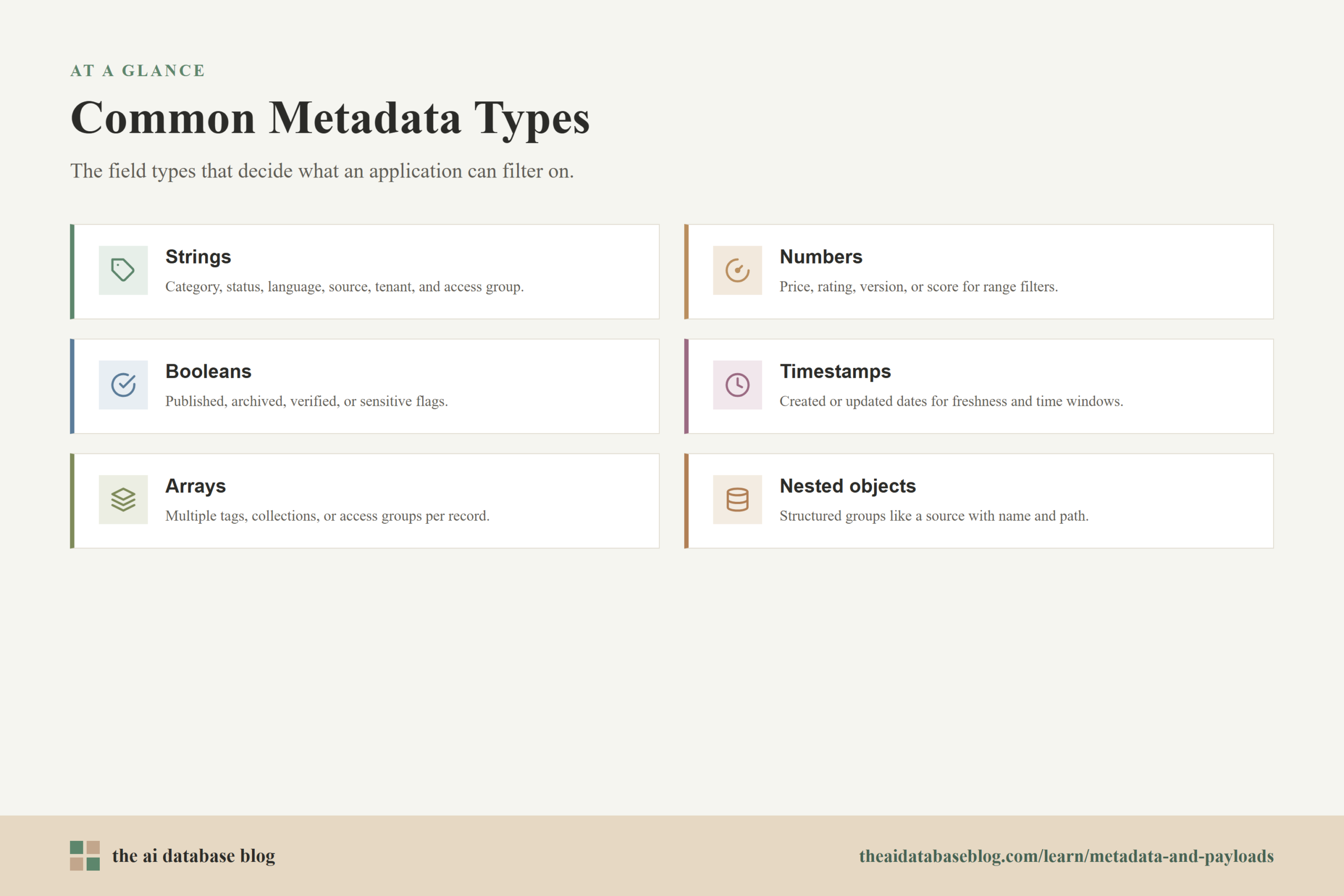
Metadata fields are usually stored as key-value data. Each vector record has named fields, and each field holds a value that the database can store, return, and sometimes index for filtering. The exact type system differs by database, but the most common supported types include strings, numbers, booleans, timestamps, arrays, and nested objects. Some systems also support geospatial values, null values, or JSON-like payload structures.
Strings are used for fields such as document type, category, status, language, title, source, author, tenant ID, and access group. They are useful for exact matching, faceted search, and display. A field such as department: legal or source_type: policy lets an application retrieve semantically relevant results only from a defined part of the data.
Numbers are used for values such as price, rating, version number, year, priority, score, or length. Numeric metadata is important because it enables range filters. A product search system might search semantically for “lightweight travel laptop” while filtering for items below a certain weight or price. A support knowledge system might retrieve only articles with a confidence score above a certain threshold.
Booleans store true-or-false information, such as whether a document is published, archived, verified, internal-only, sensitive, or eligible for retrieval. Boolean fields are simple, but they are especially useful because they can be applied consistently across many queries. A RAG system might exclude archived content by default, or a recommendation system might include only items currently available.
Timestamps and dates help retrieval systems respect freshness and time boundaries. They can support filters such as “created after January 1,” “updated within the last 30 days,” or “valid during this contract period.” Time-based filtering is important when an AI application needs current answers, legal defensibility, or source traceability.
Arrays store multiple values under one field. A document might have several tags, a product might belong to multiple collections, and a record might be visible to multiple access groups. Array fields are useful when a single item naturally belongs to more than one category. They also help avoid duplicating the same vector record just to represent multiple labels.
Nested objects store structured groups of fields inside the payload. For example, a record might contain a nested source object with a system name, file path, author, and revision number. Nested metadata can make payloads more expressive, though it may also require more care if the database indexes nested fields differently from top-level fields.
The supported type list is not just a storage detail. It shapes what the application can ask at query time. If a field is stored as a string when it should be a number, range filtering may become awkward or impossible. If a date is stored inconsistently, freshness filters may behave unpredictably. Good metadata design starts by choosing types that match how the application will search and filter later.
After choosing metadata fields and types, the next step is understanding how those fields attach to vectors. This is where vector databases differ from plain embedding stores: they keep the vector and its practical retrieval context together as one searchable record.
How Metadata Attaches to Vectors
In most vector databases, each stored item is a record made of several parts: an identifier, one or more vectors, optional original or reference content, and a metadata or payload object. The identifier gives the record a stable handle. The vector supports similarity search. The metadata describes the record in structured terms. Together, those parts let the database retrieve candidates by meaning while also enforcing application-specific constraints.
A simplified vector record might look like this:
{
  "id": "doc-482-chunk-007",
  "vector": [0.013, -0.044, 0.091, "..."],
  "metadata": {
    "document_id": "doc-482",
    "title": "Customer Support Refund Policy",
    "source_type": "policy",
    "department": "support",
    "language": "en",
    "published": true,
    "updated_at": "2026-04-18",
    "access_groups": ["support_team", "managers"],
    "chunk_index": 7
  }
}
When the application queries the database, it can send a vector query and a metadata filter together. The vector query asks for semantically similar records. The metadata filter limits which records are eligible. For example, an internal assistant might search for content similar to “refund exceptions for enterprise customers” while filtering to records where department is support, language is English, published is true, and access group includes the current user.
Metadata can also be returned with results. That matters because applications often need to show a title, source, date, confidence label, document ID, or snippet reference next to the retrieved content. In RAG systems, metadata helps cite sources, trace answers back to original documents, and decide which retrieved chunks should be passed into the model context.
Some applications store the full text or source content in the payload. Others store only a pointer, such as a document ID, object storage path, database primary key, or URL. The right choice depends on the size of the content, latency needs, governance rules, and whether the vector database is meant to be the main retrieval store or a retrieval index layered over another system of record.
Attaching metadata to vectors makes retrieval more useful, but it also raises an important design question: how strict should the metadata structure be? Vector databases often offer more schema flexibility than traditional relational systems, but flexible does not mean careless.
Schema Flexibility and Field Design
Many vector databases allow flexible metadata schemas, which means not every record needs to have exactly the same fields. This is useful because AI applications often combine different types of content. A single collection might contain help articles, product descriptions, support tickets, and internal policy documents. These records may share some fields, such as tenant ID and language, while also having fields that only apply to one content type.
Flexible schemas make ingestion easier. Teams can add new metadata fields as the application evolves instead of redesigning the entire database every time a new retrieval need appears. This is especially helpful in early AI database projects, where teams may still be learning which filters and labels are most useful for relevance, permissions, and user experience.
However, schema flexibility has tradeoffs. If metadata fields are named inconsistently, filters become unreliable. For example, one source might use doc_type, another might use documentType, and a third might use type. The database may store all three, but the application will struggle to filter across the full dataset. The same problem appears when values are inconsistent, such as storing hr, HR, and human_resources as separate department labels.
Type consistency also matters. A field such as year should usually be numeric, not sometimes a string and sometimes a number. A field such as updated_at should follow a consistent date format. A field used for permissions should be present and reliable enough that access control does not depend on guesswork. Flexible schemas are useful when they support iteration, but production retrieval still needs field discipline.
Some databases let teams define or index selected metadata fields for faster filtering. This creates a practical distinction between metadata that is simply stored and metadata that is optimized for query constraints. A field that is only displayed in the interface may not need the same indexing attention as a field used in every query, such as tenant ID, access group, language, document type, or timestamp.
A good metadata model usually starts with the application’s query patterns. Ask which fields will be used to restrict access, narrow search, personalize results, improve freshness, or explain output. Those fields deserve consistent names, consistent types, and, when the database supports it, indexing or schema configuration. Less important descriptive fields can remain more flexible.
Once metadata fields are designed, they become part of how the retrieval system makes decisions. This is why metadata is not only storage decoration. It directly affects relevance, safety, latency, and the user experience.
Why Metadata Is First-Class for Real Applications
In a demo, vector search can look simple: embed a query, find the closest vectors, and return the top results. In a real application, that is rarely enough. Users do not just need similar information. They need the right similar information under the right constraints. Metadata provides those constraints, which is why it should be treated as first-class data in vector database design.
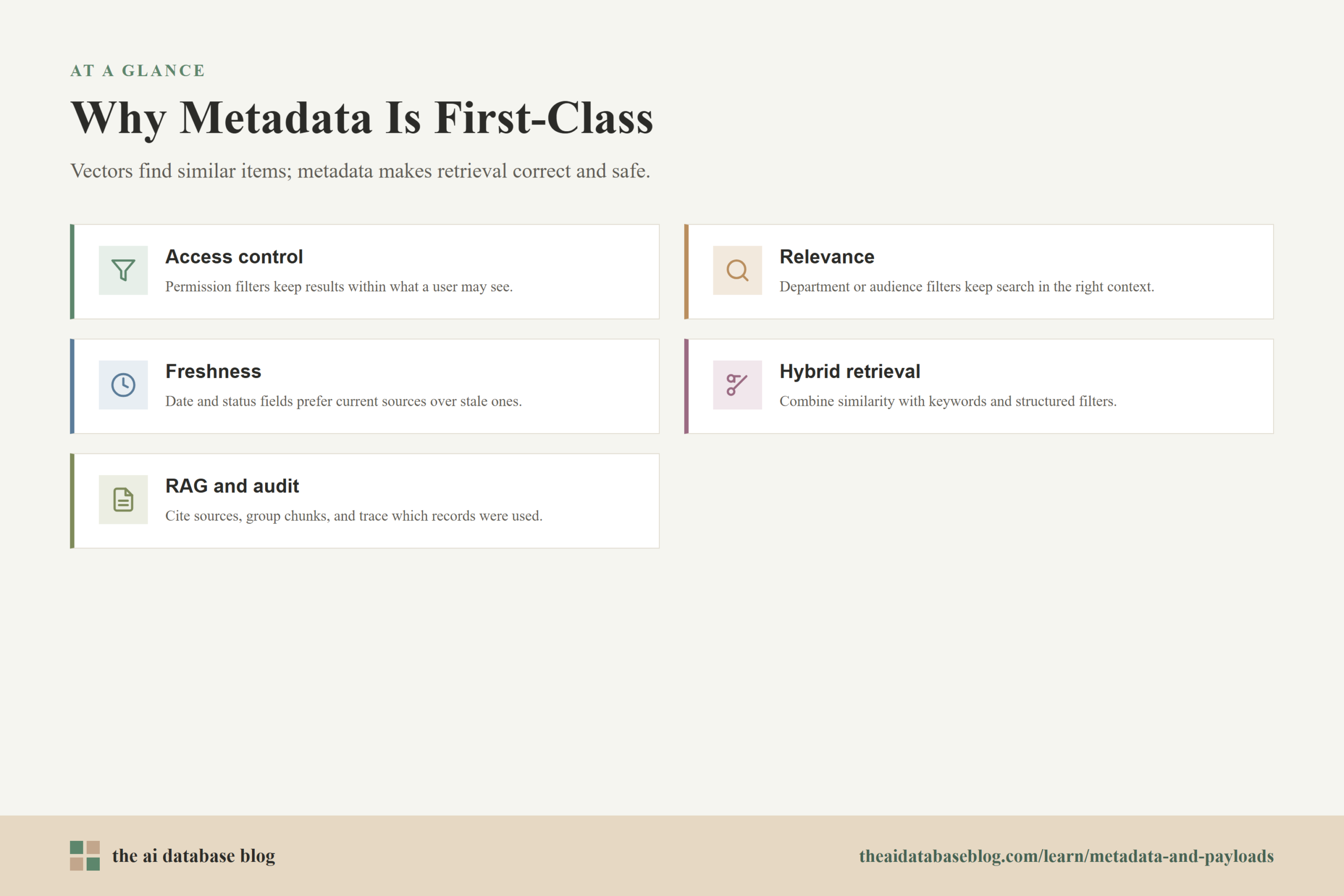
One of the clearest examples is access control. If an enterprise assistant searches across internal documents, it must not return content the user is not allowed to see. Storing fields such as tenant ID, workspace ID, role, access group, document owner, and confidentiality level allows the application to combine semantic search with permission filters. Without metadata, the retrieval layer may be semantically strong but operationally unsafe.
Metadata also improves relevance. A query about “onboarding checklist” could refer to employee onboarding, customer onboarding, developer onboarding, or vendor onboarding. A metadata filter for department, audience, product line, or document type can help the search system stay in the right context. This is especially important when embeddings find conceptually similar content across many domains.
Freshness is another practical reason metadata matters. AI applications often need current information, not merely similar information. A vector may point to a document that was accurate two years ago but is now outdated. Date fields, version fields, status fields, and archival flags help the application prefer active and current sources or exclude stale ones entirely.
Metadata also supports hybrid retrieval, where vector similarity is combined with keyword search, structured filters, or ranking rules. For example, a product discovery system might use vector search to understand intent, keyword matching to preserve exact terms, and metadata filters for price, availability, region, brand category, or customer segment. In this kind of system, metadata is part of relevance, not an afterthought.
For RAG applications, metadata helps decide what context reaches the model. The retrieval system might use metadata to select only approved documents, group chunks by source, include citations, avoid duplicate passages, or prioritize newer versions. This improves answer quality and makes the system easier to audit. If a generated answer is challenged, metadata can help trace which source records were used and why they were eligible.
Metadata can also affect performance. Filters such as tenant ID, content type, or time range can reduce the candidate set before or during search, depending on how the database executes filtered nearest-neighbor queries. This can lower unnecessary retrieval work and improve precision. However, very selective or complex filters may require careful indexing and testing, because filter behavior can influence latency and recall.
These examples show that metadata is part of the retrieval contract between the database and the application. The next step is to look at common use cases where metadata turns vector search into something closer to a complete AI data system.
Practical Use Cases for Metadata and Payloads
Metadata becomes easiest to understand when viewed through real application patterns. In most production systems, the same vector database query has to satisfy semantic relevance, structured constraints, and application rules at the same time. Metadata is the layer that lets those requirements meet inside one retrieval workflow.
In document search and RAG, metadata can identify the source document, author, title, publication date, section heading, chunk number, and access policy. This helps the system retrieve the right passages, group related chunks, cite sources, and avoid showing information outside a user’s permissions. It also helps developers debug poor answers by inspecting which documents were retrieved.
In product search, metadata can store product category, price, inventory status, region, size, color, rating, and release date. The vector captures what a user means by a query such as “comfortable shoes for city walking,” while metadata ensures the results match available inventory, selected filters, and business constraints such as region or price range.
In recommendation systems, metadata can represent user segment, item type, freshness, popularity, eligibility, and exclusion rules. A vector can find similar items, while metadata prevents recommendations that are unavailable, inappropriate for the user, duplicated from a recent interaction, or outside the intended category.
In support and operations, metadata can identify ticket status, product version, customer tier, severity, team ownership, and resolution date. A semantic search over past cases becomes much more useful when it can be narrowed to the same product version, similar customer type, or unresolved operational category.
In multi-tenant applications, metadata is often essential. Fields such as organization ID, workspace ID, user ID, region, and access group help isolate results between customers or departments. The vector database may store embeddings for many tenants in the same collection, but metadata filters keep retrieval scoped to the correct tenant and user context.
These use cases have different surface details, but the pattern is the same: vectors provide semantic matching, and metadata provides control. The best results usually come from designing both together instead of treating metadata as something to attach after the vector pipeline is already built.
Best Practices for Designing Metadata in Vector Databases
Good metadata design starts before ingestion. It is tempting to embed content first and decide on metadata later, but that often creates cleanup work once the application needs filtering, permissions, or source traceability. A better approach is to define the key retrieval questions up front, then choose metadata fields that help answer those questions reliably.
- Model around query patterns. Include fields that users and systems will actually filter by, such as tenant, language, document type, status, access group, timestamp, region, or product category.
- Keep names and values consistent. Decide on field names and controlled values before large-scale ingestion. Consistency makes filters predictable and reduces application-side cleanup.
- Use the right data types. Store numbers as numbers, dates as dates or consistently formatted timestamps, booleans as booleans, and multi-value labels as arrays when supported.
- Separate display metadata from filter metadata. Some fields are mainly returned to the user, such as title or source name. Others are used in every query, such as tenant ID or access group. Treat high-use filter fields with more care.
- Index important filter fields when the database supports it. Indexing every field may be unnecessary, but fields used in frequent or selective filters often deserve explicit optimization.
- Duplicate critical parent metadata onto chunks. In RAG systems, each chunk should usually carry the document-level fields needed for filtering and citation, such as document ID, title, source, access level, and update date.
- Test filters with realistic queries. Metadata design should be evaluated with real retrieval scenarios, including edge cases such as missing fields, mixed content types, narrow filters, and permission boundaries.
The most useful metadata models are not necessarily the largest. Too many fields can create complexity without improving retrieval. The goal is to store enough structured context to make search accurate, safe, explainable, and efficient, while avoiding unnecessary payload bloat.
With these practices in place, metadata becomes a durable part of the AI database architecture. It supports the application as requirements grow from a proof of concept into a system that must handle real users, real documents, and real operational constraints.
FAQs
1. Are metadata and payloads the same thing in vector databases?
They are often used to describe the same general idea: structured non-vector data stored with a vector record. Some databases prefer the term metadata, while others use payload. In both cases, the fields describe the vector’s context and can often be returned, filtered, or used by the application.
2. Does metadata change the vector embedding itself?
No. Metadata usually does not change the numerical vector. The vector represents semantic meaning, while metadata is stored alongside it as structured context. However, metadata can change which vectors are eligible during a query, so it can strongly affect the final results returned to the user.
3. Should metadata be embedded into the text before vectorization?
Sometimes, but not always. If a field changes the meaning of the content, such as a product category or document title, it may help to include it in the text that is embedded. If a field is mainly used for filtering, such as tenant ID, access group, or publication status, it is usually better stored as metadata rather than mixed into the embedding text.
4. What metadata fields are most important for RAG?
Important RAG metadata fields often include document ID, title, source, author, publication or update date, chunk position, language, document type, tenant or workspace ID, access permissions, and status. The exact fields depend on the application, but source traceability and access control are usually high priorities.
5. Can vector databases filter by metadata before vector search?
Many modern vector databases support filtered vector search, but the execution strategy varies. Some apply filters before or during nearest-neighbor search, while others may retrieve candidates first and filter afterward. This distinction can affect performance and recall, especially when filters are very selective.
6. How much metadata should each vector have?
Each vector should have enough metadata to support the application’s retrieval, filtering, permissions, display, and auditing needs. More metadata is not always better. The best design includes fields that matter for real queries and keeps them consistent, typed correctly, and easy to maintain.
Takeaway
Metadata and payloads give vector databases the structured context that real AI applications need. Vectors are excellent for finding semantic similarity, but metadata makes retrieval controllable by adding fields for type, source, ownership, permissions, freshness, category, and other application constraints. This guidance is especially useful for teams building RAG systems, semantic search, recommendations, support tools, or multi-tenant AI products where results must be relevant, secure, current, and explainable. A practical use case is an internal knowledge assistant that searches by meaning while using metadata to return only approved, current documents the user is allowed to access.
Watch this video to learn more