First queries after a restart are often slow because the database process is running before the important search data is fully hot in memory. Vector indexes, scalar indexes, posting lists, metadata filters, remote storage blocks, and operating system filesystem caches may all need to be loaded or rebuilt on demand. Index warm-up reduces this first-query penalty by proactively loading the most important index structures and query paths before production traffic reaches the node.
This guide explains why cold starts happen in AI database systems, what it means to preload an index, how cache warming works, and how teams can plan restarts and autoscaling so users do not experience the slowest queries. By the end, you should understand how to treat warm-up as part of database operations rather than as an afterthought after deployment.
What an Index Cold Start Means
An index cold start happens when a search system is technically available but not yet in its best operating state. The service may accept requests, the index metadata may be loaded, and health checks may pass, but the data structures needed for fast retrieval are still cold. In an AI database, this can include a vector index such as an HNSW graph, compressed vector data, scalar filter indexes, keyword search structures, or recently accessed result caches.
The most visible symptom is a gap between the first few queries and normal steady-state latency. A vector search that usually returns quickly may take much longer immediately after a restart, a rolling upgrade, a shard move, a segment load, or a scale-out event. The query is not necessarily doing more logical work; it is paying the cost of bringing data into the right memory layer.
This matters because many production AI applications are sensitive to tail latency. Retrieval-augmented generation, semantic search, support automation, recommendation, and agent memory systems often call retrieval before a model can answer. If the retrieval layer stalls, the whole user experience feels slow even when the language model is ready.
Once the basic cold-start pattern is clear, the next question is why a restart causes the search system to lose that fast path. The answer is usually not one single cache, but a stack of memory layers that all need to become useful again.
Why First Queries After a Restart Are Slow
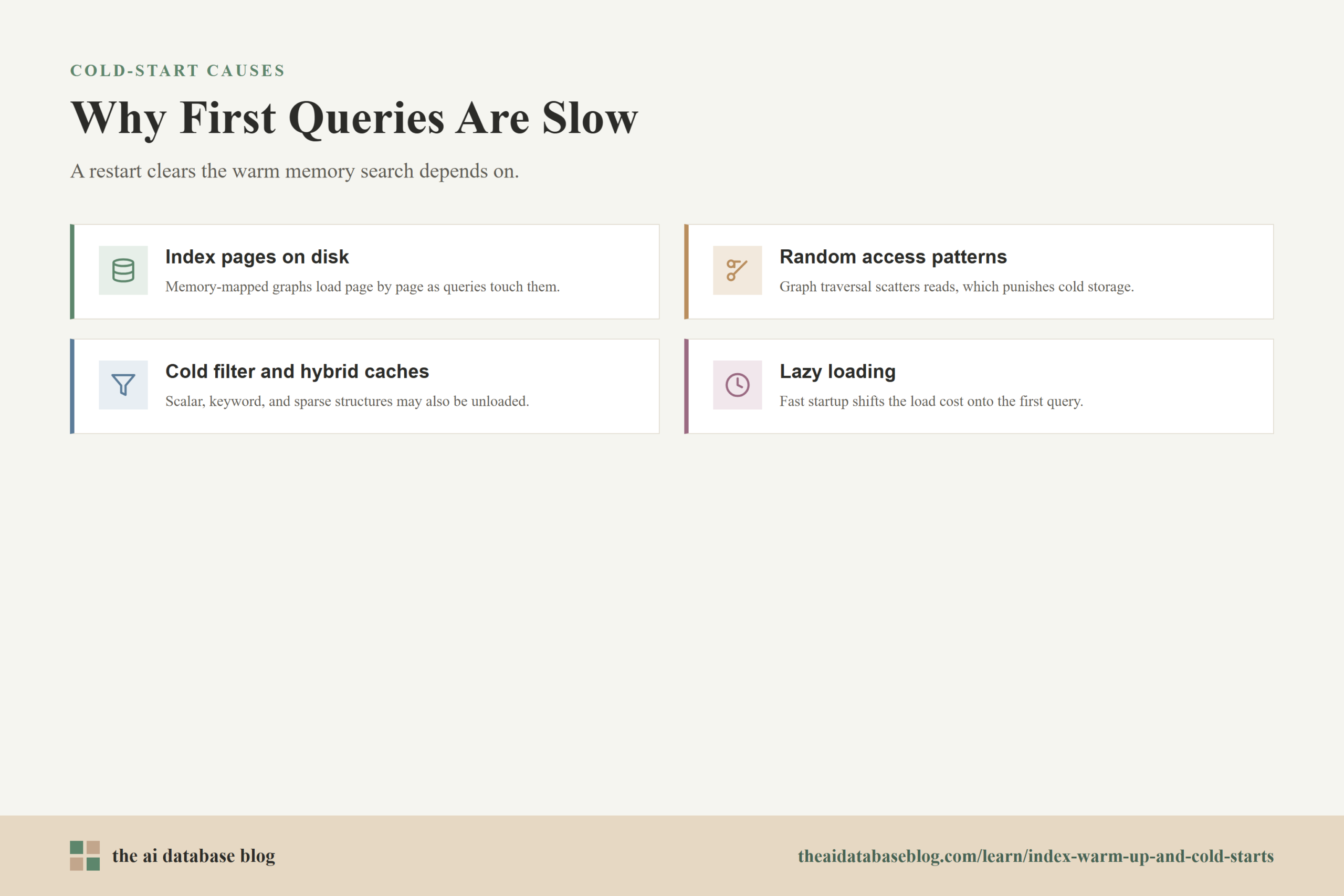
First queries after a restart are slow because search systems rely on warm memory, and restarts clear or disturb much of that memory. The database can reload configuration and metadata quickly, but the large structures used for nearest-neighbor search and filtering often live in memory-mapped files, operating system page cache, process memory, or local cache directories. When those layers are empty, the first real query becomes the loader.
Index Pages May Need to Be Read From Disk
Many vector indexes are stored on disk and read into memory as they are accessed. If an HNSW graph or similar approximate nearest neighbor index uses memory-mapped files, the operating system may not load every page when the database process starts. Instead, it loads pages when queries touch them. That makes startup faster, but it shifts the cost to the first searches.
This is why the first query can feel disproportionately expensive. A graph traversal may jump across index pages that are not yet resident in memory. The database waits on disk reads, storage latency, decompression, or file-cache population while the query is already on the clock. Later queries are faster because many of those same pages are now in memory.
Vector Search Often Has Random Access Patterns
Vector search does not always read data sequentially. Approximate nearest neighbor indexes often move through graph neighbors, candidate lists, quantized vector blocks, or compressed postings in patterns determined by the query vector. This can create scattered reads when the index is cold, especially for large indexes that do not fit entirely in memory.
Random access is more sensitive to cold storage than a simple sequential scan. Even fast local SSDs are slower than memory, and remote object storage or network-attached storage can add more delay. A warm index works because enough of the useful graph, vector, and filter data has already moved closer to the CPU.
Metadata and Hybrid Search Caches Can Also Be Cold
Cold starts are not limited to dense vector indexes. Modern AI database queries often combine vector similarity with metadata filters, keyword search, sparse retrieval, reranking candidates, access-control checks, or tenant-specific constraints. A query might need scalar index pages, keyword posting lists, bitmap filters, document payloads, or authorization metadata in addition to the vector index itself.
If those supporting structures are cold, the query may still be slow even if the vector graph is ready. This is especially common in hybrid search systems, where a dense retriever and a lexical or sparse retriever both contribute candidates before results are merged or reranked.
Lazy Loading Improves Startup but Moves Latency to the First Query
Lazy loading is a useful design choice. It lets a system become queryable without immediately loading every field, index, or segment into memory. This can reduce restart time, conserve memory, and avoid preloading data that might not be queried soon.
The tradeoff is that the first query to cold data pays for the load. In tiered storage systems, that may mean fetching chunks or index files from remote storage into local disk or memory. In systems that keep sparse data or index structures in process memory, it may mean loading those structures during the initial search. Lazy loading is efficient, but it must be planned around when low first-query latency matters.
Understanding these causes helps explain why warm-up is not just a performance optimization. It is a readiness step. The next practical question is what should be warmed, when it should be warmed, and how much should be loaded before traffic begins.
What Preloading the Index Does
Preloading the index means intentionally loading important search structures before real users depend on them. Instead of waiting for a customer query to touch cold index data, the system performs a controlled warm-up step during startup, segment load, rolling restart, or scale-out. The goal is not to query every possible item. The goal is to make the most latency-sensitive paths ready.
Preloading can happen through explicit database features, startup settings, or warm-up queries. Some systems provide a warm-up API or configuration option that loads selected indexes or fields into memory before production traffic starts. Others rely on representative queries that traverse the index and populate the operating system filesystem cache. Both patterns can work, but they give operators different levels of control.
Preloading Vector Index Structures
The vector index is usually the first warm-up target because it is central to semantic search latency. If the index uses a graph structure, preloading helps ensure that the graph or its most important pages are close to memory before queries arrive. If the index uses compressed vectors, quantized codes, or disk-backed candidate lists, preloading can reduce the first-read cost of those structures too.
Preloading does not always mean loading raw vectors. In many workloads, the search engine only needs the index structure to find candidates, while raw vector values are not returned to the application. Loading raw vector fields may waste memory unless the application immediately reuses or returns those vectors after search. The right target is the data required for the query path, not every byte associated with the collection.
Preloading Scalar Indexes and Filter Data
Metadata filters often determine whether vector search feels fast in production. A query such as “find similar policy passages for tenant A in region B, updated after date C” needs more than vector similarity. It also needs filterable metadata. If those scalar indexes are cold, the system may spend time loading filter data before it can narrow candidates.
Preloading scalar indexes is especially useful when filters are frequent, selective, and tied to interactive workloads. For example, tenant identifiers, access-control groups, document type, language, time range, or product category may be part of nearly every query. Warming these structures helps the system avoid a situation where vector search is ready but filtering becomes the hidden bottleneck.
Preloading Keyword and Sparse Retrieval Structures
Hybrid search introduces another warm-up target: lexical and sparse retrieval data. Keyword posting lists, sparse vector data, term dictionaries, and fusion inputs may all contribute to a result set. If the application uses hybrid search for most user queries, warming only the dense vector index can leave the first hybrid queries slower than expected.
For production retrieval systems, warm-up should match the actual query plan. If a typical request embeds the query, runs vector search, applies metadata filters, runs keyword retrieval, merges candidates, and reranks the top results, then the warm-up process should exercise the same major components. Otherwise, the first real users become the ones testing the cold parts of the pipeline.
Preloading is the direct approach, but not every database or workload uses explicit preload controls. That is where cache warming through planned queries becomes useful, especially when the system relies heavily on filesystem cache or representative access patterns.
How Warming Caches Works in Practice
Cache warming means sending planned activity through the retrieval system so that important data moves into fast memory before production traffic arrives. In an AI database, this can warm the operating system filesystem cache, database-managed memory, local storage caches, scalar index pages, vector graph pages, sparse retrieval structures, and sometimes application-level retrieval caches.
The simplest approach is to run representative queries after a node starts and before it is marked ready for full traffic. These queries should resemble the work the system will actually do. Random query vectors can help touch broad parts of a vector index, while query-log-based warm-up can prioritize the most common user intents, filters, and tenants.
Use Representative Queries, Not Only Random Queries
Random queries can be useful because they spread access across the index. They help load graph pages and reduce the chance that the first production query pays for a large cold read. For smaller indexes, a few random queries may be enough to stabilize latency. For larger indexes, teams often need more warm-up queries and should watch disk I/O and latency until the system reaches a steady pattern.
Representative queries are usually better for production readiness because they warm what users are likely to touch. A good warm-up set can include recent popular searches, common filters, top tenant workloads, known high-traffic categories, and a few broad random probes. This approach balances coverage with practicality: it does not try to load everything, but it prepares the paths most likely to matter.
Warm the Full Retrieval Path
A warm vector index does not guarantee a warm retrieval application. If the application embeds incoming text, calls a vector database, fetches source chunks, applies permission filters, reranks candidates, and formats context for a language model, each of those steps can have its own cold-start behavior. The database index is important, but it is only one layer.
Warm-up should therefore include a small set of end-to-end retrieval requests. These requests can verify that embeddings are available, indexes are loaded, metadata filters are responsive, document payloads can be fetched, and reranking services are reachable. This is different from a basic health check. A health check asks, “Is the service alive?” A warm-up check asks, “Can the service answer the kind of query users will send?”
Measure Warm-Up With Latency and I/O Signals
Warm-up should be measured rather than guessed. Useful signals include p50 and p95 query latency during warm-up, disk read activity, cache hit rates, segment load time, memory usage, and error rates. If disk reads remain high, the index may still be cold. If memory pressure rises sharply, the warm-up plan may be loading too much.
Teams should also measure the difference between cold latency and warm latency. This gap tells you how much operational risk a restart creates. If cold p95 latency is only slightly higher than warm p95 latency, warm-up may be a light procedure. If cold p95 is many times slower, warm-up needs to be part of deployment, scaling, and incident response.
Avoid Over-Warming
Warm-up has a cost. Loading too many indexes, fields, tenants, or result sets can increase startup time, compete with live traffic, fill caches with low-value data, and create memory pressure. A warm-up process that tries to touch everything can be slower and less reliable than a targeted one.
The better pattern is selective warming. Warm the vector indexes used for interactive search, the scalar indexes used in common filters, the sparse or keyword structures used in hybrid retrieval, and the document payload paths needed for top results. Leave rarely used fields and batch-only workloads to load on demand unless their first-query latency is unacceptable.
Once cache warming is treated as a measured readiness step, it becomes much easier to plan operational events. Restarts and autoscaling are no longer just capacity events; they are moments when the system temporarily loses some of its learned memory.
Planning Restarts Around Warm-Up
Restarts should be planned with the assumption that a restarted node is not fully ready the instant the process starts. Even if the node passes a basic liveness check, its index and caches may still be cold. For production AI database workloads, readiness should include warm-up completion or at least a clear latency threshold that shows the node is safe to receive normal traffic.
This is especially important during rolling restarts, patching, upgrades, configuration changes, and incident recovery. If every node restarts at once, the entire cluster can become cold at the same time. If nodes restart one at a time and only receive traffic after warm-up, users are less likely to see a sudden latency spike.
Use Readiness Gates Instead of Basic Health Checks
A basic health check can confirm that a database process is running, but it cannot prove that the index is warm. A readiness gate should be stricter. It can require that collections or shards are loaded, warm-up jobs have completed, representative queries meet a latency threshold, and memory or cache metrics are within expected limits.
This does not mean the readiness gate has to be complicated. For many systems, a small warm-up script followed by a few latency checks is enough. The key is to avoid routing production traffic to a node just because it has opened a port. Search readiness should be based on the ability to serve search, not only on process availability.
Prefer Rolling Restarts With Warm Nodes in Rotation
Rolling restarts reduce cold-start impact by keeping most of the cluster warm while one node restarts. The restarted node can load its index, run warm-up queries, and rejoin traffic gradually. During that time, existing warm nodes continue serving user requests.
The risk is that rolling restarts can still create user-facing latency if the deployment system returns each node to service too early. A better rollout waits until the node has completed warm-up, then slowly increases traffic. This gives operators time to notice whether the node behaves like the existing warm fleet before it handles a full share of requests.
Schedule Heavy Warm-Up When Capacity Exists
Warm-up consumes I/O, CPU, memory, and sometimes network bandwidth. If it runs at the same time as peak production traffic, it can compete with real users. Restart plans should leave enough spare capacity for warm-up work, especially for large indexes, hybrid retrieval systems, or storage-backed vector search.
For planned maintenance, this may mean restarting during lower-traffic periods or temporarily adding capacity before the restart begins. For unplanned recovery, it means having a conservative warm-up path that restores the most important indexes first rather than trying to restore every possible cache immediately.
Restart planning handles nodes that leave and rejoin the system. Autoscaling introduces a related challenge: new nodes are created specifically because more capacity is needed, but those new nodes may be cold exactly when demand is rising.
Planning Autoscaling Around Warm-Up
Autoscaling can make cold starts more visible because it creates new capacity during periods of demand. A new node may have enough CPU and memory on paper, but it may still need to load index data, fetch remote segments, populate filesystem cache, and warm common query paths. If traffic shifts to the node immediately, the autoscaler can add capacity while temporarily increasing tail latency.
Good autoscaling design treats warm-up time as part of capacity planning. A node is not useful only when it exists; it is useful when it can serve the workload at acceptable latency. That difference matters for AI database systems with large indexes, tiered storage, or many tenant-specific filters.
Account for Warm-Up Time in Scaling Policies
Scaling policies should consider how long new capacity takes to become warm. If a node needs several minutes to load segments and stabilize query latency, scaling only after traffic is already saturated may be too late. The system may need predictive scaling, scheduled scale-out before known peaks, or lower thresholds that start capacity earlier.
The right policy depends on workload shape. A steady enterprise search application may scale on predictable business-hour patterns. A consumer application may need faster reactions to traffic bursts. In both cases, the warm-up window should be measured and included in the scaling model.
Use Gradual Traffic Shifts for New Nodes
New nodes should not always receive a full traffic share immediately. A gradual traffic ramp gives the node time to finish warming while protecting users from the coldest latency. The load balancer or orchestrator can start with a small percentage of traffic, observe latency and errors, and then increase the share as the node stabilizes.
This is especially useful when warm-up queries cannot perfectly represent production. Real traffic may touch tenant-specific filters, rare categories, or payload paths that the warm-up set missed. A gradual ramp limits the blast radius while those additional caches become warm.
Keep Enough Baseline Warm Capacity
Some workloads should not scale down to the absolute minimum if doing so would leave too little warm capacity. If a retrieval system serves latency-sensitive users, the cost of cold scale-out may outweigh the savings from aggressive scale-down. Keeping a baseline of warm nodes can be the more reliable choice.
This is a practical tradeoff between cost and responsiveness. Batch workloads can tolerate more cold starts. Interactive RAG, search, and recommendation systems usually need enough warm capacity to absorb normal bursts while new nodes prepare in the background.
Warm-up decisions become easier when they are connected to the actual shape of the retrieval workload. The next step is to translate the concepts into a practical checklist that engineers can use before a deployment, restart, or scaling change.
Practical Warm-Up Checklist
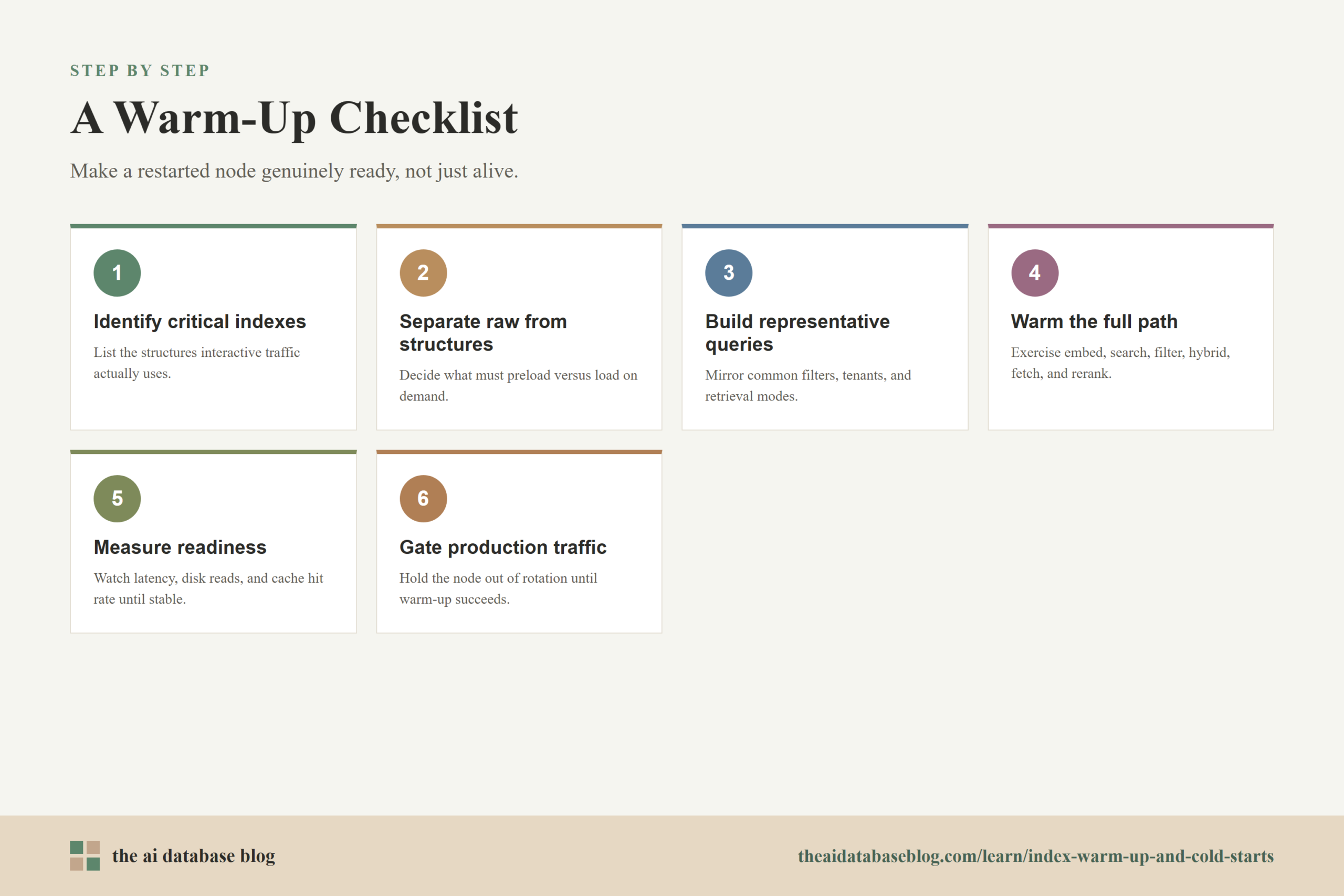
A useful warm-up checklist should be short enough to run during real operations but complete enough to cover the retrieval path users depend on. The goal is to make warm-up repeatable. If every restart uses a different manual process, the team cannot reliably predict first-query latency or compare one deployment to another.
- Identify critical indexes. List the vector, scalar, sparse, and keyword indexes used by interactive traffic. Prioritize indexes that affect user-facing latency.
- Separate raw data from search structures. Decide whether raw vectors, document payloads, and metadata fields need to be preloaded, or whether only the index structures need to be warm.
- Create representative warm-up queries. Include common query types, frequent filters, high-traffic tenants, popular categories, and a few broad random probes.
- Warm the end-to-end retrieval path. Exercise embedding generation or lookup, vector search, metadata filtering, hybrid retrieval, payload fetch, and reranking when those steps are part of production.
- Measure cache readiness. Watch latency, disk reads, memory usage, cache hit rates, and segment load status until the node reaches an acceptable threshold.
- Gate production traffic. Keep the node out of full rotation until warm-up succeeds or until the system has enough evidence that latency is safe.
- Record cold and warm baselines. Track the expected difference between cold-start latency and steady-state latency so regressions are easy to spot.
This checklist should evolve as the application changes. New filters, new embedding models, larger indexes, different storage tiers, and new hybrid search behavior can all change what needs to be warmed. Treat the warm-up plan as part of the retrieval architecture, not as a one-time startup script.
Common Mistakes to Avoid
Cold-start problems often persist because teams treat them as isolated latency spikes rather than as predictable operating behavior. Once a search system depends on large indexes and cache layers, warm-up needs ownership, measurement, and deployment integration. The most common mistakes are avoidable if teams think about readiness from the user’s point of view.
- Sending traffic after liveness but before readiness. A node can be alive while its search path is still cold.
- Warming only dense vector search. Hybrid search, metadata filters, sparse retrieval, and payload fetches can still be cold.
- Using unrealistic warm-up queries. Queries without the real filters, tenants, and retrieval modes may leave important paths untouched.
- Preloading too much data. Over-warming can increase startup time and create memory pressure without improving the queries users actually run.
- Ignoring autoscaling warm-up time. New nodes may add capacity too late if scaling policies do not account for index load time.
- Failing to measure cold versus warm latency. Without baselines, teams cannot tell whether a restart behaved normally or exposed a regression.
Avoiding these mistakes helps make warm-up more predictable, but it also highlights a larger point: cold starts are not only a database concern. They affect the whole AI application stack, from retrieval to generation.
How Index Warm-Up Affects RAG Applications
In a retrieval-augmented generation application, retrieval latency is part of answer latency. A slow first query against the index can delay the document context that the model needs before it can respond. This makes cold starts especially noticeable in chat, agent, support, and knowledge assistant experiences where users expect conversational responsiveness.
Warm-up also affects answer quality indirectly. If operators respond to cold latency by lowering retrieval depth, bypassing hybrid search, disabling filters, or skipping reranking, the system may retrieve weaker context. That can lead to worse answers even though the language model itself has not changed. A better approach is to keep the retrieval plan intact and make the underlying indexes ready before traffic arrives.
For RAG systems, the warm-up set should include realistic questions, metadata filters, document fetches, and any reranking stage used in production. It should also account for cache keys that depend on index version, embedding model version, tenant, permissions, and top-k settings. Caches can improve speed, but stale or mismatched caches can create incorrect retrieval behavior if they are not tied to the right versioned data.
This is why index warm-up belongs in the same operational conversation as ingestion, evaluation, and deployment. A RAG system is only reliable when the retrieval layer is both accurate and ready to serve at the latency users expect.
Sources Consulted
- OpenSearch Documentation: Neural Search API warm up and cache operations
- Neo4j Operations Manual: Vector index memory configuration and warming up the vector index
- Milvus Documentation: Warm Up for tiered storage and index preloading
FAQs
1. What is index warm-up in an AI database?
Index warm-up is the process of proactively loading important search structures into memory or local cache before production traffic uses them. It can involve explicit preload settings, warm-up APIs, or representative queries that touch the vector index, scalar filters, sparse retrieval data, keyword structures, and document payload paths.
2. Why are first queries slow after a database restart?
First queries are slow because the database may need to read index pages, graph structures, metadata filters, or remote storage chunks into memory on demand. A restart can clear process memory and operating system filesystem cache, so the first real queries pay the cost of rebuilding the fast path.
3. Is preloading the whole index always the best option?
No. Preloading everything can increase startup time and create memory pressure. A better approach is to preload the indexes, fields, and query paths that are important for interactive latency. Rarely used fields, large raw vector data, and batch-only workloads can often load on demand.
4. How many warm-up queries does a vector index need?
There is no universal number because it depends on index size, memory, storage speed, access patterns, and query diversity. Small indexes may stabilize after only a few representative queries, while large indexes may need many more. The best answer comes from measuring latency and disk I/O during warm-up on the actual system.
5. Should warm-up be part of autoscaling?
Yes. New nodes created by autoscaling may be cold even though they have started successfully. Scaling policies should account for the time needed to load indexes and warm caches, and traffic should ramp gradually as the new node proves it can serve queries at acceptable latency.
6. How does warm-up differ from a health check?
A health check usually confirms that a service is running. Warm-up confirms that the service can handle real retrieval work efficiently. A strong readiness process may include health checks, index load checks, representative queries, latency thresholds, and cache or memory metrics.
Takeaway
Index warm-up is the operational work that turns a restarted or newly created AI database node from merely available into genuinely ready for search. Readers should now understand why first queries are slow, how preloading and cache warming reduce cold-start latency, and why restarts and autoscaling need warm-up-aware readiness gates. This guidance is most useful for teams running vector search, hybrid search, or RAG systems where retrieval latency affects user experience, such as a knowledge assistant that must stay responsive after deployments, upgrades, and traffic spikes.