High-cardinality filters are hard because they narrow a large AI database by fields that may have millions of distinct values, such as user IDs, tenant IDs, document IDs, session IDs, and timestamps. These filters are essential for personalization, permissions, recency, and compliance, but they can make vector search slower or less stable if the database has to search broadly and then discard most of the results. The practical answer is to model filter fields carefully, index the payload fields that matter, use bitmap or bitset-style candidate masks where appropriate, and design queries so the database can limit the candidate set before or during vector search.
This guide explains why fields like user ID and timestamp create performance pressure, how payload indexes and bitmaps help, and what engineering choices keep filtered vector queries fast as data volume grows. By the end, you should understand how high-cardinality filters affect query planning, why selectivity matters, and how to build a retrieval layer that stays predictable under real application workloads.

What High-Cardinality Filters Mean in an AI Database
A filter field has high cardinality when it contains many distinct values relative to the number of stored objects. A status field with values like active, archived, and deleted is low cardinality. A user ID field with one value per user, a document ID field with one value per document, or a timestamp field with many unique event times is high cardinality. In an AI database, these fields are often stored as metadata, payload, or scalar attributes beside vector embeddings.
High-cardinality filters are common because AI applications rarely retrieve from one anonymous pool of content. A support assistant may need to search only documents the current user can access. A recommendation system may need results from the last few hours. An enterprise RAG system may need to filter by tenant, workspace, data source, department, or permission group. These constraints are not optional; they are part of correctness.
The challenge is that vector search and structured filtering solve different problems. Vector search finds nearby embeddings in a high-dimensional space. Metadata filtering decides which records are eligible based on exact, range, or boolean conditions. At scale, the database must coordinate those two processes without scanning too much data, losing recall, or creating unpredictable latency spikes.
Once this distinction is clear, the next question is why user ID and timestamp fields are especially difficult. They look simple at the query level, but their distribution and selectivity can put unusual pressure on the retrieval engine.
Why User ID Filters Are Hard
User ID filters are hard because they often combine high cardinality with strict correctness requirements. If a query says to retrieve documents for one user, the system cannot return content from another user just because it is semantically similar. This turns the filter into an access boundary, not merely a ranking preference. The database has to enforce the filter while still finding the best vector matches inside the allowed subset.
The first issue is selectivity. A user ID may match a tiny fraction of the full corpus. If the database runs vector search across the whole collection and filters afterward, it may find many semantically strong results that are not eligible. The final result set can be too small, unstable, or empty even when matching records exist deeper in the index. This is especially risky when the requested top-k is small.
The second issue is fan-out. Some users may have ten records, while others may have millions. A single query pattern can therefore represent very different workloads. Searching for a small user subset may be better served by a direct filtered scan or a precomputed candidate set. Searching for a large tenant may still benefit from approximate nearest neighbor traversal. A stable system needs query planning that can adapt to the size of the filtered set.
The third issue is memory and index overhead. Indexing every high-cardinality value can be useful, but it is not free. The database may need posting lists, maps from values to record IDs, compressed bitmaps, or other auxiliary structures. These indexes consume memory or disk, require maintenance during writes, and may become expensive if too many fields are indexed without a clear query need.
User ID filters are difficult because they are both highly selective and operationally important. Timestamp filters create a related but different problem: they are often range-based, constantly changing, and tied to freshness expectations.
Why Timestamp Filters Are Hard
Timestamp filters are hard because they usually ask for ranges rather than exact matches. A query might request documents created after a certain time, events from the last 24 hours, messages before a cutoff, or content within a sliding freshness window. Unlike a category filter, a timestamp condition often changes with every query, which makes reuse and caching more difficult.
Timestamp fields can also have very high cardinality. If every object stores a precise creation time down to milliseconds or nanoseconds, the field may contain almost as many distinct values as records. A bitmap for every exact timestamp value would not be useful in that form. Instead, databases usually need range indexes, sorted structures, segment-level metadata, bucketing, or query planning that can quickly identify which records fall inside the time window.
Another complication is skew. Recent data may receive far more queries than old data, especially in applications such as chat retrieval, monitoring, personalization, threat detection, or news search. A filter like “last hour” may match a small number of records in one workload and a huge number in another. If the database cannot estimate that cardinality accurately, it may choose a poor execution strategy.
Timestamps also interact with ranking. A system may need both semantic relevance and freshness, but filtering and ranking are not the same thing. A hard timestamp filter excludes older records entirely. A freshness boost changes the score but still allows older records to appear. Mixing those concepts carelessly can cause either missing results or noisy results.
These examples show why high-cardinality filters cannot be treated as a small add-on to vector search. They need dedicated data structures, and one of the most important families of those structures is the payload index.
How Payload Indexes Help Filtered Vector Search
A payload index is an index built on metadata fields stored alongside vectors. The vector index organizes embeddings so the database can find similar records. The payload index organizes structured fields so the database can quickly find records that match a filter. When the two work together, the database can reduce the candidate set before or during similarity search instead of evaluating every vector in the collection.
For equality filters, a payload index may map each field value to the records that contain it. For example, a user ID index can point from a specific user ID to the record IDs owned by that user. For range filters, a payload index may use a sorted or range-friendly structure so the database can identify records between two bounds. For boolean and keyword fields, the index can support direct inclusion and exclusion conditions.
Payload indexes help in two ways. First, they reduce filter evaluation cost because the database can look up matching records instead of scanning all payloads. Second, they help the query planner estimate cardinality. If the planner knows a filter is expected to match 500 records rather than 50 million, it can choose a different search strategy. For a very small filtered set, direct scoring over eligible records may be faster and more reliable than approximate graph traversal. For a large filtered set, filtered approximate search may still be the better path.
The key is to index fields that actually appear in retrieval filters. Indexing every metadata field can waste memory and slow ingestion. Indexing none of them can make filtered search unpredictable. A practical AI database schema usually treats filter fields as first-class design choices, not incidental JSON attached to embeddings.
Payload indexes tell the system which records are eligible. Bitmaps and bitsets are one common way to represent that eligibility compactly during query execution.
How Bitmaps and Bitsets Keep Candidate Sets Efficient
A bitmap or bitset represents membership with a sequence of bits. If a record is eligible for a filter, its bit is set to 1. If it is not eligible, its bit is set to 0. This makes filter combinations efficient because the database can use fast bitwise operations. An AND operation can intersect two filters, an OR operation can combine alternatives, and a NOT operation can exclude a set of records.
For filtered vector search, the database can build or retrieve a candidate bitmap and pass it into the vector search stage. During traversal or scoring, the engine checks whether a candidate record is allowed. A bit lookup is usually cheap, so the vector search can avoid spending expensive distance calculations on records that fail the filter.
Bitmaps are especially useful when filters can be represented as sets of record IDs. A filter such as category equals “policy” may produce one bitmap. A filter such as tenant equals one value AND timestamp after a cutoff may combine a tenant bitmap with a time-range candidate set. The resulting bitmap becomes the allowed search space for the query.
However, bitmap indexing is not automatically ideal for every high-cardinality field. If a field has millions of distinct values and each value maps to a tiny number of records, maintaining a separate bitmap per value can be inefficient. Compressed bitmap formats can reduce this cost, but the system still has to balance memory, write overhead, and query speed. For exact user ID filters, a map to posting lists or compressed record sets may be more practical than a dense bitmap per user. For timestamps, range-oriented indexing or time partitioning may be more useful than exact timestamp bitmaps.
Bitmaps are therefore best understood as an execution tool, not a universal schema answer. They are powerful when they make candidate sets compact and fast to combine. They are weaker when cardinality, sparsity, or update patterns make the index larger than the benefit it provides.
Once the system can identify eligible candidates efficiently, the remaining challenge is deciding when to apply the filter relative to vector search. That choice has a direct effect on speed, recall, and stability.
Prefiltering, Postfiltering, and Hybrid Execution
Filtered vector search usually follows one of three broad execution strategies: prefiltering, postfiltering, or hybrid execution. Prefiltering applies the metadata constraint before or during vector search so the search only considers eligible records. Postfiltering runs vector search first and then removes records that fail the filter. Hybrid execution uses the filter, the vector index, and cardinality estimates together to choose the most appropriate path for the query.
Prefiltering is usually better for correctness and recall when the filter is selective. If the user can only access one subset of records, the database should search inside that subset rather than search globally and hope enough eligible records appear near the top. The tradeoff is that prefiltering can increase traversal cost when the vector index was built for the full collection and many graph neighbors fail the filter.
Postfiltering is often simpler and can be fast when filters are broad. If a filter matches a large portion of the dataset, searching globally and removing a few ineligible records may work well. But postfiltering can fail badly for highly selective filters. The unfiltered nearest neighbors may mostly belong to other users, other tenants, or older time windows, leaving too few eligible results after filtering.
Hybrid execution tries to avoid a fixed rule. The planner may estimate how many records match the filter, decide whether a direct filtered scan is cheaper than approximate search, or adjust the traversal strategy when a filter is expected to be restrictive. The best production behavior often comes from this kind of cardinality-aware planning because real workloads contain both tiny and large filtered sets.
The practical lesson is that filter timing is a quality decision as well as a performance decision. Fast results are not helpful if they miss eligible records. High recall is not helpful if every selective query causes a latency spike. Stable systems need both indexed filters and a search strategy that changes with filter selectivity.
With those mechanics in place, the final step is turning them into design practices that hold up under production traffic.
How to Keep Filtered Queries Fast and Stable
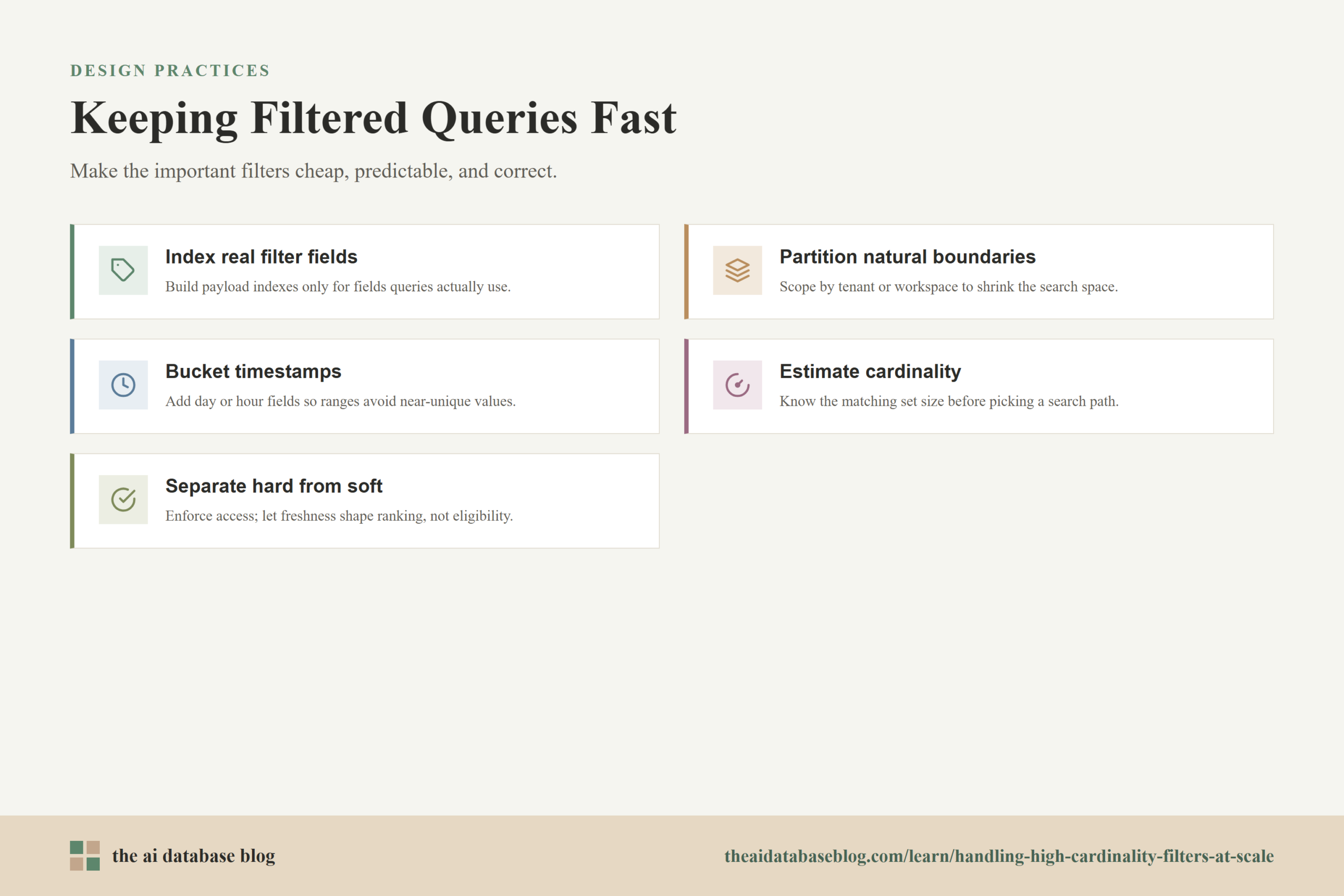
Keeping high-cardinality filtered queries fast requires more than adding an index after performance becomes poor. The retrieval system needs a predictable relationship between query patterns, data layout, and index design. The goal is not to make every possible filter equally cheap. The goal is to make the important filters cheap enough, predictable enough, and correct enough for the application.
Index the Fields Used in Real Retrieval Queries
Start by identifying the fields that appear in production retrieval filters. Common examples include tenant ID, user ID, workspace ID, source type, permission group, document status, language, creation time, and update time. Build payload indexes for the fields that regularly constrain vector search. Avoid indexing fields that are rarely filtered, especially if they are high-cardinality and expensive to maintain.
This is also where schema discipline matters. A field used for filtering should have consistent types and predictable values. Mixing strings, numbers, nulls, arrays, and loosely formatted timestamps makes indexing and query planning harder. Clean metadata is a performance feature.
Use Partitioning for Natural Isolation Boundaries
When a high-cardinality field is also a natural boundary, partitioning may be better than relying only on metadata filtering. Tenant ID is the common example. If most queries are scoped to a tenant, organizing data so the system can search within that tenant’s subset can reduce global index pressure and make latency more stable.
Partitioning should be used carefully. Too many tiny partitions can create operational overhead, fragmented indexes, and inefficient resource usage. The best candidates are fields that are almost always present in queries, have clear ownership boundaries, and divide the data into manageable groups.
Bucket Time When Exact Precision Is Not Needed
Timestamp precision should match the retrieval need. If users query by day, hour, or month, storing additional bucket fields can make filtering easier. A record can keep its exact timestamp for ordering and auditing while also storing fields such as day, hour, or month for retrieval filters. This reduces the pressure created by near-unique timestamp values.
Time bucketing is especially useful for sliding-window queries and recency-heavy applications. It can also support tiered data layouts where recent data is searched frequently and older data is searched less often. The main risk is choosing buckets that are too coarse, so the system still needs a secondary condition when exact time boundaries matter.
Estimate Filter Cardinality Before Choosing a Search Path
A stable retrieval engine should know whether a filter is expected to match a small, medium, or large candidate set. That estimate can come from payload indexes, segment statistics, cached counts, or other metadata summaries. Without cardinality estimates, the system may choose an approximate search path that performs poorly for tiny subsets or a scan path that performs poorly for large subsets.
Cardinality-aware planning is particularly important for fields such as user ID because different users can have very different data volumes. One user may have a few documents, another may have an entire workspace history, and both queries may look identical at the API level.
Separate Access Control From Soft Preferences
Some filters are hard constraints. Access control, tenant isolation, deletion status, and compliance boundaries must be enforced before results are returned. Other filters are soft preferences, such as freshness, source preference, or content type preference. Treating all of them the same can produce poor retrieval behavior.
Hard constraints should shape the candidate set. Soft preferences can often be handled through ranking, reranking, boosting, or query expansion. For example, a system may require results from the current user’s allowed documents, but only prefer newer content unless the user explicitly requests a strict time range.
Measure Tail Latency, Not Just Average Latency
High-cardinality filters often look acceptable in average latency while still causing painful spikes. A few selective filters, large tenants, unusual time windows, or missing payload indexes can create slow queries that are hidden by averages. Measure p95 and p99 latency for filtered queries separately from unfiltered vector search.
Evaluation should also measure result quality. If a postfiltered query is fast but returns fewer than the requested number of results, or misses eligible records that should have been found, it may not be acceptable. Filtered retrieval needs both latency metrics and recall-oriented checks.
These practices work best when applied together. Indexing helps the database find eligible records, partitioning reduces the search space, time bucketing makes ranges more manageable, cardinality estimates guide execution, and evaluation catches the cases where filtered retrieval behaves differently from the happy path.
Common Design Mistakes
Many filtered vector search problems come from treating metadata as an afterthought. It is easy to focus on embeddings, model choice, and similarity metrics while assuming filters will be cheap because they look simple in the query. At small scale, that assumption may hold. At larger scale, it usually breaks down.
One common mistake is filtering after vector search for highly selective fields. This can return empty or incomplete results even when matching records exist. Another mistake is indexing every payload field without considering write cost, memory pressure, or actual query frequency. A third mistake is storing timestamps at excessive precision without also creating retrieval-friendly time buckets.
Another frequent issue is ignoring data distribution. A filter field can be high-cardinality overall but still have a few values that dominate the dataset. A tenant with millions of records and a tenant with hundreds of records may need different query paths. If the system treats them identically, one of those paths may be inefficient or unstable.
Finally, teams sometimes confuse “filter supported” with “filter efficient.” A database may allow metadata filters syntactically, but performance depends on whether the right fields are indexed, how the vector search integrates the candidate set, and whether the planner can adapt to selective conditions.
Avoiding these mistakes brings the system closer to the real goal: retrieval that is semantically useful, permission-safe, and predictable enough to run under production load.
FAQs
1. What makes a filter high cardinality?
A filter is high cardinality when the field has many distinct values. User ID, document ID, session ID, email address, and precise timestamps are common examples. These fields are harder than low-cardinality fields because each value may match a small and uneven subset of the database.
2. Are high-cardinality filters always bad for vector search?
No. High-cardinality filters are often necessary and can work well when the database has the right indexes, data layout, and query planning. The problem is not the existence of high-cardinality fields. The problem is applying them without a strategy for candidate selection, cardinality estimation, and stable execution.
3. Should user ID always be a payload index?
User ID should usually be indexed if queries regularly filter by user ID. However, the best design depends on workload shape. If user ID is mainly an access-control boundary and every query is user-scoped, partitioning or tenant-style isolation may also be appropriate. If user ID is rarely used in retrieval, indexing it may not be worth the overhead.
4. Are bitmap indexes good for high-cardinality fields?
Bitmap indexes are very effective for some filter workloads, especially when candidate sets can be represented compactly and combined with fast bitwise operations. They are less attractive when each distinct value appears in very few records and the index becomes too sparse or expensive. Compressed bitmaps, posting lists, and range indexes are often used depending on the field and query pattern.
5. Why can postfiltering return too few results?
Postfiltering runs vector search first and applies the metadata filter afterward. If the filter is selective, many of the nearest unfiltered vectors may be ineligible. After those records are removed, the final result set may contain fewer than the requested number of results, or it may miss eligible records that were not near the top of the unfiltered search.
6. How should timestamp filters be modeled?
Timestamp filters should usually keep the exact timestamp for correctness while adding retrieval-friendly structures for common query patterns. This may include range indexes, time buckets, segment statistics, or partitioning by time window. The right choice depends on whether queries use exact ranges, recent windows, historical archives, or freshness ranking.
Takeaway
High-cardinality filters are a core design concern for AI databases because they connect semantic retrieval with real application rules such as ownership, permissions, freshness, and tenant isolation. Fields like user ID and timestamp are hard because they can be highly selective, unevenly distributed, and expensive to evaluate without the right supporting indexes. This guidance is most useful for teams building RAG systems, semantic search products, recommendation tools, and AI applications where filtered retrieval must stay fast and correct. A practical design uses payload indexes, bitmap or bitset candidate masks where they fit, time-aware modeling, partitioning for natural boundaries, and cardinality-aware query planning so filtered vector search remains stable as the dataset grows.
Watch this video to learn more