Edge and embedded vector databases let applications run similarity search close to the user, device, or application process instead of sending every query to a remote database. This can reduce latency, improve privacy, support offline experiences, and make local AI agents more responsive. The tradeoff is that local search usually has stricter limits around index size, memory, synchronization, fleet management, and large-scale analytics, so it works best for bounded datasets and device-specific retrieval rather than every enterprise search workload.
This guide explains what edge and embedded vector databases are, how in-process and on-device search works, why latency and privacy improve when retrieval runs locally, where the scale limits appear, and which use cases are the strongest fit. By the end, you should understand when local vector search is a practical architecture and when a centralized or distributed vector database is still the better choice.
What Edge and Embedded Vector Databases Are
An edge vector database runs near the place where data is produced or consumed. That might mean a retail device, factory gateway, vehicle system, phone, laptop, private appliance, or regional edge server. An embedded vector database goes a step further by running inside the application itself, often as a library rather than as a separate server process. In both cases, the goal is to make vector search available without depending on a cloud-hosted database for every lookup.
Vector databases store embeddings, which are numeric representations of text, images, audio, code, events, or other data. When a user asks a question or an agent needs context, the system converts the query into an embedding and searches for nearby vectors. Nearby vectors usually represent items with similar meaning. This is the retrieval layer behind many AI features, including semantic search, retrieval-augmented generation, recommendation, and agent memory.
The difference with edge and embedded systems is not the basic idea of vector search. The difference is where the search happens. Instead of sending a query over the network to a central vector database, the application searches an index that lives locally or nearby. That local index might sit in a single file, an embedded library, a mobile app bundle, a browser-accessible storage layer, or a small server running on edge hardware.
This local-first design changes the engineering question. The main issue is no longer only “Which vector database can scale the largest cluster?” It becomes “How much useful retrieval can we run close to the user while keeping the system fast, private, reliable, and simple enough to operate?”
Once the database moves closer to the application, the next question is how the search is actually executed. The architecture can look very different depending on whether search runs inside a process, on a device, or at a nearby edge node.
How In-Process and On-Device Vector Search Works
In-process vector search means the retrieval engine runs inside the same application process that calls it. The application imports a library, opens a local database or index, and performs similarity search directly. There is no separate database server to start, no network call to make, and often no service discovery, connection pool, or remote authentication step between the application and the index.
On-device search means the vector data and search index live on the device that is serving the user experience. A mobile app might store embeddings for saved documents. A laptop agent might keep a searchable memory of local files and user-approved notes. A field device might search manuals, sensor patterns, or troubleshooting records even when it has no network connection.
The usual workflow has four parts. First, the system creates embeddings from the content that should be searchable. Second, it stores those embeddings with useful metadata such as document ID, title, timestamp, permissions, device source, or content type. Third, it builds or updates an index that can quickly find similar vectors. Fourth, at query time, it embeds the query, searches the local index, applies filters or ranking logic, and returns the most relevant items.
Many local vector systems use approximate nearest neighbor search because scanning every vector can become too slow as the collection grows. Indexing methods such as graph-based search, inverted file indexes, product quantization, or other compressed structures help the system trade a small amount of exactness for faster retrieval. On smaller datasets, exact search can still be acceptable, especially when the simplicity is worth more than maximum speed.
Metadata matters just as much as the vector index. A local agent may need to search only files the user has opened, only records from a certain project, or only content updated in the last week. Strong embedded search systems therefore need more than vector distance. They also need filtering, versioning, deletion, and predictable behavior when the local dataset changes.
Running search locally is attractive because it removes parts of the distributed system. But the real value comes from the specific benefits this creates for AI applications: faster interactions, less data movement, and better behavior when the network is unreliable.
Latency Benefits of Local Vector Search
Latency is one of the clearest reasons to run vector search in-process or on-device. In a remote architecture, a query usually needs to travel from the application to a database endpoint and back. Even when the database itself is fast, the total response time includes network latency, serialization, authentication overhead, routing, and possible queueing. For conversational agents and interactive apps, those extra milliseconds can make the system feel less responsive.
Local vector search removes the network round trip from the retrieval step. The application can query the index directly from memory or local storage, which can make retrieval feel immediate for modest datasets. This is especially useful when the AI workflow performs several retrieval calls during one user interaction, such as an agent that searches memory, checks tool documentation, and then retrieves relevant local files before producing an answer.
Lower retrieval latency does not mean the entire AI response becomes instant. Generation by a language model, embedding creation, document parsing, and reranking can still dominate total response time. But fast local retrieval reduces one important source of delay, and it makes the application less sensitive to network variability. That matters in mobile, voice, robotics, point-of-sale, industrial, and field-service scenarios where the network may be slow, expensive, or unavailable.
Latency also affects product design. If search is fast enough, an application can retrieve context more frequently and more selectively. A local agent can refresh results as the user types, search across local notes in the background, or use small retrieval steps to guide tool choices. When retrieval is slow or remote, developers often batch queries or retrieve more content than needed, which can make responses less precise.
Speed alone is not the full story. The same local architecture that reduces latency also changes how sensitive data moves through the system, which is why privacy is another major reason teams consider edge and embedded vector databases.
Privacy and Data Control Benefits
Edge and embedded vector databases can improve privacy because the searchable data does not need to leave the device or local environment for every query. If documents, embeddings, and search results remain local, the application can reduce exposure of sensitive content, user behavior, and retrieval patterns. This is useful for personal productivity apps, regulated workflows, healthcare-adjacent tools, financial analysis, legal work, industrial systems, and any application where users expect local data to stay local.
Embeddings are sometimes described as abstract representations, but they should still be treated as sensitive data when they are derived from private content. A vector may not be the original document, yet it can encode enough information to reveal meaning, similarity, or membership in a dataset. Local storage reduces the need to transmit those embeddings to a remote service, but it does not remove the need for encryption, access controls, secure deletion, and careful permission design.
Local search can also help with data residency and offline operation. A company may want an AI assistant that searches approved documents on an employee laptop without uploading them to a cloud database. A field app may need to answer questions from manuals while disconnected. A device may need to classify or retrieve patterns from local sensor data without sending raw records outside the site.
Privacy benefits are strongest when the full retrieval path is local: content ingestion, embedding generation, vector storage, metadata filtering, and search. If the application still sends text to a remote embedding model or sends retrieved passages to a remote model, then privacy depends on those steps too. The vector database helps, but it is only one part of the data path.
Keeping data local gives teams more control, but it also removes some conveniences of centralized infrastructure. The next challenge is scale: local systems can be fast and private, but they have real limits in memory, storage, updates, and coordination.
Scale Limits and Operational Tradeoffs
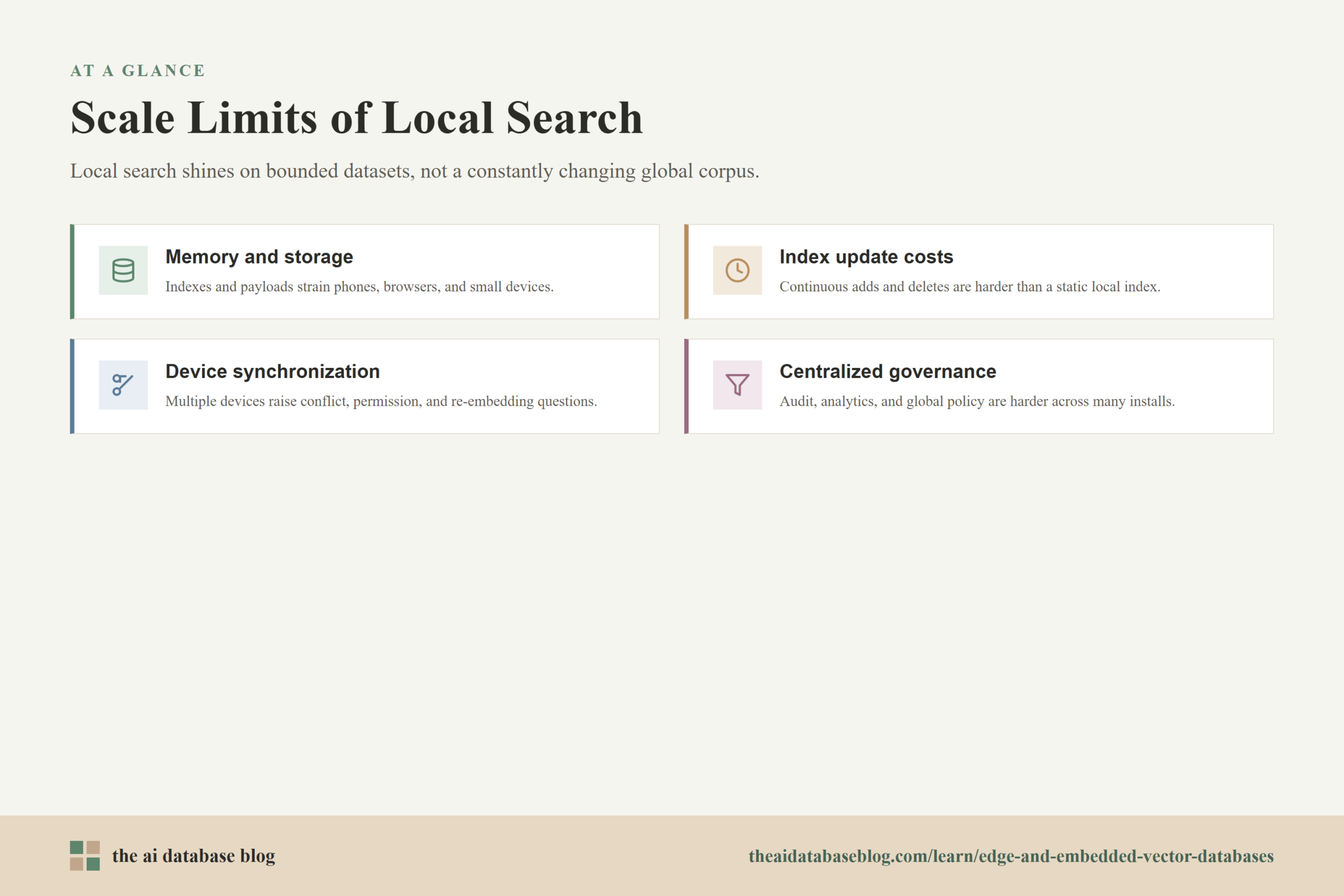
Edge and embedded vector databases are strongest when the searchable dataset is bounded, local, and directly relevant to the user or device. They become harder to manage when the application needs to search a very large global corpus, serve many users from a shared index, support complex administrative controls, or coordinate frequent updates across a fleet. The limits are not only about raw vector count. They also involve the practical cost of keeping local indexes fresh, compact, secure, and consistent.
Memory and Storage Constraints
Vector indexes can consume significant memory and disk space, especially when embeddings have many dimensions or when the index stores graph links, compressed codes, metadata, or document payloads. A laptop may handle a useful local knowledge base comfortably, while a phone, browser, or small device may require stricter limits. Compression and quantization can reduce size, but they may affect recall or require more tuning.
Index Build and Update Costs
Local search is easiest when the dataset is mostly static or updated in small batches. It becomes more complicated when many documents are added, deleted, or changed continuously. Some index types are excellent for fast queries but more expensive to build or update. Developers need to understand whether their workload is read-heavy, write-heavy, or frequently changing before choosing an embedded search approach.
Synchronization Across Devices
A local vector database is useful because it gives each device autonomy, but that autonomy creates synchronization questions. If a user has multiple devices, should each one build its own index? Should indexes sync directly, or should raw documents sync and be re-embedded locally? How are conflicts, permissions, and deletions handled? These questions can become more difficult than the search algorithm itself.
Centralized Governance and Analytics
Centralized vector databases often make it easier to apply global policies, audit access, monitor search quality, collect analytics, and update indexes in one place. Embedded systems move more responsibility into the application. That may be the right tradeoff for privacy or offline use, but it means teams need a plan for observability, version control, quality evaluation, and support across many installations.
These limits do not make embedded vector search weak. They clarify where it fits. The best architectures usually match the search location to the shape of the data: local indexes for local context, larger shared databases for shared knowledge, and sometimes a hybrid design that uses both.
Suitable Use Cases for Edge and Embedded Vector Databases
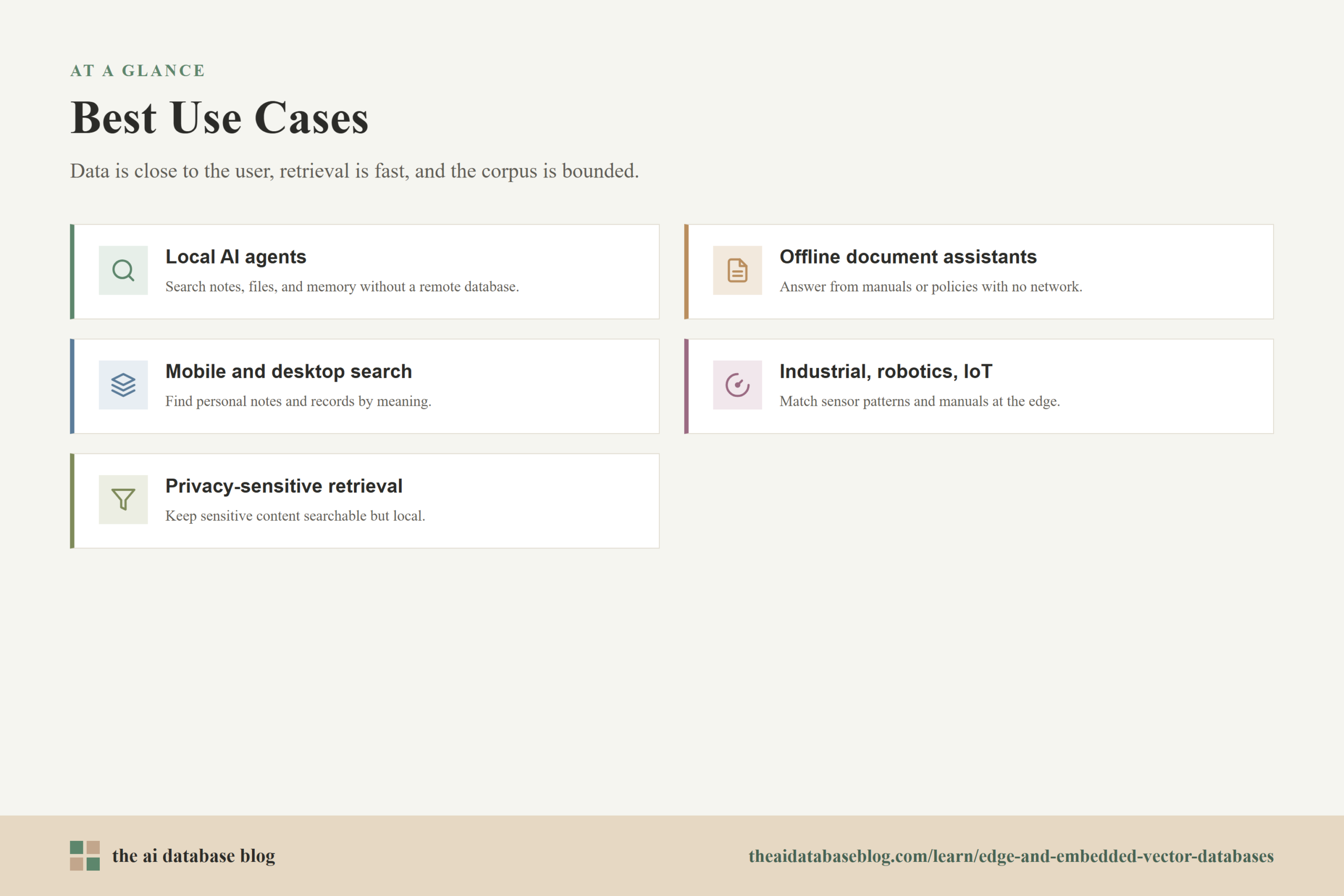
The best use cases for edge and embedded vector databases have a few things in common. The data is close to the user or device, the application benefits from fast retrieval, and the searchable corpus is small enough or structured enough to fit local constraints. These systems are especially useful when the application needs to keep working without a reliable network or when the data is sensitive enough that local processing is a meaningful advantage.
Local AI Agents
Local agents need memory and context. An agent running on a laptop might search notes, files, past tasks, code snippets, calendar context, or tool documentation. An embedded vector database lets the agent retrieve relevant context without sending every local item to a remote database. This supports more responsive behavior and gives users more control over which data is indexed.
Offline Document Assistants
Offline apps can use local vector search to answer questions over documents, manuals, policies, or training material. This is useful for field workers, travelers, classrooms, clinics, remote sites, and any environment where connectivity is unreliable. The app can ingest documents while online or during installation, then search them locally when the user needs help.
Mobile and Desktop Semantic Search
Personal search is a natural fit for embedded vector databases. A desktop app can search local notes by meaning instead of exact keywords. A mobile app can retrieve saved content, previous interactions, or user-created records. Because the dataset is often personal and bounded, local indexing can provide useful relevance without requiring large-scale infrastructure.
Industrial, Robotics, and IoT Systems
Edge devices often need to make decisions near the source of data. A robot, inspection device, or industrial gateway may need to match current sensor patterns against known cases, retrieve troubleshooting steps, or search local knowledge while disconnected from a central system. Local vector search can reduce dependence on remote services and keep the system responsive in operational environments.
Privacy-Sensitive Retrieval
Some applications need semantic search over sensitive information but cannot easily centralize that data. Local vector search can support private knowledge retrieval for personal, professional, or regulated workflows. The strongest designs combine local indexing with encryption, explicit user controls, and careful handling of any data passed to external models.
These use cases show why local vector search is becoming more practical, but they also show why it is not a universal replacement. The next step is to decide how to choose between embedded, edge, centralized, and hybrid retrieval architectures.
When to Use Local Search Instead of a Central Vector Database
Use an edge or embedded vector database when the retrieval problem is local by nature. If each user, device, or location has its own useful context, local search can be simpler and faster than routing every query to a central system. It is also a strong choice when offline operation, low-latency interaction, or privacy control is more important than searching a massive shared corpus.
A centralized vector database is usually better when many users need to search the same large dataset, when the data changes constantly, or when teams need shared governance, centralized monitoring, and large-scale indexing. It can also be easier to evaluate and improve relevance when queries and results flow through one managed system rather than many disconnected local installations.
Many real applications will use a hybrid approach. A local agent might search recent user files and device-specific memory first, then call a central database for broader organizational knowledge when the network is available. An offline app might keep a compact local index for essential content and sync with a larger index when connected. This gives the application fast local behavior without giving up shared knowledge entirely.
The choice should be based on data shape, not trend-following. Ask where the relevant data lives, how often it changes, how sensitive it is, how many users need the same index, and what happens when the network fails. Those questions usually reveal whether local search is the main architecture or a useful layer within a larger retrieval system.
Design Considerations for a Strong Embedded Retrieval System
Building a useful embedded vector search system requires more than adding a nearest-neighbor index. The application needs a clear data model, predictable update behavior, and a plan for relevance quality. Because local systems often run with fewer resources than cloud databases, design choices that seem small can have a large effect on performance and user trust.
Start by defining what should be indexed locally. Not every file, message, or record deserves to become a vector. A focused index is easier to keep fast, private, and relevant. For example, a local agent may index user-approved folders, recent project files, or explicit memory entries rather than the entire device.
Next, choose metadata carefully. Metadata filters help the system search the right subset of content before or during vector retrieval. Useful metadata might include source, timestamp, user permission, document type, project, language, location, or freshness. Without good metadata, a local index can return semantically similar but practically irrelevant results.
Embedding strategy also matters. If embeddings are generated locally, the app can preserve more privacy and offline capability, but it must handle model size, speed, and battery use. If embeddings are generated remotely, the index may still be local, but sensitive text may leave the device during ingestion or querying. Teams should make this tradeoff explicit rather than assuming the vector database alone guarantees privacy.
Finally, test retrieval quality with real user tasks. Local search can feel fast but still return weak results if chunks are too large, metadata is missing, embeddings are mismatched, or the index is stale. A good evaluation set should include normal questions, ambiguous questions, recent updates, permission-sensitive cases, and offline scenarios.
With these design choices in place, edge and embedded vector databases can become a practical retrieval layer rather than a novelty. The most important point is to keep the architecture honest about both its benefits and its limits.
FAQs
1. What is an embedded vector database?
An embedded vector database is a vector search system that runs inside an application, usually as a library or local file-backed engine. It stores embeddings and performs similarity search without requiring a separate database server. This makes it useful for local agents, desktop apps, mobile apps, offline tools, and other systems where the application should retrieve context directly.
2. How is an edge vector database different from an embedded vector database?
An edge vector database runs close to where the data is used, such as on an edge server, device, gateway, or local appliance. An embedded vector database specifically runs inside the application process or as a tightly integrated local component. A system can be both edge and embedded if it runs inside an app on an edge device.
3. Why does on-device vector search reduce latency?
On-device vector search reduces latency because the application does not need to send every search request to a remote database and wait for a network response. The search can run against local memory or local storage. This is especially helpful for interactive agents, voice interfaces, mobile apps, and offline tools where small delays can be noticeable.
4. Does local vector search guarantee privacy?
Local vector search can improve privacy, but it does not guarantee privacy by itself. The full data path matters. If documents, embeddings, queries, and retrieved context all stay local, exposure is reduced. If the app sends text to a remote embedding model or remote language model, then those steps still need privacy review, access controls, and clear user expectations.
5. What are the main scale limits of embedded vector databases?
The main limits are memory, storage, indexing cost, update frequency, synchronization, and operational visibility. A local database may work well for thousands or millions of bounded records depending on the device and index design, but it is usually not the best choice for a constantly changing global corpus shared by many users. The right limit depends on vector dimensions, index type, metadata needs, hardware, and latency goals.
6. What applications are best suited for edge and embedded vector search?
The best applications are local agents, offline document assistants, mobile semantic search, desktop knowledge tools, industrial systems, robotics, IoT gateways, and privacy-sensitive retrieval workflows. These use cases benefit from fast local lookup, reduced data movement, and continued operation when the network is unreliable or unavailable.
Takeaway
Edge and embedded vector databases make AI retrieval more local, responsive, and privacy-aware by running similarity search in-process, on-device, or close to the user. They are most useful for developers and technical teams building local agents, offline apps, mobile search, field tools, or device-specific retrieval systems where the dataset is bounded and the experience depends on low latency or local control. For large shared corpora, heavy update workloads, and centralized governance, a cloud or distributed vector database may still be the better foundation, but many modern AI applications will benefit from combining local retrieval for immediate context with centralized retrieval for broader knowledge.