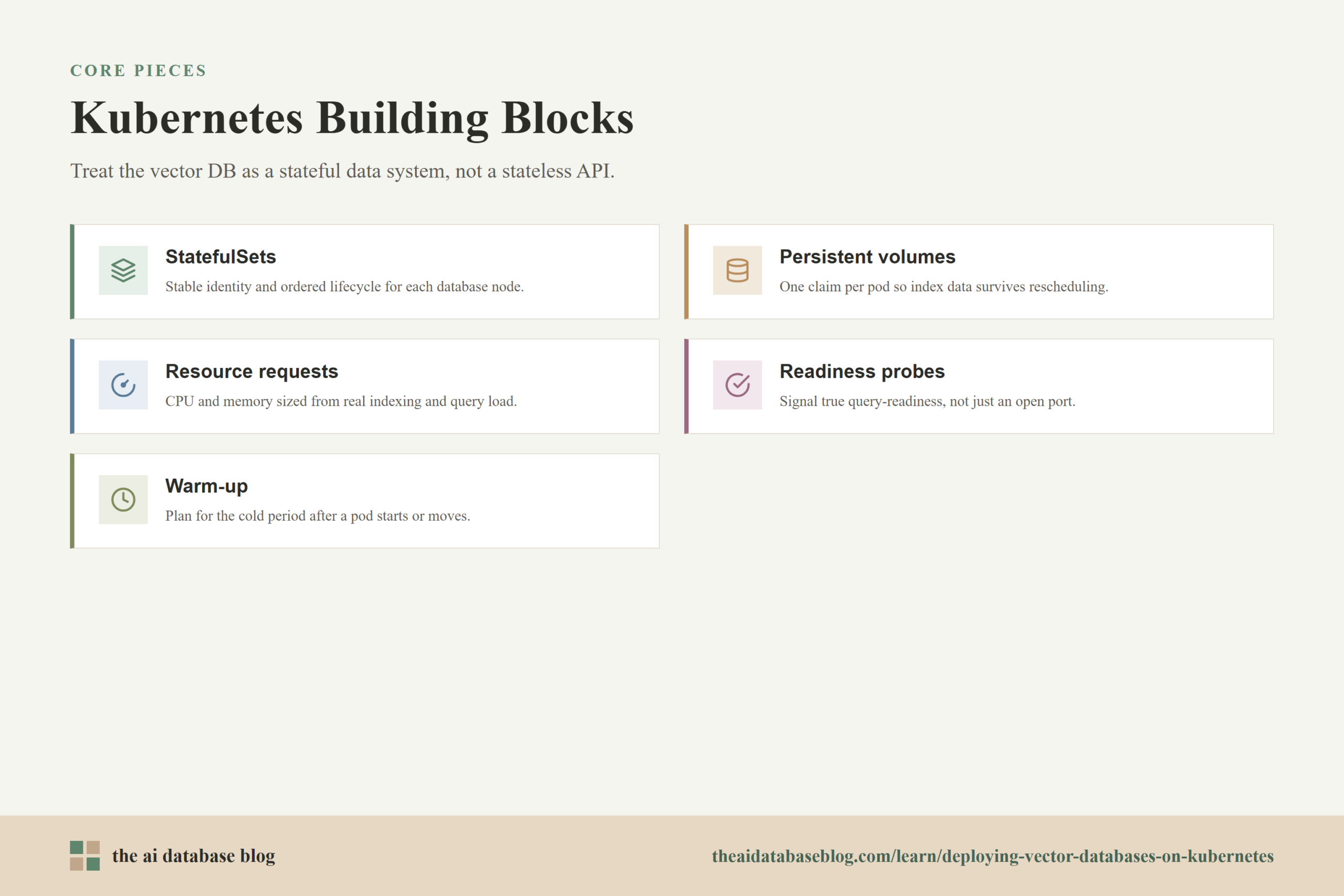
Deploying a vector database on Kubernetes means treating it as a stateful, performance-sensitive data system rather than as a simple stateless service. The most important decisions involve StatefulSets, persistent volumes, CPU and memory requests, scaling strategy, rolling update behavior, and warm-up planning after pods start or move. When these pieces are designed together, Kubernetes can provide reliable scheduling and recovery while the vector database preserves index data, serves low-latency retrieval, and avoids unnecessary cold starts.
This guide explains how Kubernetes concepts apply to vector database operations, with a practical focus on workloads that store embeddings, metadata, inverted indexes, vector indexes, and retrieval-ready segments. It covers how to think about stateful workloads, persistent storage, resource sizing, horizontal and vertical scaling, rolling updates, warm-up, and production readiness so teams can run vector search systems more predictably in Kubernetes environments.
Why Vector Databases Behave Like Stateful Kubernetes Workloads
A vector database is usually responsible for more than accepting network requests. It stores embedding vectors, document identifiers, metadata, index structures, write-ahead logs, compaction state, and sometimes cached search data in memory. That makes it closer to a database, search engine, or storage service than to a stateless API. If a pod disappears and comes back with an empty disk, the system may need to rebuild indexes, reload data from another source, or wait for replication to catch up before it can serve reliable queries.
Kubernetes supports stateful applications through workload patterns that preserve identity and storage across rescheduling. The key object is usually a StatefulSet. Unlike a Deployment, where replicas are interchangeable, a StatefulSet gives each pod a stable name, stable ordinal, and a persistent relationship to its volume claim. This matters when each database node owns a shard, maintains a replica, or participates in a cluster membership protocol that expects stable identities.
For vector databases, the stateful nature is visible in everyday operations. A pod may need to rejoin a cluster using the same identity. A shard may need to remain attached to the same persistent volume. A node may need time to load vector index files before it should receive traffic. Kubernetes can orchestrate those steps, but it does not automatically understand the database’s consistency model, indexing lifecycle, or readiness rules. Those details must be expressed through storage, probes, resource settings, update strategy, and operational runbooks.
Once the workload is understood as stateful, the next question is where the data should live and how Kubernetes should reconnect it after normal maintenance, node failure, or a pod restart.
Using StatefulSets for Stable Identity and Ordered Operations
A StatefulSet is usually the right starting point when a vector database node needs a stable network identity or persistent storage. Each pod receives a predictable name such as database-0, database-1, and database-2, and each pod can receive its own PersistentVolumeClaim through a volume claim template. When a pod is rescheduled, Kubernetes can attach the same volume claim to the replacement pod so the database node can continue from its stored state rather than starting from scratch.
The ordered behavior of StatefulSets is useful during startup, scale-down, and rolling updates. Many distributed data systems prefer controlled changes because membership, shard ownership, and replication status can become unstable if too many nodes change at once. StatefulSets support ordered deployment and rolling update behavior, which gives operators a safer baseline than updating every replica at the same time.
When a StatefulSet Fits Best
A StatefulSet is a good fit when each pod has a distinct role in the database cluster. This is common when pods own shard data, maintain local index files, or use a stable hostname for discovery. It is also useful when the database expects a fixed identity during recovery or when a monitoring system needs to track individual database nodes over time.
A Deployment may still be suitable for stateless components around the vector database. For example, an embedding API, query gateway, reranking service, or ingestion worker can often run as a Deployment because any replica can be replaced without bringing unique local storage with it. The distinction helps keep the architecture clean: the vector database stores and serves retrieval state, while surrounding services scale more freely.
Headless Services and Cluster Discovery
StatefulSets commonly use a headless Service so each pod receives a stable DNS identity. This allows a database node to refer to peer pods by predictable names rather than relying only on changing pod IP addresses. In distributed vector search, that stable identity can support shard routing, replication, and internal cluster membership.
Stable identity does not remove the need for database-level cluster logic. Kubernetes can make a pod reachable, but the vector database still needs to decide whether the node is caught up, owns the correct data, and is safe to serve queries. That is why readiness checks and warm-up behavior are just as important as the StatefulSet itself.
With the workload controller chosen, storage becomes the next major design area. A stateful pod is only useful if its volume behavior matches the durability, latency, and recovery needs of the database.
Designing Persistent Volumes for Vector Indexes and Data
Persistent volumes provide the storage layer that lets vector database pods survive restarts and rescheduling. In Kubernetes, a pod normally requests storage through a PersistentVolumeClaim, and the cluster binds that claim to a PersistentVolume. With StatefulSets, volume claim templates can create one claim per pod, so each database node keeps its own storage identity. This pattern is especially important when a local index, segment store, or write-ahead log must remain attached to the same logical node.
Volume selection should account for both durability and performance. Vector search can be sensitive to disk latency during startup, compaction, index loading, and cache misses. A volume that is acceptable for simple file storage may become a bottleneck when the database repeatedly reads large vector index files or performs background merge work. Teams should test storage classes under realistic ingest, query, and restart patterns rather than assuming all persistent storage behaves the same.
Storage Class and Access Mode Choices
The StorageClass controls how volumes are provisioned and what underlying storage they use. For vector databases, the common pattern is one writable volume per pod, often using an access mode that allows a single node to mount the volume for read-write use. Shared file systems can be useful for some workloads, but they may introduce latency or consistency behavior that is not ideal for database internals unless the database explicitly supports that deployment model.
The reclaim policy also matters. Dynamically provisioned persistent volumes may use a default policy that deletes the backing storage when the claim is deleted. That can be convenient in test environments but risky in production. For production vector databases, operators should understand whether deleting a claim deletes the underlying data, retains it for manual recovery, or follows a cloud-provider-specific lifecycle.
Capacity Planning and Expansion
Vector storage grows with the number of embeddings, vector dimensions, metadata, indexes, replication factor, and retained logs or segments. A collection with high-dimensional vectors, rich metadata filters, and multiple replicas can require much more disk space than the raw source text suggests. Capacity planning should include the indexed representation of the data, not only the original documents or embedding arrays.
Some Kubernetes storage classes support volume expansion, which allows a PersistentVolumeClaim to request more capacity after creation. This is useful when collections grow faster than expected, but expansion should still be treated as an operational event. The database may need to observe the new filesystem size, rebalance data, or continue compaction before the added space fully improves headroom. Kubernetes can expand the volume where supported, but the database must still handle the data lifecycle above it.
Good storage keeps data attached to the right pods, but storage alone does not make retrieval fast or stable. The database also needs predictable CPU, memory, and sometimes accelerator resources so indexing and querying can run without constant pressure from other workloads.
Setting Resource Requests and Limits for Reliable Search
Resource requests tell Kubernetes how much CPU and memory a pod needs for scheduling. Limits define the maximum resources a container is allowed to use, with memory limits being especially important because exceeding them can lead to container termination. For vector databases, resource settings should be based on measured ingestion, indexing, query, and warm-up behavior. Under-requesting resources may place a database pod on a node that cannot support its real workload, while overly tight limits can cause throttling or restarts during peak retrieval and indexing activity.
Memory deserves special attention because many vector databases use memory for caches, segment metadata, active indexes, query execution, and background maintenance. A pod that is healthy during idle periods may become unstable when a large collection is loaded, an index is rebuilt, or a burst of hybrid search requests arrives. Memory requests should reflect the working set needed for steady service, not only the minimum needed for the process to start.
CPU Requests for Query and Index Work
CPU affects query throughput, index construction, filtering, compaction, and background replication. A vector database may need short bursts of CPU for nearest neighbor search or sustained CPU for ingestion and indexing. Setting a meaningful CPU request helps Kubernetes place the pod on a node with enough schedulable capacity. Teams should test under mixed workloads because the CPU profile of bulk ingestion can differ from the CPU profile of read-heavy semantic search.
CPU limits require careful judgment. A strict CPU limit can protect neighboring workloads, but it can also throttle a database process during bursts, increasing latency or extending warm-up and indexing time. In many production clusters, teams start with realistic CPU requests, observe actual usage, and add limits only where tenant isolation, cost control, or cluster policy requires them.
Memory Requests, Limits, and Out-of-Memory Risk
Memory pressure is often more dangerous than CPU pressure for database workloads. If a vector database exceeds its memory limit, Kubernetes can terminate the container. That can trigger recovery, cache loss, index reload, and temporary capacity reduction. A memory request should be high enough to reserve space for the database’s normal working set, while the memory limit should leave room for expected spikes without allowing one pod to destabilize the node.
Operators should watch resident memory, cache usage, query latency, index load time, and out-of-memory events together. A database that frequently restarts under memory pressure may appear to recover automatically, but repeated restarts can degrade retrieval availability and increase cluster churn.
Node Sizing and Placement
Vector database pods often benefit from dedicated node pools, node affinity, or topology rules when they have heavy storage and memory needs. Dedicated pools make it easier to choose nodes with the right disk performance, memory capacity, network bandwidth, and CPU profile. They also reduce noisy-neighbor effects from unrelated services that might compete for resources during query spikes.
Placement rules should be balanced with availability. Anti-affinity can spread replicas across nodes or zones so a single node failure does not remove too much query capacity. At the same time, storage locality and volume attachment rules may constrain where a pod can move. The goal is not simply to spread pods everywhere, but to spread risk while preserving the storage and network assumptions the database needs.
After each pod has enough resources, the next operational question is how to add or remove capacity. Scaling a vector database is not the same as scaling a stateless web service, because data ownership and index readiness must move with the replicas.
Scaling Vector Databases on Kubernetes
Kubernetes can scale a StatefulSet by changing its replica count, and the Horizontal Pod Autoscaler can update scalable workload resources when configured with suitable metrics. However, vector database scaling must also account for sharding, replication, rebalancing, and index warm-up. Adding a pod may increase capacity only after the database assigns data to it, builds or loads indexes, and marks it ready for queries. Removing a pod may require moving shard ownership or ensuring enough replicas remain available.
Horizontal scaling is useful when query volume, data volume, or ingestion throughput exceeds what the current pods can handle. Vertical scaling is useful when each pod needs more memory, CPU, or disk to serve its assigned data. Many teams use both: horizontal scaling for capacity and availability, vertical scaling for larger working sets or heavier query execution.
Horizontal Scaling
Horizontal scaling adds more database pods. For a vector database, this may support more shards, more replicas, or more query-serving nodes depending on the database architecture. The important point is that Kubernetes only changes the pod count. The database must still rebalance data and update routing so the new pods actually carry useful work.
Automatic horizontal scaling can be helpful, but it should be based on metrics that reflect retrieval pressure. CPU utilization may be useful, but it is not always enough. Query latency, queue depth, requests per second, index load state, cache hit rate, or database-specific shard metrics may better indicate whether more capacity is needed. Autoscaling policies should avoid reacting to temporary warm-up spikes as if they were steady demand.
Vertical Scaling
Vertical scaling increases the CPU, memory, or sometimes storage allocated to each pod. This can be the better answer when each shard’s working set is too large for the current pod size or when query latency is dominated by per-node memory and CPU constraints. Vertical changes may require pod restarts, so they should be planned with rolling update behavior and readiness checks.
Vertical scaling can also simplify operations by keeping the number of nodes smaller. Fewer database pods may mean fewer shard movements and less coordination overhead. The tradeoff is that larger pods can take longer to start, warm up, and recover after failure.
Scaling Down Safely
Scaling down is riskier than scaling up because it removes capacity and may remove a pod that owns data. Before reducing replicas, operators should confirm that the database has enough remaining replicas, no critical shard is under-replicated, and rebalancing has completed. Kubernetes can terminate pods in an ordered way through a StatefulSet, but the database must be prepared for the data ownership change.
For production systems, scale-down should be conservative. It is better to reduce capacity after observing sustained lower demand than to remove pods during a brief lull and then force the system through another warm-up cycle when traffic returns.
Scaling changes the size of the cluster, while updates change the software or configuration running inside it. Both can disrupt retrieval if Kubernetes declares a pod available before the vector database is truly ready.
Managing Rolling Updates Without Breaking Retrieval
Rolling updates replace pods gradually so a new image, configuration, or environment setting can be introduced without taking down the entire workload. StatefulSets support ordered rolling updates, which is useful for database workloads because it limits the number of pods changing at once. For vector databases, a rolling update should be designed around availability, replication health, index compatibility, and warm-up time.
A safe update starts before the new image is deployed. Operators should check whether the update changes index formats, storage layout, replication protocol, or configuration defaults. If the database version requires a migration, the safest path may be different from a routine rolling update. Kubernetes can sequence pod replacement, but it cannot decide whether mixed versions are safe for a specific database cluster.
Readiness Probes During Updates
Readiness probes are critical because they control whether a pod receives service traffic. A vector database pod should not become ready just because its process is running. It should become ready when it has joined the cluster, opened its volumes, loaded required indexes or metadata, completed necessary recovery, and can answer the expected class of queries.
This distinction matters during rolling updates. If a replacement pod is marked ready too early, traffic can reach it before caches are warm or shards are available, causing latency spikes or failed retrieval. If readiness is too strict or poorly tuned, Kubernetes may wait unnecessarily or consider a healthy pod unavailable. The readiness check should reflect real service readiness, not a superficial port check.
Startup and Liveness Probes
Startup probes help protect slow-starting database pods from being restarted while they are still initializing. Kubernetes can delay liveness and readiness checks until a startup probe succeeds, which is useful when a vector database needs time to replay logs, verify storage, or load index state. Without a startup probe, a liveness check may repeatedly restart a pod that would have become healthy if it had more time.
Liveness probes should be used carefully. A liveness failure tells Kubernetes to restart the container, so the check should indicate that the process is truly stuck, not merely busy with compaction, recovery, or a slow query. For data systems, overly aggressive liveness checks can turn temporary slowness into repeated restarts.
Disruption Budgets and Maintenance
PodDisruptionBudgets can help protect availability during voluntary disruptions such as node drains, but they are not a complete update strategy. Kubernetes documentation notes that workload controllers are not limited by PodDisruptionBudgets during their own rolling upgrades. That means update settings, readiness behavior, and database-level replication checks still need to be planned directly.
For vector databases, maintenance windows should consider both pod availability and retrieval quality. A cluster may have enough pods running but still suffer if too many indexes are cold, replicas are rebuilding, or shard movements are underway. Operational health should include database-specific signals, not only Kubernetes pod counts.
Rolling updates keep changes controlled, but they still create fresh pods that need time to become fast. That leads to one of the most overlooked parts of vector database deployment: warm-up.
Planning Warm-Up for Indexes, Caches, and Query Paths
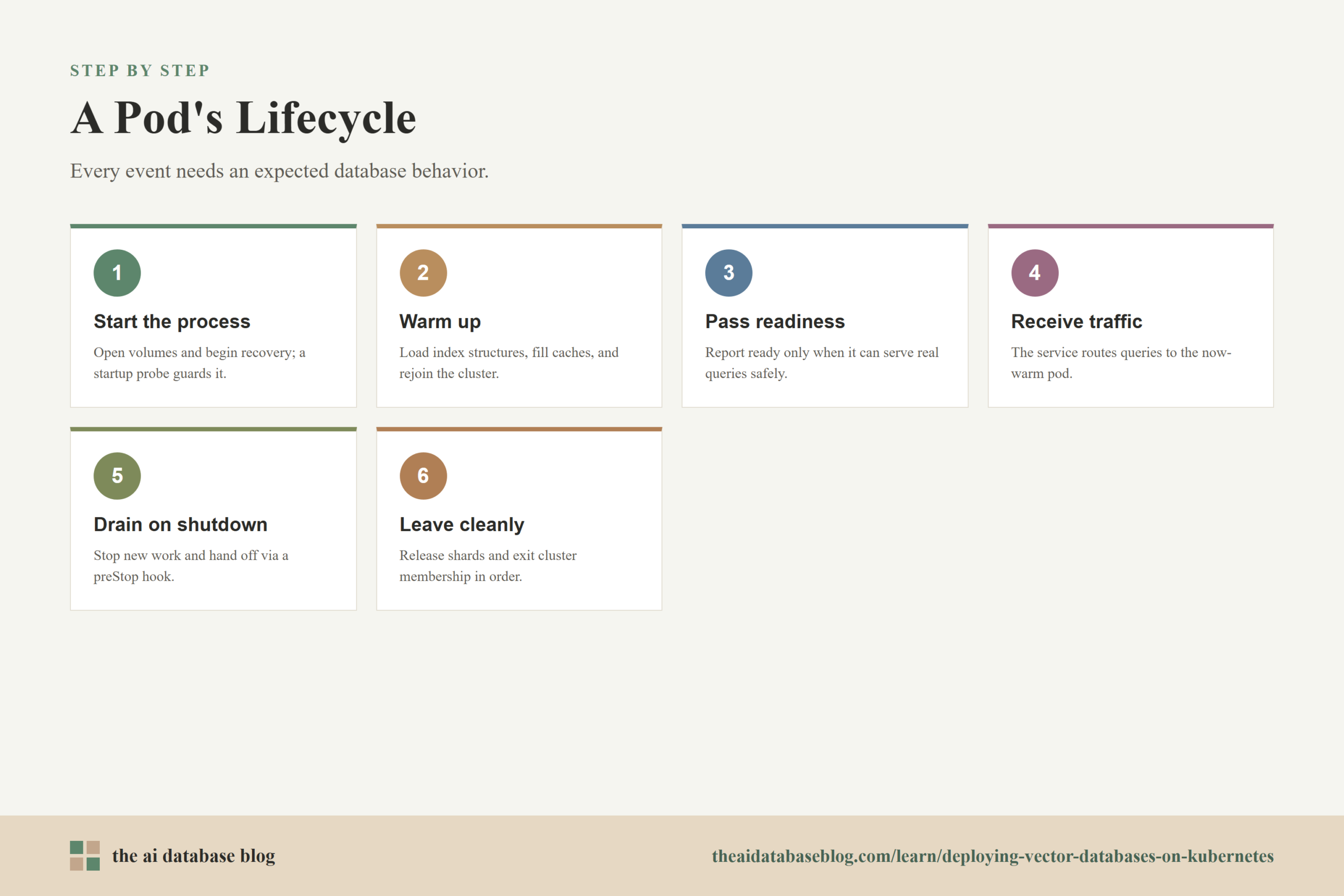
Warm-up is the period after a pod starts when the database process is running but not yet at full retrieval performance. For vector databases, warm-up can involve opening persistent files, reading metadata, loading vector index structures, rebuilding memory maps, rejoining a cluster, replaying logs, filling caches, or receiving shard assignments. If Kubernetes sends production traffic too early, users may see slow queries even though the pod appears healthy.
Warm-up should be treated as part of the deployment design, not as an accidental delay. The right approach depends on the database architecture and workload. A small collection may become ready quickly, while a large multi-shard dataset with metadata filters and hybrid search indexes may require a longer period before latency stabilizes.
Separating Started From Ready
A started pod is not always a ready pod. The process may have opened its network port while still loading index data or waiting for cluster membership. Kubernetes probes should express that difference. The startup probe can allow the process to initialize without premature restarts, while the readiness probe can hold traffic until the database reports that it can serve queries safely.
Some teams also use preStop hooks or termination grace periods so a pod can stop accepting new work before it exits. This gives the database time to hand off traffic, flush state, or leave the cluster cleanly. The exact mechanism depends on the database, but the goal is consistent: avoid sending queries to nodes that are entering or leaving service.
Using Warm-Up Queries
Warm-up queries can prepare common retrieval paths before a pod receives normal traffic. These may include representative vector searches, hybrid searches with metadata filters, or queries against frequently used collections. The purpose is not to fake readiness, but to bring important data structures into memory and verify that the query path works end to end.
Warm-up should be bounded and observable. A warm-up process that runs forever can block availability, while a warm-up process that is too shallow may not prevent latency spikes. Teams should measure cold-start latency, time to readiness, cache hit behavior, and the first few minutes of query performance after each restart.
Warm-Up and Autoscaling
Warm-up has a direct effect on autoscaling. If new pods take several minutes to become useful, reactive scaling may arrive too late for sudden traffic spikes. In that case, keeping a higher minimum replica count or scaling based on leading indicators may be more reliable than waiting for latency to rise. Autoscaling policies should account for the time between pod creation and real query-serving capacity.
Warm-up also affects scale-down. Removing a warm pod saves resources, but if traffic returns soon afterward, the replacement pod may need to repeat the full warm-up cycle. For retrieval-heavy systems, the cheapest replica count is not always the best one if it creates repeated cold starts and unstable latency.
StatefulSets, storage, resources, scaling, updates, and warm-up are the core mechanics. The final step is turning them into practical deployment guidance that a team can apply consistently.
Operational Checklist for Kubernetes-Based Vector Databases
A production deployment should combine Kubernetes configuration with database-aware operating practices. Kubernetes provides scheduling, restart, service discovery, storage attachment, and update orchestration. The vector database provides the rules for data ownership, replication, indexing, and query readiness. Reliable operation comes from aligning those two layers rather than assuming one layer can replace the other.
The following checklist summarizes the most important deployment choices. Each item should be tested under realistic data size, query mix, ingestion rate, and failure scenarios because vector search systems often behave differently under load than they do in a small development cluster.
- Use StatefulSets when pods need stable identity, persistent storage, ordered startup, or ordered updates.
- Create one PersistentVolumeClaim per database pod when each pod owns local data, index files, or recovery logs.
- Choose storage classes based on latency, throughput, reclaim policy, volume expansion support, and failure behavior.
- Set CPU and memory requests from measured indexing, query, ingestion, and warm-up behavior.
- Avoid memory settings that cause repeated out-of-memory restarts during index loading, compaction, or traffic spikes.
- Use readiness checks that reflect cluster membership, storage recovery, and query-serving readiness.
- Use startup probes for slow initialization so Kubernetes does not restart a pod that is still recovering normally.
- Roll updates gradually and verify database-level health between pod replacements.
- Plan warm-up with representative queries, cache observation, and clear readiness criteria.
- Scale based on retrieval-aware metrics where possible, not only generic CPU usage.
This checklist is not a substitute for database-specific documentation, but it provides a useful operating frame. The safest Kubernetes deployment is one where every pod lifecycle event has an expected database behavior: what happens when the pod starts, warms up, becomes ready, receives traffic, drains, updates, moves, or leaves the cluster.
Common Mistakes to Avoid
The most common mistakes come from treating vector databases like ordinary stateless services. A stateless service can often be replaced quickly because its important state lives elsewhere. A vector database may hold local index files, cache-heavy retrieval paths, and cluster membership state that directly affect search quality and latency. When the Kubernetes configuration ignores those realities, the system may still deploy successfully but behave poorly during restarts, traffic spikes, or updates.
One mistake is using a Deployment for pods that really need stable storage and identity. Another is using persistent volumes without understanding reclaim policy or volume expansion behavior. Teams also run into trouble when readiness probes check only whether a port is open, because the database may accept connections before it is safe or fast enough to serve real queries.
Resource settings are another frequent source of instability. Low memory requests can lead to poor scheduling decisions, while tight memory limits can cause restarts during normal index-heavy operations. Low CPU requests may allow the pod to start, but query latency and indexing time can suffer under load. The solution is to measure real behavior and revise requests as the dataset and traffic pattern change.
Finally, warm-up is often underestimated. A pod that has technically started may still need time to load indexes, restore caches, or rejoin the cluster. When rolling updates or autoscaling ignore this delay, the system can look healthy in Kubernetes while users experience slow or inconsistent retrieval.
FAQs
1. Should a vector database run as a StatefulSet or a Deployment?
A vector database should usually run as a StatefulSet when each pod needs stable identity, persistent storage, or ordered lifecycle behavior. A Deployment can be appropriate for stateless supporting services such as query gateways, embedding workers, or application APIs, but the database nodes themselves often need the guarantees that StatefulSets provide.
2. Why are persistent volumes important for vector databases?
Persistent volumes allow database pods to keep stored vectors, index files, metadata, and recovery state across restarts or rescheduling. Without persistent storage, a restarted pod may need to rebuild data from another source, which can slow recovery and reduce retrieval availability.
3. How should resource requests be sized?
Resource requests should be based on measured workload behavior, including ingestion, indexing, search traffic, metadata filtering, compaction, and warm-up. For production systems, requests should represent what the pod needs to operate reliably, not merely what it needs to start.
4. Can Kubernetes autoscale a vector database?
Kubernetes can scale StatefulSets and other scalable workloads, and Horizontal Pod Autoscaling can be configured for supported resources. However, autoscaling a vector database also requires database-level awareness of sharding, replication, rebalancing, and warm-up, so generic CPU-based scaling may not be enough by itself.
5. What makes rolling updates risky for vector databases?
Rolling updates can be risky when replacement pods are marked ready before they have loaded indexes, recovered state, or rejoined the database cluster. They can also be risky when a software update changes storage format, cluster protocol, or index compatibility. Safe updates combine Kubernetes ordering with database-specific health checks.
6. What does warm-up mean in a Kubernetes deployment?
Warm-up is the period after a pod starts when the database is preparing to serve fast and reliable queries. It may include loading indexes, replaying logs, filling caches, rejoining the cluster, and running representative queries. Kubernetes readiness should account for this period so traffic reaches the pod only when it is truly ready.
Takeaway
Deploying vector databases on Kubernetes works best when teams treat retrieval infrastructure as a stateful data system with specific storage, resource, update, scaling, and warm-up needs. StatefulSets provide stable identity, persistent volumes preserve index and data state, resource requests help Kubernetes schedule reliable capacity, rolling updates control change, and warm-up planning protects query latency after restarts. This guidance is most useful for platform engineers, data infrastructure teams, and AI application teams building retrieval-augmented generation, semantic search, or hybrid search systems where Kubernetes must support both operational reliability and consistent retrieval performance.
Watch this video to learn more