Choosing an embedding model is a retrieval decision, not just a machine learning decision. The best model for an AI database should match your data, query patterns, language needs, latency target, budget, and evaluation method. Dimensions, context length, multilingual support, domain fit, speed, cost, and benchmark results all matter, but none of them should be read in isolation.
This guide explains how to compare embedding models for semantic search, hybrid search, and retrieval-augmented generation systems. You will learn what the major model specifications mean, how they affect vector database design, how to think about MTEB and other benchmarks, and how to run a practical selection process before committing to a model in production.
What an Embedding Model Does in an AI Database
An embedding model converts text, images, code, or other content into vectors: lists of numbers that represent meaning in a searchable form. In an AI database, those vectors are stored alongside metadata and source references so the application can retrieve items that are semantically close to a query. For text-heavy systems, the embedding model is often the component that decides whether a user question finds the right policy clause, product paragraph, support answer, contract section, or research excerpt.
The model does not work alone. Retrieval quality also depends on chunking, metadata filters, keyword search, reranking, query rewriting, and how much context the downstream application can use. A strong embedding model can still perform poorly if documents are split badly or if the vector database is tuned only for speed while sacrificing too much recall.
This is why embedding selection should begin with the retrieval problem itself. A model that performs well for short FAQ search may not be the right choice for long technical documentation, multilingual support tickets, legal clauses, biomedical abstracts, code snippets, or conversational memory. The model should be evaluated as part of the full retrieval system, not as a standalone score.
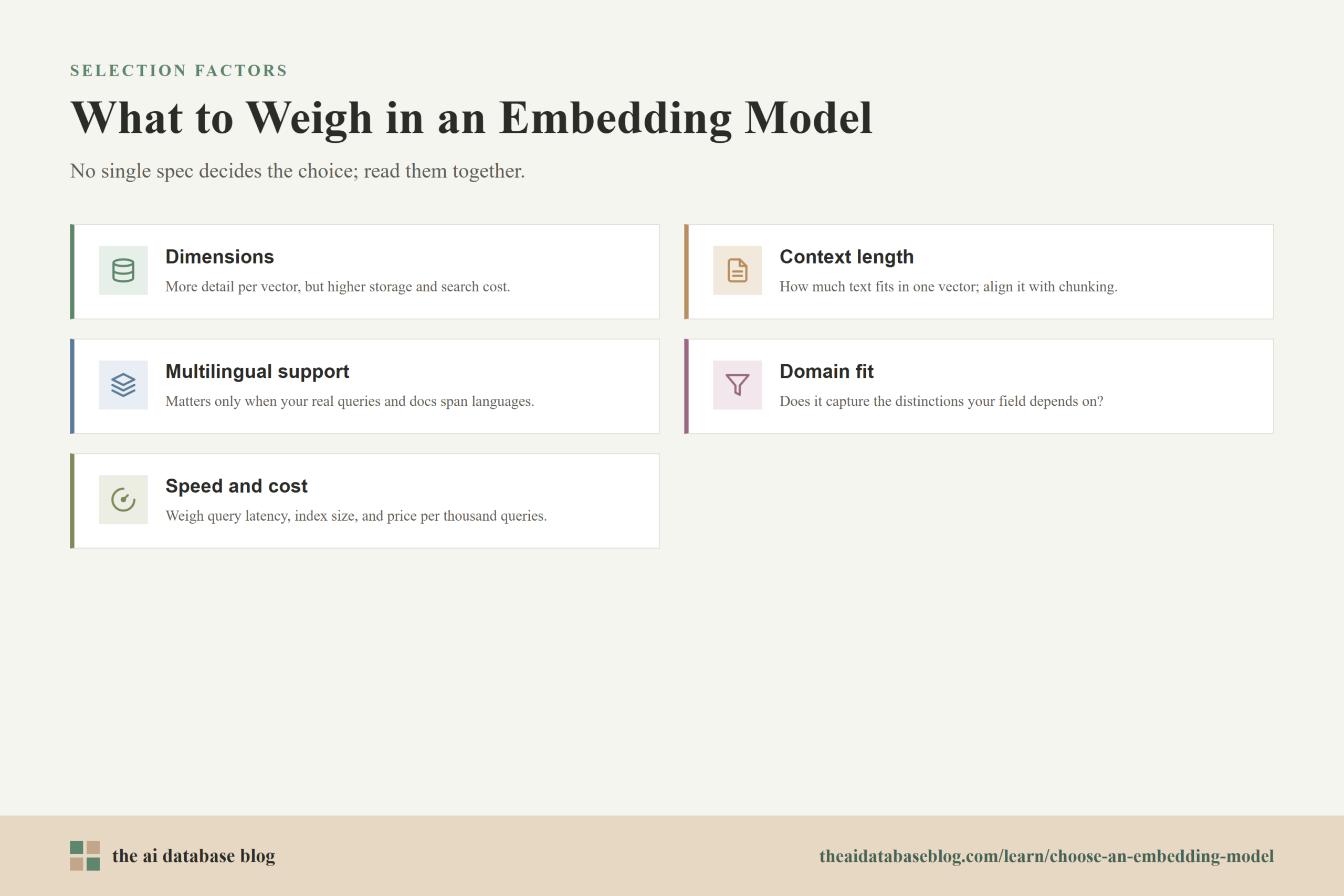
Once you treat the embedding model as part of the database architecture, the specifications become easier to interpret. Dimensions affect storage and search cost, context length affects how much text can be embedded at once, language support affects cross-lingual retrieval, and benchmark results become signals to test rather than answers to copy.
Start With the Retrieval Job, Not the Leaderboard
The first step is to define what the embedding model must retrieve. A model for product search needs to connect short user queries to product names, descriptions, attributes, and intent. A model for internal knowledge retrieval may need to find long-form explanations, policy details, troubleshooting steps, or source passages that answer a question with enough context to support a generated response.
Before comparing models, write down a few concrete retrieval requirements. These should include the main content types, the expected query style, the languages involved, the required freshness of the index, the number of vectors, the latency target, and whether exact wording still matters. This framing prevents a common mistake: choosing the model with the highest average benchmark score even though the actual application has a narrower and more demanding retrieval pattern.
It also helps to separate the job into retrieval stages. The embedding model may be responsible for first-pass candidate retrieval, while a reranker or generative model handles final ordering and answer construction. In that setup, the embedding model does not have to be perfect at ranking every result, but it must reliably pull the right candidates into the top set.
With the retrieval job defined, the next question is how large and expensive each vector representation should be. That brings dimensions to the front of the decision, because dimensions influence both semantic capacity and database operations.
Dimensions: Quality, Storage, and Search Tradeoffs
Embedding dimensions are the number of numeric values in each vector. A 384-dimensional vector stores 384 numbers; a 1024-dimensional vector stores 1024 numbers; a 3072-dimensional vector stores 3072 numbers. Higher dimensions can give a model more room to encode semantic detail, but more dimensions also increase storage, memory use, network transfer, indexing time, and similarity-comparison cost.
The practical storage impact is straightforward. If vectors are stored as 32-bit floating point values, each dimension uses 4 bytes before index overhead. That means one million 384-dimensional vectors require about 1.5 GB for raw vector values, while one million 1536-dimensional vectors require about 6.1 GB before metadata, graph structures, replicas, compression, or database overhead. At tens or hundreds of millions of vectors, the dimension choice becomes an infrastructure decision.
Dimensions also affect search performance. Approximate nearest neighbor indexes reduce the amount of comparison work, but larger vectors still take more memory bandwidth and more compute per comparison. In high-throughput systems, a smaller model with slightly lower benchmark quality may produce a better user experience if it keeps latency predictable and allows more candidates to be searched or reranked within the same budget.
The best dimension count is not always the largest available option. For simple semantic search, deduplication, support article lookup, or routing tasks, smaller embeddings may be enough. For subtle domain retrieval, cross-lingual matching, legal or scientific language, or complex long-form passages, larger embeddings may preserve distinctions that smaller vectors blur.
When Flexible Dimensions Matter
Some modern embedding models support dimension reduction more gracefully than older fixed-size models. A model trained with nested or Matryoshka-style representations is designed so shorter prefixes of the vector can still be useful, allowing teams to choose a smaller stored dimension when cost or latency matters. This is different from blindly cutting off dimensions from a model that was not trained for truncation, which can damage retrieval quality.
If a model offers configurable dimensions, test several sizes on your own queries. A smaller setting may keep most of the retrieval quality while reducing vector storage and speeding up search. The right question is not whether the full vector is best in absolute terms, but whether the extra dimensions improve the results enough to justify their operational cost.
Dimensions explain how expensive each stored vector is, but they do not tell you how much text the model can safely represent in that vector. For that, you need to look at context length and chunking behavior.
Context Length: How Much Text the Model Can Embed Well
Context length is the maximum amount of input text the embedding model can process at once, usually measured in tokens. If text exceeds that limit, it may be truncated, rejected, or forced through a preprocessing step. For transformer-based embedding models, longer inputs also tend to require more memory and compute, so context length affects both quality and throughput.
A longer context window can be useful, but it does not mean every document should be embedded as one giant chunk. A single vector has to compress the meaning of the entire input. If the input contains many unrelated topics, the resulting embedding can become too broad to match precise queries. In RAG systems, this is one reason teams often retrieve smaller passages even when the model can technically handle much longer text.
Short context windows create a different problem. If the model only sees a few hundred tokens, important surrounding details may be lost, especially in policy documents, contracts, meeting transcripts, technical manuals, and research papers. The retrieval system may find a fragment that matches the words in the query but lacks the surrounding information needed to answer accurately.
The practical choice is to align context length with the chunking strategy. For focused passages, use chunks that preserve one idea, answer, procedure, or section. For longer documents where references depend on earlier context, consider structure-aware chunking, parent-child retrieval, or long-context embedding approaches that preserve more surrounding meaning while still returning usable chunks.
After dimensions and context length, the next major constraint is language. A model that works beautifully in one language may fail when the query and document are written in different languages or when domain terms appear in mixed-language text.
Multilingual Support and Cross-Lingual Retrieval
Multilingual support means more than accepting text in many languages. For an AI database, the key question is whether the model places semantically similar content near each other across the languages your users actually use. A multilingual model should retrieve a relevant Spanish document for an English query, or match a German support ticket to an English knowledge base article, when that behavior is required by the application.
There are three common language patterns to test. The first is monolingual retrieval, where queries and documents use the same non-English language. The second is cross-lingual retrieval, where the query is in one language and the document is in another. The third is mixed-language retrieval, where documents include product names, code, acronyms, transliterated terms, or region-specific expressions.
Do not assume that broad language coverage equals strong performance in every language. Some models perform well in high-resource languages but struggle with lower-resource languages, regional phrasing, or specialized terminology. Multilingual benchmarks can help narrow the list, but they should be followed by tests using real queries and real documents from the target languages.
If only one language matters, a strong single-language model may be faster, cheaper, or more accurate for that corpus. If multilingual or cross-lingual retrieval is central to the product, language support should be treated as a core requirement rather than a nice-to-have feature.
Language coverage tells you whether the model can understand the text, but domain fit tells you whether it understands the kind of meaning that matters in your corpus. The two are related, but they are not the same.
Domain Fit: Match the Model to the Content and Query Style
Domain fit is the degree to which an embedding model represents the distinctions that matter in a specific field. General-purpose models often perform well across broad text tasks, but specialized domains can expose weaknesses. In medical, legal, financial, engineering, scientific, code, and enterprise support content, the difference between two similar terms may be essential to retrieval quality.
Domain fit is not only about vocabulary. It is also about query intent. A user might search with a vague symptom, a precise part number, a clause reference, a code error, a natural-language question, or a pasted paragraph. The embedding model must connect those queries to the right documents even when the wording is different. If exact terms, identifiers, or rare names are important, hybrid search with keyword matching may be necessary alongside embeddings.
A good domain-fit test uses a small evaluation set built from realistic queries. Include easy queries, ambiguous queries, rare terminology, negative examples, and queries where the correct answer depends on context. Measure whether the relevant document appears in the top results and whether it appears high enough to be used by the application.
If no model performs well enough, the answer may not be a larger embedding model. Better chunking, metadata filtering, query expansion, hybrid retrieval, reranking, or domain-specific fine-tuning may produce a larger improvement than switching to the highest-scoring general model.
Once the model can represent your content well, the operational question becomes whether it can do so quickly enough and cheaply enough. Speed and cost are connected because embedding generation, vector storage, indexing, and query-time search all add to the total system budget.
Speed and Cost: Evaluate the Whole Retrieval Pipeline
Embedding cost has two sides: offline indexing cost and online query cost. Offline indexing happens when documents are embedded and stored. It can be expensive for a large corpus, but it is often easier to schedule, batch, and amortize. Online query embedding happens every time a user searches or asks a question, so it directly affects latency and recurring cost.
Speed depends on the model size, hardware, batching strategy, input length, provider latency, and deployment setup. A local model may avoid external API latency and provide predictable data control, but it requires infrastructure management. A hosted model may simplify operations but introduces usage pricing, rate limits, and network dependency. The right answer depends on volume, privacy requirements, freshness needs, and engineering capacity.
The database cost should be included in the model comparison. Higher dimensions increase vector storage and index overhead. Larger indexes may need more memory, more replicas, or more expensive hardware to maintain the same latency and recall. If the application uses reranking, retrieving more candidates can improve quality but also adds compute and latency after vector search.
For production systems, compare models using end-to-end metrics such as time to embed a query, top-k retrieval latency, recall at the chosen candidate count, reranking latency if used, storage per million vectors, and total cost per thousand user queries. A slightly slower model may be acceptable for background research workflows, while a customer-facing search bar may need much tighter latency.
Speed and cost make the tradeoffs visible, but benchmarks are still useful for narrowing the field. The important part is knowing what a benchmark score says, what it does not say, and how to translate it into your own evaluation.
How to Read MTEB and Other Embedding Benchmarks
MTEB, the Massive Text Embedding Benchmark, is one of the most useful public frameworks for comparing embedding models because it evaluates models across many task types rather than only one kind of sentence similarity task. Its task families include retrieval, reranking, classification, clustering, semantic textual similarity, pair classification, summarization-style similarity, and bitext mining. Modern MTEB resources also include multilingual and specialized benchmark collections, which makes the ecosystem broader than a single English leaderboard.
The most important lesson from MTEB is that there is no universally best embedding model for every task. A model can rank highly overall because it performs well across many categories, but your AI database may care mostly about retrieval, cross-lingual matching, code search, legal passages, or short support queries. For RAG and semantic search, the retrieval subset is usually more relevant than the overall average.
When reading MTEB, look at the task breakdown instead of only the headline score. Retrieval scores tell you more about first-pass search. Reranking scores matter if the model is being used in a ranking stage or if you are comparing against reranker alternatives. Classification and clustering scores can be useful for analytics, routing, or organization tasks, but they are not direct proof that a model will retrieve the right chunks for a RAG application.
Also check the model size, embedding dimensions, language coverage, sequence length, licensing or deployment constraints, and whether results were produced under comparable conditions. A high-scoring model may be too slow, too expensive, too large to host, or poorly matched to your language and domain requirements.
What MTEB Scores Can Tell You
MTEB can help you identify models that are broadly competent, spot models that perform especially well in retrieval tasks, and compare multilingual or domain-specific behavior when the relevant benchmark exists. It is useful for creating a shortlist because it saves you from testing every available model from scratch.
MTEB is also useful because it separates different embedding uses. A model that excels at semantic textual similarity may not be the best retrieval model, and a model that performs well in classification may not be the best choice for nearest-neighbor search over document chunks. The task categories help you ask a more precise question.
What MTEB Scores Cannot Tell You
MTEB cannot tell you exactly how a model will perform on your documents, queries, chunking strategy, metadata filters, vector index, and reranking setup. Public benchmarks use fixed datasets and labels. Your application may include different language, domain terms, query ambiguity, document structure, freshness constraints, or relevance definitions.
Benchmark scores can also hide operational differences. Two models with similar retrieval scores may have very different dimensions, context lengths, inference speeds, hosting requirements, or costs. A model that is slightly lower on a leaderboard may be the better production choice if it is easier to deploy and performs well on your own evaluation set.
How to Use BEIR, Domain Benchmarks, and Internal Tests
BEIR is especially useful for understanding zero-shot retrieval: how well retrieval systems generalize to new datasets and domains without being trained on each one. This matters because many AI database applications begin with existing enterprise or product data, not a large labeled training set. If your model is expected to work across unfamiliar content types, zero-shot retrieval benchmarks are more relevant than narrow in-domain scores.
Domain benchmarks can be useful when they match your field, but internal tests are still necessary. A medical benchmark may not reflect your hospital policy documents. A legal benchmark may not reflect your contract templates. A code benchmark may not reflect your repository structure, comments, naming conventions, or error messages.
Benchmarks should narrow your choices, not end the decision. Once you have a shortlist, the next step is to evaluate models against your own retrieval examples and the system constraints that matter in production.
A Practical Evaluation Workflow
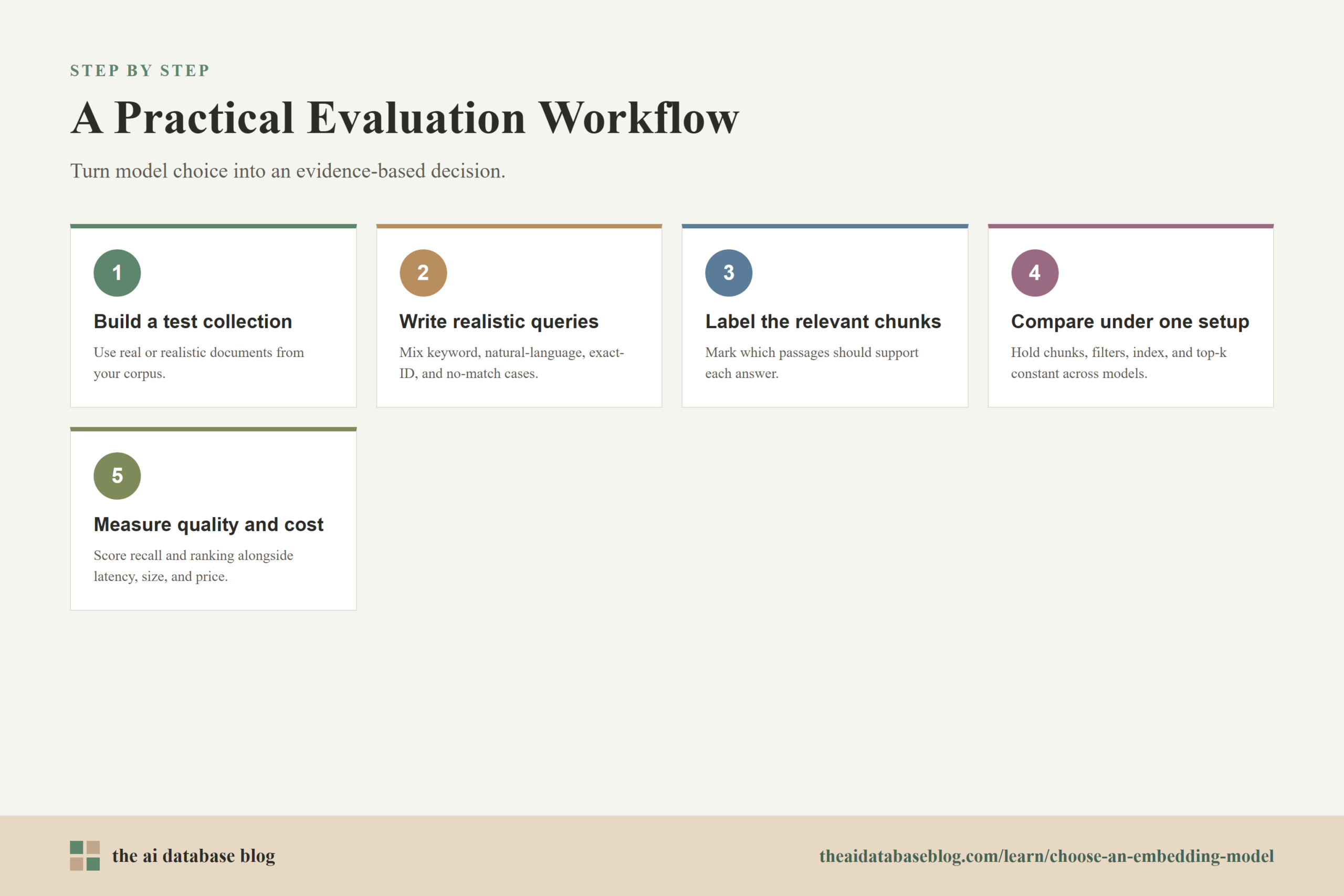
A practical embedding selection process should be small enough to run quickly but realistic enough to reveal failure modes. You do not need a huge labeled dataset to begin. A few dozen to a few hundred representative queries can show whether a model understands your domain, handles your languages, retrieves precise chunks, and works within your latency and cost limits.
Start by building a test collection from real or realistic documents. Create queries that reflect how users actually ask for information, including short keyword queries, natural-language questions, ambiguous phrasing, exact identifier searches, and queries that should not match anything strongly. For each query, mark the documents or chunks that should be considered relevant.
Then compare models under the same retrieval setup. Use the same chunks, metadata filters, vector index settings, and top-k values. Measure recall at k, precision at k, mean reciprocal rank, and normalized discounted cumulative gain when you have graded relevance. For RAG systems, also inspect whether the retrieved chunks contain enough information for the answer, not merely whether they mention the topic.
Finally, measure operational behavior. Record embedding latency, indexing time, query throughput, index size, storage cost, and reranking cost if applicable. The model that wins should be the one that meets the retrieval quality target at an acceptable cost and latency, not simply the one with the highest public benchmark average.
This workflow turns model choice into an evidence-based engineering decision. It also reduces the risk of re-embedding a large corpus later because the first choice was made from a leaderboard alone.
Common Selection Patterns
Different applications often lead to different embedding choices. There is no single default that fits every AI database, but common patterns can help teams make an initial shortlist. The key is to match the model to the retrieval surface rather than treating all semantic search as the same problem.
For a small internal knowledge base, a compact embedding model may be enough if queries are simple, documents are clean, and latency matters more than subtle semantic distinctions. For a large enterprise RAG system, a stronger model with good retrieval performance, robust domain fit, and support for metadata-aware retrieval may be worth the extra cost.
For multilingual support search, prioritize language alignment and cross-lingual retrieval tests over English-only benchmark scores. For legal, scientific, medical, or code retrieval, test domain-specific terms and edge cases directly. For high-volume applications, compare smaller dimensions, quantization, batching, and hybrid retrieval before assuming the largest embedding is necessary.
These patterns are starting points, not rules. The strongest selection process uses public benchmarks to shortlist candidates, then uses internal evaluation to choose the model that best fits the actual data and product constraints.
Mistakes to Avoid When Choosing an Embedding Model
The most common mistake is choosing by overall leaderboard rank alone. A high average score can be useful, but it may reflect strengths in tasks that are not central to your application. If the product depends on retrieval, look at retrieval-oriented results and run your own retrieval tests.
Another mistake is embedding chunks that are too large simply because the model supports a long context window. Long inputs can blur multiple topics into one vector. The retrieval system may then return a chunk that is generally related but not specific enough to answer the question.
Teams also underestimate migration cost. Changing embedding models usually means re-embedding the corpus and rebuilding or updating the vector index. If the corpus is large, this can be expensive and operationally disruptive. Test carefully before committing, especially when the stored dimension or distance metric would change.
A final mistake is treating dense embeddings as a replacement for every other retrieval method. Exact terms, product IDs, names, codes, dates, and rare phrases often still benefit from keyword search or metadata filters. Many strong AI database systems combine dense retrieval with lexical search, filtering, and reranking instead of relying on one model to solve every retrieval problem.
Avoiding these mistakes makes the selection process less fragile. The final decision should combine model quality, database cost, language and domain fit, and measured performance on the actual retrieval task.
FAQs
1. What is the most important factor when choosing an embedding model?
The most important factor is whether the model retrieves the right content for your actual queries and documents. Public benchmark scores, dimensions, context length, and cost all matter, but they should support that core goal. For AI database applications, a model should be tested inside the retrieval pipeline it will actually use.
2. Are higher-dimensional embeddings always better?
No. Higher-dimensional embeddings can preserve more semantic detail, but they also increase storage, memory use, index size, and search cost. A smaller embedding may be the better choice if it meets the retrieval quality target while improving latency and reducing infrastructure cost.
3. How much context length does an embedding model need?
The right context length depends on your document structure and retrieval strategy. A long context window is useful for preserving surrounding meaning, but very large chunks can dilute the signal in a single vector. In many RAG systems, focused chunks with enough local context work better than embedding entire long documents as one vector.
4. Should I choose a multilingual embedding model?
Choose a multilingual model if users search in multiple languages, documents exist in multiple languages, or cross-lingual retrieval is required. If the application only uses one language, a strong single-language model may be simpler, faster, or more accurate. The decision should be based on tests using the actual languages and query patterns in the application.
5. How should I read MTEB benchmark results?
Use MTEB to create a shortlist, not to make the final decision. Look at the task categories that match your use case, especially retrieval for semantic search and RAG. Also consider dimensions, context length, speed, deployment constraints, and cost because a high score does not automatically mean the model is the best production fit.
6. How do I test an embedding model before using it in production?
Create a small evaluation set from real documents and realistic queries, label the expected relevant chunks, and compare candidate models under the same retrieval setup. Measure recall, precision, ranking quality, latency, index size, and cost. Inspect failures manually so you can tell whether the problem comes from the model, chunking, metadata, hybrid search, or reranking.
Takeaway
Choosing an embedding model means balancing retrieval quality with database design, latency, language support, domain fit, and cost. Dimensions shape storage and search performance, context length shapes chunking strategy, multilingual support matters only when it matches real language needs, and benchmarks like MTEB and BEIR are best used as shortlist tools rather than final answers. This guidance is most useful for teams building semantic search, hybrid search, or RAG systems where the embedding model must retrieve reliable context from a real corpus, such as an internal knowledge base, support center, product catalog, or technical documentation library.
Watch this video to learn more